

Android RPGs no longer feel like small games made to fill a few spare minutes. Some now offer large open worlds, cinematic stories, fast combat, competitive arenas, and progression systems that can keep players busy for years.
The problem is that controller support has not developed at the same speed.
Some Android RPGs properly recognize Xbox, PlayStation, and mobile gamepads. Others let you pair a controller with your phone but ignore it once the game starts. A few support movement and combat but still require the touchscreen for menus.
That difference matters. A game may be excellent with touch controls but frustrating for someone who specifically wants physical buttons.
This guide compares ten free Android RPGs based on their gameplay, long-term value, monetization, hardware demands, and current controller situation. Controller information is described carefully because support can change after game updates, Android upgrades, and controller firmware changes.
What Controller Support Actually Means on Android
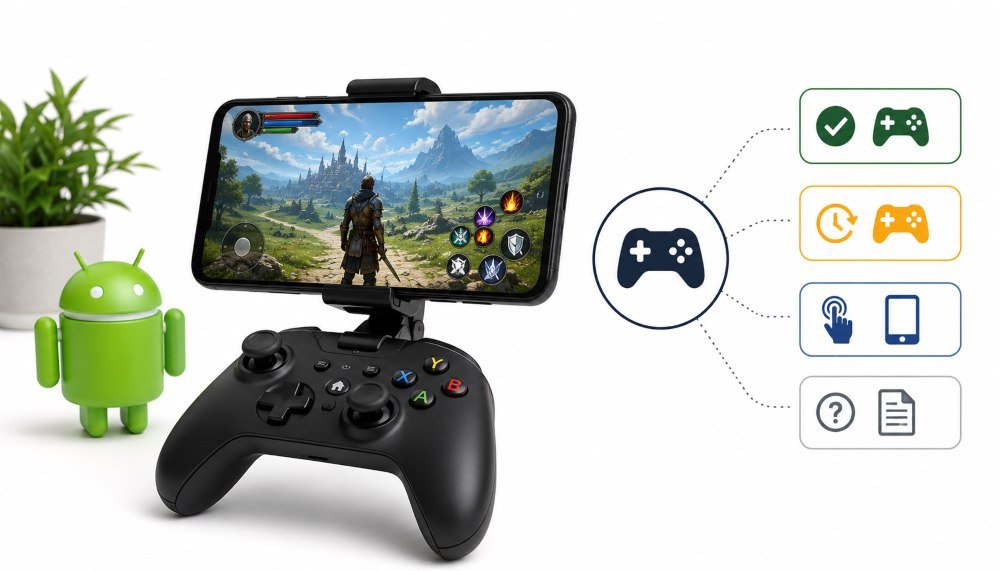
Connecting a controller to your phone does not automatically make every Android game controller-compatible.
Android itself can recognize many wired and Bluetooth gamepads. Google’s Android controller setup guide explains how to pair a controller and, on supported devices, adjust button or joystick assignments. However, each game developer must still program the game to understand those inputs.
Good controller support should cover more than character movement. According to the Android Developers controller testing guidance, a properly supported game should recognize the controller, work in menus and tutorials, switch correctly between touch and controller input, and function with common wired and wireless controller types.
For this guide, controller status is divided into four practical categories:
- Confirmed support: The publisher clearly documents Android controller compatibility.
- Version-dependent support: Controller options may depend on the current game version, device, or controller model.
- Touch-first: The game is designed mainly for touchscreen use.
- Not clearly documented: The publisher does not provide a reliable current Android controller list.
Quick Picks
| Game | Best For | RPG Style | Android Controller Status | Main Concern |
|---|---|---|---|---|
| RAID: Shadow Legends | Long-term team building | Collection RPG | Not clearly documented | Slow free progression |
| Genshin Impact | Open-world adventure | Action RPG | Confirmed support | Expensive character system |
| Wuthering Waves | Fast and technical combat | Open-world action RPG | Version-dependent | Demanding hardware |
| Honkai: Star Rail | Turn-based strategy | Sci-fi RPG | Check the current build | Story-heavy opening |
| AFK Journey | Low-maintenance progress | Idle collection RPG | Touch-first | Limited active combat |
| Solo Leveling: ARISE | Anime action | Action RPG | Check the current build | Repetitive progression |
| Epic Seven | Competitive PvP | Turn-based collection RPG | Touch-first | Difficult for beginners |
| Summoners War | Long-term collection | Turn-based RPG | Touch-first | Old systems and power creep |
| Zenless Zone Zero | Stylish close combat | Urban action RPG | Official mobile support remains unclear | High hardware requirements |
| Diablo Immortal | Dungeon crawling | Action RPG | Confirmed support | Aggressive monetization |
Test Your Controller Before Starting a Long RPG
A controller can connect correctly to Android while still having a faulty stick, incorrect trigger range, or mismatched buttons.
Before downloading a large RPG, test the controller separately.
Press every face button, shoulder button, trigger, and directional input. Move both analog sticks slowly around their complete range. Watch for stick drift, delayed movement, dead areas, or inputs that remain active after you release the stick.
This simple check helps separate three different problems:
- A hardware problem inside the controller
- An Android pairing or mapping problem
- A game that does not support the connected controller
When a controller works correctly in a testing tool but does nothing inside a game, the game’s controller implementation is usually the first thing to investigate.
1. RAID Shadow Legends
- Snapshot: A dark fantasy collection RPG built around recruiting, upgrading, equipping, and combining Champions from different factions.
- Best for: Players who enjoy long-term account building more than fast action.
RAID: Shadow Legends is not the type of RPG you understand after one evening. Its main appeal comes from slowly building teams for different activities rather than relying on one powerful character.
Campaign stages teach the basic systems, but the game becomes more demanding through Clan Boss battles, Faction Wars, dungeons, Arenas, gear tuning, and late-game team combinations. Speed order, accuracy, resistance, critical rate, affinity, and skill timing can matter as much as a Champion’s basic power rating.
That depth gives the game a long life. A player may use one team for campaign farming, another for bosses, another for PvP, and several faction-specific groups for restricted content.
The game also supports account access across mobile and computers through Plarium Play. This is useful for players who complete quick tasks on Android but prefer longer team-building sessions on a larger screen.
Controller experience
RAID remains primarily a menu-based and touch-focused experience on Android. Plarium’s current mobile device requirements explain Android hardware and performance settings but do not provide a clear official list of supported Android controllers.
That does not make the game difficult to control. Most battles depend on selecting skills, choosing targets, managing equipment, and moving through menus rather than controlling a character with two analog sticks.
A controller would mainly improve menu navigation, so touchscreen play is still practical. Players who want physical controls should verify support in the current build instead of assuming that a paired controller will work.
Honest Downside
The early game constantly places offers, packs, energy limits, and upgrade shortcuts in front of the player. Free progress is possible, but it requires patience and careful resource use.
Players expecting a relaxed two-week adventure may find the grind tiring. Players who enjoy working on a team for several months may find that same slow progression satisfying.
Those interested in similar collection and strategy systems can also review Plarium’s free-to-play lineup without assuming every title follows RAID’s exact structure.
2. Genshin Impact
- Snapshot: A large open-world action RPG with real-time elemental combat, story quests, puzzles, hidden areas, and character collection.
- Best for: Players who want a full adventure rather than a sequence of battle menus.
Genshin Impact remains one of the easiest Android RPGs to recommend to someone who values exploration. Its world is filled with mountain routes, underground spaces, puzzles, treasure, regional stories, and environmental details that reward curiosity.
Combat is based on switching between characters and combining elements. Water can prepare an enemy for freezing. Fire can cause reactions with other elements. Wind can spread effects across groups. A good team is therefore built around interaction, not simply four high-rarity characters.
The main story and large parts of the world can be completed without paying. Spending becomes more tempting when players want specific limited characters, weapons, or stronger late-game teams.
Controller experience
Genshin has clearly documented Android controller support. HoYoverse’s official supported-controller list includes Bluetooth Xbox controllers, Xbox Elite Series 2, DualShock 4, and DualSense, with Android version requirements for each model.
This makes Genshin one of the safer choices in this list for Android players who specifically want a gamepad.
Analog movement feels natural while running, climbing, swimming, gliding, and aiming certain attacks. Physical shoulder buttons also make character switching and skill use more comfortable during longer fights.
Players should still check the in-game control settings after pairing. A controller may be connected to Android while the game remains set to touchscreen input.
HoYoverse also provides cross-platform synchronization instructions, allowing the same account progress to continue across Android, PC, consoles, and other supported platforms.
Honest Downside
Genshin’s character system can become expensive for players who want every new limited release. Exploration is exciting early on, but clearing repeated daily tasks between major updates may eventually feel routine.
It is best approached as a free story and exploration game first. The character collection system should remain optional rather than becoming the reason to play.
3. Wuthering Waves
- Snapshot: A fast open-world action RPG focused on dodging, counterattacks, character switching, and collecting Echo abilities from defeated creatures.
- Best for: Players who want sharper combat and more demanding timing.
Wuthering Waves places more pressure on reaction speed than many mobile collection RPGs. Enemies often reward well-timed dodges and counters, while character switching can continue an attack sequence rather than stopping it.
The Echo system gives the game its own identity. Defeated creatures can provide abilities that become part of a character’s build. This adds another layer beyond weapons, character levels, and standard equipment statistics.
The game’s movement also feels quick. Running across walls, crossing open areas, and moving between combat encounters takes less time than in many open-world mobile games.
The official Wuthering Waves Google Play listing shows that the Android version continues to receive major content updates in 2026.
Controller experience
Wuthering Waves is the kind of game that benefits greatly from a controller because dodging, camera movement, character switching, and ability timing often happen together.
Mobile controller availability has changed across versions, which makes old setup guides unreliable. Players should connect the controller before opening the game, check the current Controls menu, and confirm that the game displays controller prompts.
Do not use a PC or console support announcement as proof that the Android version supports the same device. Support can differ between platforms.
Honest Downside
Wuthering Waves is demanding on Android hardware. Frame drops during fast combat can remove the timing advantage that makes its battle system enjoyable.
Older and lower mid-range phones may need reduced graphics, lower effects, and a stable frame-rate cap. A controller cannot correct performance problems caused by an overloaded phone.
4. Honkai Star Rail
- Snapshot: A turn-based science-fiction RPG built around teams, elemental weaknesses, turn order, cinematic storytelling, and carefully timed special abilities.
- Best for: Players who prefer planning over fast reactions.
Honkai: Star Rail is more relaxed to control than Genshin or Wuthering Waves because battles do not depend on quick dodges or constant camera movement.
Players choose attacks, skills, targets, and ultimate abilities while considering enemy weaknesses and the order in which characters will act. The best decision is not always the strongest attack. Saving skill points, delaying an ultimate, or breaking an enemy at the right moment can decide a difficult fight.
The story presentation is one of the game’s strongest features. Areas feel more controlled than a fully open world, but that allows scenes, character conversations, and combat encounters to maintain a steady pace.
Controller experience
The Android version remains comfortable with touch controls because most important actions involve selecting clearly displayed commands.
Official controller information for Android is less clear than it is for Genshin. Players who want to use a gamepad should check the current in-game settings and HoYoverse support information for their specific build.
Even without full controller use, the turn-based structure reduces the discomfort of touchscreen play. There is no need to maintain precise analog movement during battles.
Honest Downside
The opening hours contain long conversations and guided story sections. Players who want immediate freedom to build teams and repeat difficult combat may find the early pace slow.
5. AFK Journey
- Snapshot: An idle collection RPG where heroes fight on a tactical board and continue collecting certain resources while the player is away.
- Best for: Players who want steady account progress without long daily sessions.
AFK Journey is built around convenience, but it is not completely passive. Hero position, attack range, faction relationships, terrain, and team composition affect the result of a fight.
Moving one hero to another tile may change which enemy attacks first. Replacing a damage dealer with a support unit may keep the entire group alive. The game therefore gives players useful decisions without requiring constant manual control.
Its lighter daily structure makes it suitable for people who enjoy team building but cannot spend several hours playing every evening.
Controller experience
AFK Journey is mainly designed around tapping menus, moving units, selecting upgrades, and watching automated battles. The publisher does not clearly document Native Android controller support.
The absence of confirmed controller support is less damaging here than it would be in a fast action game. Touch controls match the game’s slower, menu-driven structure.
Honest Downside
Players looking for direct control may feel disconnected from the action. Strategy happens before and around the fight, while much of the actual combat plays automatically.
6. Solo Leveling ARISE
- Snapshot: An action RPG based on the Solo Leveling series, featuring character switching, dodges, special attacks, bosses, and familiar story events.
- Best for: Fans who want to take part in major battles from the anime and manhwa.
- Solo Leveling: ARISE works best when it feels fast. Dodging a large attack, responding with a counter, changing characters, and continuing a combo can make boss battles feel dramatic.
The game also benefits from familiarity with the source material. Recognizing characters and major story moments adds meaning that a new player may not feel immediately.
Its cross-platform availability makes it attractive to players who alternate between shorter mobile sessions and computer play.
Controller experience
The combat design is well suited to physical controls, but Android support should be checked in the current version before choosing the game for that reason alone.
Test movement, camera control, dodge, character switching, and menu navigation separately. Some games recognize controller inputs during combat but continue to require touch input for menus, reward screens, or account settings.
Honest Downside
The game can become repetitive when progression begins to depend on repeating stages, collecting upgrade resources, and improving multiple characters at the same time.
Players unfamiliar with Solo Leveling may also find the story less interesting than existing fans do.
7. Epic Seven
- Snapshot: A polished 2D collection RPG with turn-based battles, detailed character animation, equipment farming, and a serious competitive Arena.
- Best for: Players who enjoy PvP team building and long-term account improvement.
Epic Seven appears simple during early story battles, but its competitive systems are difficult. Speed order, equipment quality, debuffs, resistance, turn manipulation, counterattacks, and hero combinations all affect high-level matches.
The 2D presentation has aged well because it does not try to imitate a console-style 3D world. Character attacks remain clear and visually distinctive.
Controller experience
Epic Seven is touch-first on Android. Its command-based battles and menu-heavy progression do not require analog movement, so touchscreen control is usually enough.
Official Android controller compatibility is not clearly documented. Players should not install it specifically for controller play unless they have verified support on their own device and current game version.
Honest Downside
The competitive side is difficult for new players. Long-term users may already own large hero collections and carefully optimized equipment.
Catching up requires patience, and equipment randomness can make progress feel slower than expected.
8. Summoners War
- Snapshot: A long-running collection RPG with hundreds of monsters, turn-based battles, dungeons, guild content, and competitive play.
- Best for: Players who value a mature game with years of accumulated systems and community knowledge.
Summoners War has survived because its basic team-building loop remains effective. Players collect monsters, improve runes, create specialized teams, and slowly reduce the time needed to clear difficult content.
Its long history also means there are many guides, team suggestions, and discussions available for players who become stuck.
Controller experience
The Android version is designed around touchscreen menus and turn-based command selection. Official native controller support is not clearly documented.
A controller would add limited value because most of the game involves choosing targets, managing runes, opening menus, and preparing automated runs.
Honest Downside
More than a decade of additions has made the game harder to understand. New players face old systems, new systems, large monster lists, years of balance changes, and established competitive accounts.
The interface and progression can feel dated beside newer RPGs.
9. Zenless Zone Zero
- Snapshot: A stylish urban action RPG built around short missions, character switching, dodges, parries, and tightly controlled combat areas.
- Best for: Players who care more about responsive battles than a large open world.
Zenless Zone Zero removes much of the travel found in Genshin and Wuthering Waves. Instead, it moves players between a city hub, story scenes, management activities, and focused combat missions.
The result is a faster rhythm. Battles begin quickly, and the combat system makes successful dodges, assists, and parries feel important.
Controller experience
The most recent official support page located for this review states that controller support is available on PC but not on mobile devices. Players should recheck the official Zenless Zone Zero controller support page because this status may change after later updates.
This is an important distinction. Zenless Zone Zero feels like a natural controller game, but a controller working on the PC or console version does not prove that it will work on Android.
Honest Downside
The Android version requires strong hardware. HoYoverse lists demanding mobile specifications, and storage requirements continue to grow with major updates.
The hub structure may also divide players. Some enjoy the quieter activities between missions, while others want to return to combat immediately.
10. Diablo Immortal
- Snapshot: A mobile action RPG built around real-time dungeon combat, character classes, loot collection, skills, group activities, and long-term equipment progression.
- Best for: Players who want a traditional dungeon-crawling experience with reliable Android controller support.
Diablo Immortal is easy to understand at the beginning. Enter an area, defeat groups of enemies, use class abilities, collect equipment, and improve the character.
The combat is responsive enough for short sessions but also supports longer dungeon, event, and progression routines. Each class has a clear style, from close-range fighters to ranged attackers and summon-focused builds.
Controller experience
Diablo Immortal has some of the clearest Android controller support in this list.
Blizzard’s official mobile controller guide lists compatible Android devices including Xbox wireless controllers, DualShock 4, DualSense, Xbox Elite Series 2, Xbox Adaptive Controller, Razer Kishi, SteelSeries Stratus Duo, and 8BitDo SN30 Pro.
The game detects controllers and allows many commands to be remapped. It also provides a controller-operated cursor for interfaces that were originally designed around touch input. Blizzard notes that typing messages still requires a touchscreen or keyboard.
For players whose main requirement is physical controls on Android, Diablo Immortal is one of the safest options here.
Honest Downside
Its monetization remains difficult to ignore. The combat can be enjoyable without spending, but late-game progression places heavy attention on paid systems and high-value upgrades.
Players should decide on a spending limit before becoming invested in competitive progression.
How These Android RPGs Were Evaluated
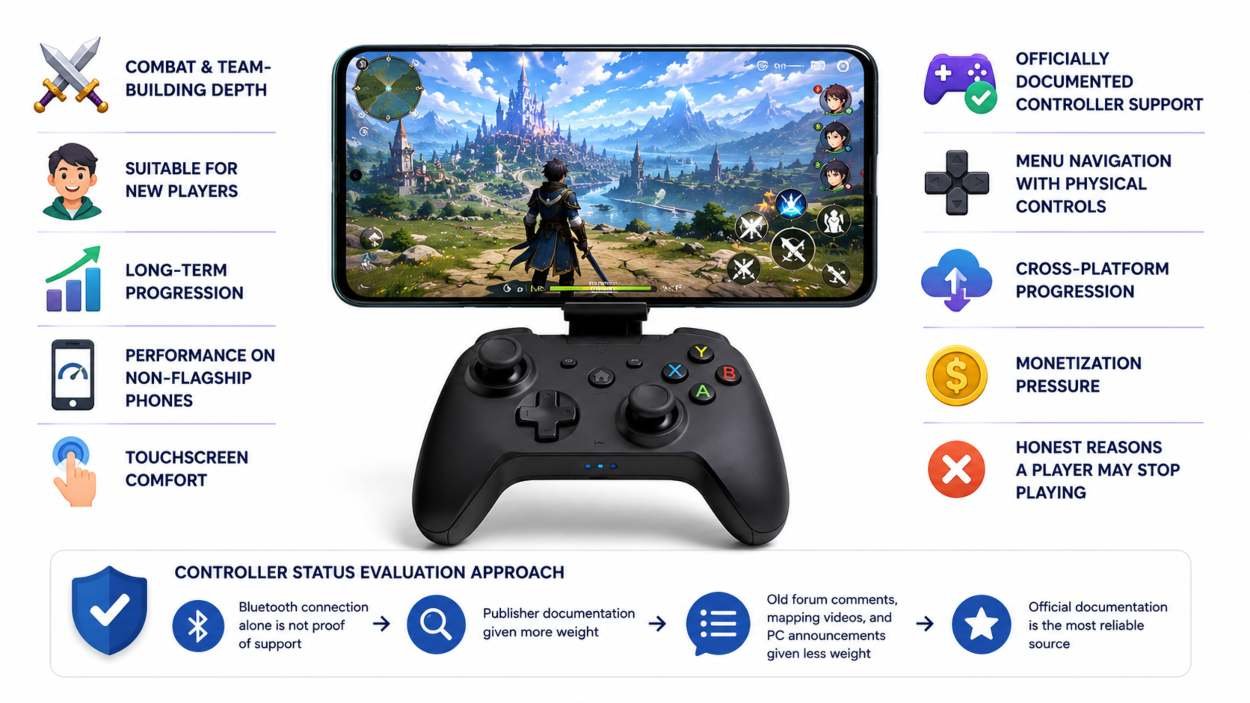
A game had to be free to install, available on Android, and playable to a meaningful level without an upfront purchase.
The evaluation considered:
- Combat and team-building depth
- Suitability for new players
- Long-term progression
- Performance on non-flagship phones
- Touchscreen comfort
- Officially documented controller support
- Menu navigation with physical controls
- Cross-platform progression
- Monetization pressure
- Honest reasons a player may stop playing
Controller status received special care. A Bluetooth connection alone was not treated as proof of game support. Publisher documentation was given more weight than old forum comments, third-party mapping videos, or PC controller announcements.
Common Android Controller Problems
| Problem | Possible Cause | Recommended Fix |
|---|---|---|
| Controller connects, but the game ignores it | The controller is paired, but the game does not recognise it or requires it to be connected before launch. | Test the controller in a controller-testing tool first. If it works, check the game’s input settings and connect the controller before opening the game. |
| Buttons are mixed up | Different controller mapping profiles or incorrect button assignments. | Check Android’s Game Controller settings (if available) and use the game’s button-remapping options to correct the layout. |
| Sticks work, but the menus do not | The game has only partial controller support. | Use the controller for gameplay and the touchscreen for menus, inventory, login screens, shops, or messages if required. |
| Controller disconnects during play | Low battery, Bluetooth issues, power-saving settings, or outdated controller firmware. | Charge the controller, verify the Bluetooth connection, disable restrictive power-saving settings, update the firmware, and re-pair the controller if necessary. |
| Movement feels delayed | Bluetooth latency, low frame rate, background apps, display processing, or network lag. | Test the controller outside the game first. If it responds normally, lower the game’s graphics settings, close background apps, and check the frame rate and network connection. |
Frequently Asked Questions
Which free Android RPG has the best confirmed controller support?
Genshin Impact and Diablo Immortal have the clearest official Android controller documentation among the games in this guide.
Genshin is better for open-world travel, puzzles, and elemental combat. Diablo Immortal is better for short dungeons, loot collection, and class-based action.
Can I use an Xbox controller with Android RPGs?
Yes, Android can connect to many Xbox Bluetooth controllers. The game must also support controller input.
Genshin Impact and Diablo Immortal officially list compatible Xbox controller models. Other games should be checked individually.
Does pairing a PlayStation controller make every Android game work?
No. Pairing only means Android recognizes the device. The game developer must add support for its buttons, sticks, triggers, and menus.
Which game is best for a mid-range Android phone?
AFK Journey, Epic Seven, Summoners War, and RAID are generally less dependent on fast 3D open-world rendering.
Actual performance still depends on the processor, memory, storage space, temperature, and game settings.
Which RPG is best without a controller?
Honkai: Star Rail, AFK Journey, Epic Seven, Summoners War, and RAID work naturally with touch controls because their battles rely more on menus and command selection than precise analog movement.
Which RPG is best for fast controller combat?
Wuthering Waves, Zenless Zone Zero, Genshin Impact, Solo Leveling: ARISE, and Diablo Immortal have combat systems that suit physical controls.
However, players should separate “suited to a controller” from “officially supported on Android.” Confirm support before downloading a large game specifically for gamepad use.
Can controller support disappear after an update?
Yes. Updates can introduce input bugs, change supported models, reset control settings, or temporarily affect button prompts.
Retest the controller after a major game or Android update before assuming the hardware has failed.
Are these games completely free?
All ten can be installed without an upfront purchase, but each contains optional purchases. Free access does not mean every character, item, or late-game upgrade is easy to obtain without spending.