

Think about the last time someone landed on a gamepad tester site for the first time. Maybe they plugged in a controller and had no idea why certain buttons weren’t registering. Maybe their analog sticks were drifting, and they didn’t know how to diagnose it. Maybe they just wanted to confirm their new gamepad was working properly before jumping into a game.
What did they do? They looked for a quick, clear answer. And nothing delivers a quick, clear answer faster than a short video.
If you run a site like gpadtester or create content around controller testing, troubleshooting, and gamepad setup, you already know how often users get confused by written instructions alone. A step-by-step text guide can only do so much when someone is staring at a gamepad tester tool for the first time and doesn’t know where to start.
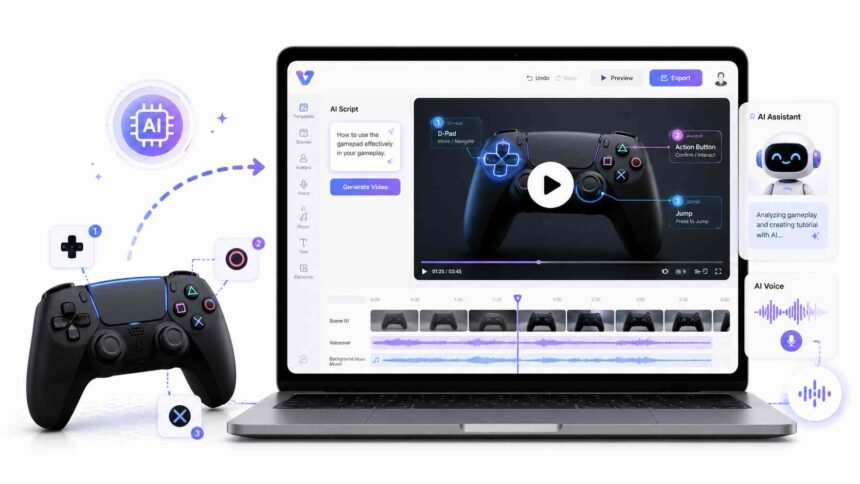
That’s where Vidnoz AI comes in. It lets you turn any written gamepad guide into a professional, watchable video tutorial in just a few minutes, completely free, no camera or video editing experience required.
Why Gamepad Tester Sites Need Video Tutorials
Gaming is a visual experience. Controllers, buttons, axes, triggers, and thumbsticks are all physical, tactile things. Explaining how to test them through text alone is like describing colors to someone who has never seen them. It technically works, but it leaves a lot of room for confusion.
Here are some of the most common situations where a video tutorial would serve your audience far better than a written guide.
First-Time Gamepad Tester Users
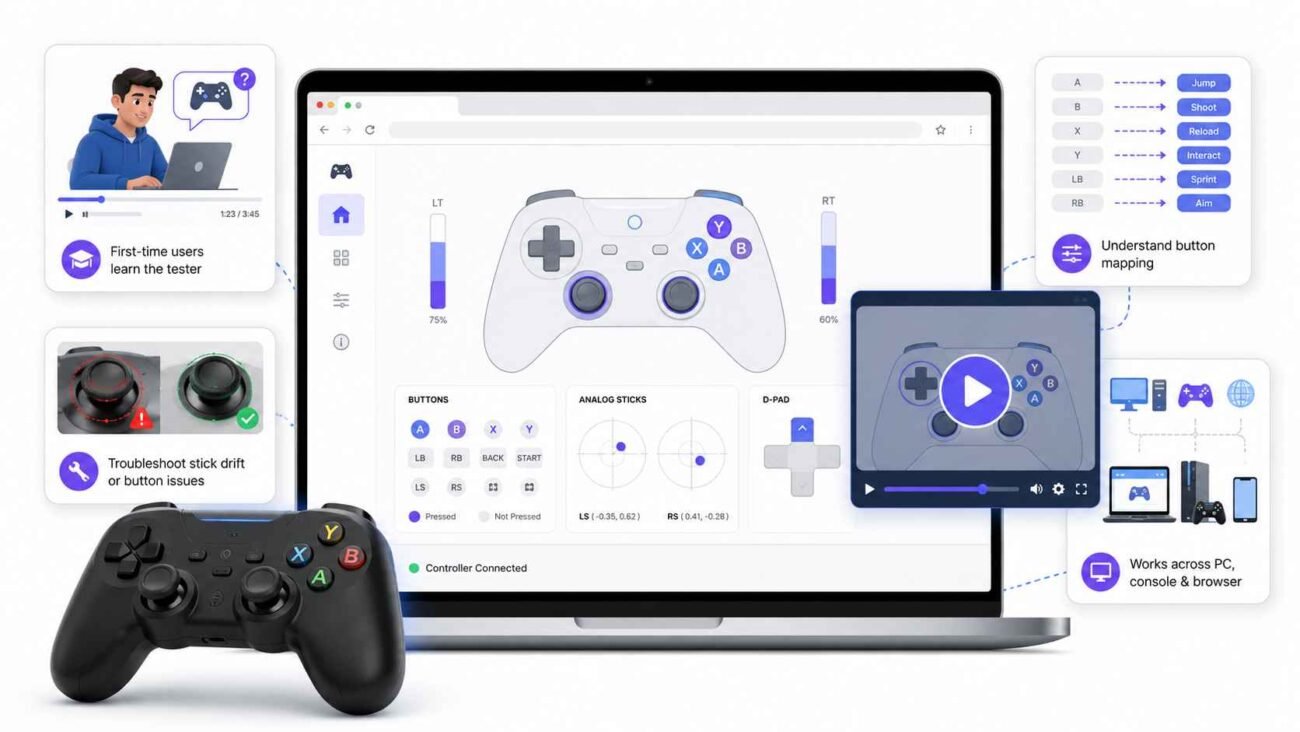
When someone visits a gamepad tester tool for the first time, they see a visual controller layout with buttons and axes highlighted in real time. If they’ve never used a tool like this before, they might not know what they’re looking at. A 60-second video showing exactly how the tester works, which buttons to press, how to read the axis values, and what a passing result looks like would answer every question instantly.
Controller Troubleshooting
A lot of people come to gamepad tester sites because something is wrong. A button isn’t registering. The left stick is drifting. The triggers feel off. Diagnosing these issues through text can be frustrating, especially for less technical users. A short video walking through the troubleshooting process step by step, complete with visual examples of what drifting looks like on screen, is far more reassuring and effective.
Button Mapping Walkthroughs
Custom button mapping is one of the most searched topics in the controller space: different games, different preferences, different accessibility needs. Showing users how to understand their gamepad layout through a tester tool and then map buttons accordingly is a topic that practically begs for video content.
Multi-Platform Controller Compatibility Guides
Does a PlayStation controller work on PC? How do you get an Xbox controller recognized on a browser-based gamepad tester? What about Switch Pro Controllers? These questions come up constantly, and a quick compatibility walkthrough video would save users hours of searching through forum threads.
Old Problem with Creating Gaming Tutorial Videos
Before tools like Vidnoz AI existed, creating even a basic tutorial video meant clearing several expensive hurdles.
You needed screen recording software, a decent microphone, a quiet room, and the patience to record yourself multiple times until you got a clean take. Then came the editing, adding captions, trimming dead air, syncing audio, exporting in the right format, and uploading. A five-minute tutorial could easily take half a day to produce.
For gaming content creators and tool developers who already have a full plate managing their site, this wasn’t realistic on a regular basis. Vidnoz AI removes every one of those barriers, and tools like VEED’s online video editor offer a similar shortcut for creators who’d rather edit real screen recordings into a polished tutorial instead of generating an avatar-led one Vidnoz AI removes every one of those barriers.
What Vidnoz AI Offers and Why It Works for Gaming Content
Vidnoz AI is a free AI-powered video creation platform that lets you build professional video tutorials using lifelike avatars, natural AI voices, and ready-made templates. Here is what makes it a strong fit for gamepad tester content specifically.
1,900+ Realistic Avatars
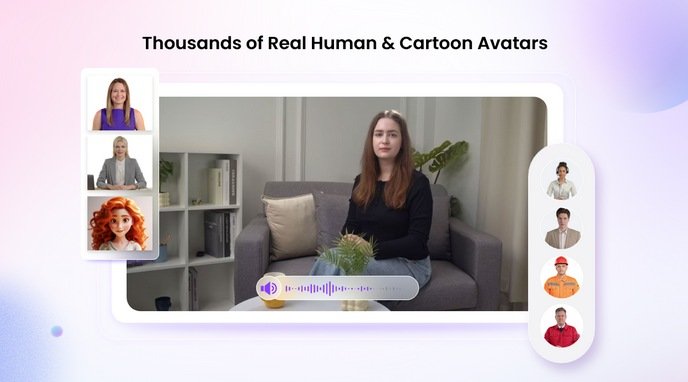
Vidnoz AI gives you access to more than 1,900 lifelike digital avatars. These aren’t cartoonish characters. They look and move like real people, which immediately builds trust with your audience. For gaming and tech content, you can select avatars that match a tech support or gaming educator style, someone who looks like they know controllers inside and out.
Want something more personal? You can create a digital twin using your own likeness. Prefer a character that reacts with energy and expression? Expressive avatars bring personality to your tutorials without you ever going on camera. This flexibility means your gamepad tutorial videos can have a consistent, recognizable face without the need for a real person to sit down and record anything.
2,000+ AI Voices in Over 140 Languages

A gamepad tester tool serves a global audience. Gamers from Brazil, Germany, Japan, France, and dozens of other countries all use controllers, and all occasionally need help understanding how their hardware is performing. Vidnoz AI’s library of more than 2,000 AI voices covers over 140 languages, all powered by trusted providers including ElevenLabs, Microsoft, and Google.
The voices are natural-sounding and sync perfectly with the avatar’s lip movements on screen. This means your tutorial doesn’t just sound professional. It looks professional too. And if you want to reach gamers who speak Spanish, Portuguese, or Korean, you can create language-specific versions of the same tutorial in minutes without hiring a single voice actor.
2,800+ Pre-Designed Video Templates
Starting a video from scratch is one of the biggest creative blocks for non-designers. Vidnoz AI solves that with more than 2,800 ready-made templates covering how-to guides, explainer videos, product walkthroughs, and tech tutorials. For a gamepad tester site, you could select a clean tech or gaming-themed template and have the visual structure of your video sorted before you write a single word of script.
Free Daily Video Generation
Every user gets two minutes of free video generation per day. For short, punchy gamepad tutorials, that’s often enough to produce a complete video without paying anything. It’s also a risk-free way to experiment with the platform, test different avatars and voices, and see what resonates with your audience before committing to a paid plan.
ISO-Certified Data Security
Vidnoz AI is certified by ISO/IEC 27001:2022 for Information Security Management. This matters when you’re inputting content or scripts into any online platform. Your data is protected by internationally recognized standards, which is worth noting for anyone concerned about third-party tools handling their content.
How to Create a Gamepad Tutorial Video Step by Step
The process is straightforward enough that you can have a finished video ready to publish within the same hour you start.
Step 1: Choose Your Tutorial Topic and Template
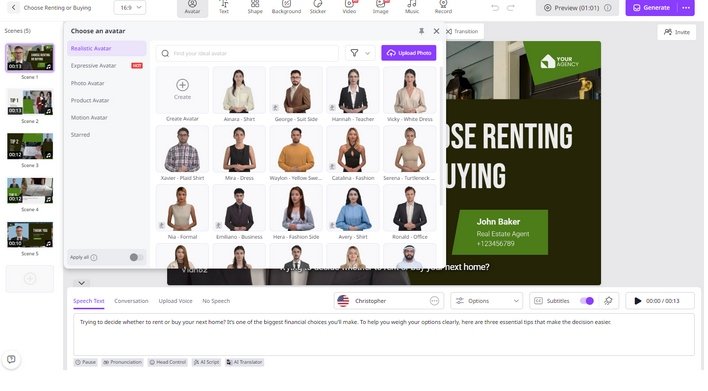
Log in to Vidnoz AI Video Generator and open the video generator. Browse the template library and pick a style that fits your content. A clean, minimal tech tutorial template works well for most gamepad-related topics. If you’re creating a troubleshooting guide, look for templates that allow text overlays alongside your avatar, so you can highlight key points as the video plays.
Common topics to start with for a gamepad tester site include:
- How to use the gamepad tester tool for the first time
- How to check if your controller is working properly
- How to identify analog stick drift using a browser-based tester
- How to test trigger sensitivity on Xbox and PlayStation controllers
- How to connect a Bluetooth controller and verify it in a gamepad tester
Step 2: Write Your Script and Generate a Voiceover
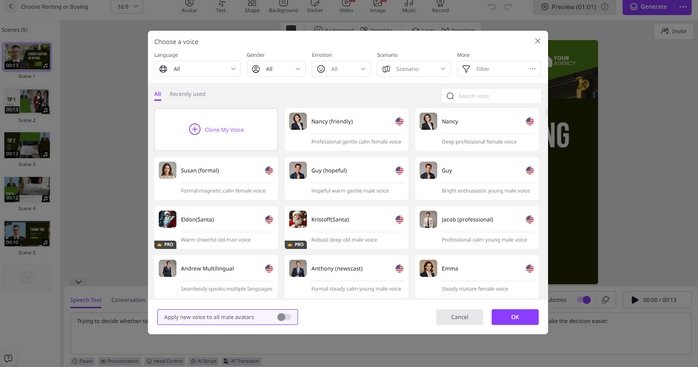
Take your existing written guide or FAQ content and paste it into the script box. Keep the language conversational and direct. Gaming audiences respond well to content that gets to the point quickly and doesn’t pad things out with unnecessary background information.
Once your script is in, choose a voice from the library. Pick a tone that matches your brand. A calm, clear instructional voice works best for troubleshooting content. A slightly more energetic voice suits how-to overviews and feature highlights. Choose your language, preview the voiceover, and adjust the pacing if needed.
Step 3: Customize the Video to Match Your Brand
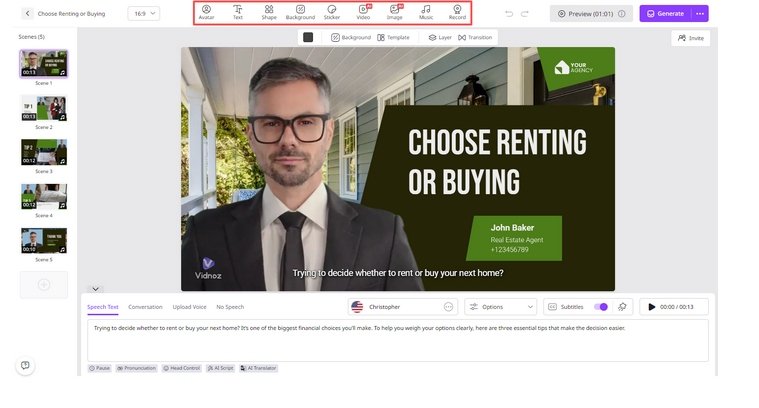
This step is where your tutorial goes from generic to recognizable. Add your gpadtester logo, adjust the color scheme to match your site’s palette, and drop in any icons or visual elements that reinforce the content. You can also add text overlays that highlight important steps, like labeling which buttons to press during a test or calling out the axis values users should look for.
None of this requires design experience. The editor is drag-and-drop, and the templates handle the heavy lifting.
Step 4: Generate and Share
When everything looks right, click generate. The AI builds your video in a matter of minutes. Once it’s ready, download it in high definition and share it wherever your audience spends time. Upload it directly to your site as a companion to your written guides, post it to your YouTube channel, embed it in your FAQ section, or share it on social media for organic reach.
Practical Video Ideas for a Gamepad Tester Site
If you’re not sure where to begin, here are some specific video concepts that would genuinely help your audience and perform well in search.
- Beginner Overview Video: A 60 to 90 second introduction to what a gamepad tester does, who it’s for, and how to read the results. This is the single most useful video you could create and would serve as the first thing new visitors see.
- Controller Compatibility Series: Short individual videos covering how to test specific controllers, for example, “How to Test a PS5 DualSense on PC” or “Xbox Series X Controller Gamepad Test Walkthrough.” These are highly searchable and bring in targeted traffic.
- Troubleshooting Playlist: A series of short troubleshooting videos covering the most common controller issues, stick drift, button ghosting, trigger dead zones, and D-pad responsiveness. Each video addresses one specific problem and walks the viewer through diagnosing it using a gamepad tester tool.
- FAQ Companion Videos: Take your most frequently asked questions and turn each one into a 30 to 60-second video answer. These are easy to produce and add a lot of value to your support content.
Pros and Cons of Using Vidnoz AI for Gaming Tutorial Content
Pros
- No equipment needed. No camera, microphone, lighting setup, or editing software required. Everything is handled inside the platform.
- Fast production time. A tutorial that would take hours to film and edit can be ready in under 30 minutes.
- Global reach. With 140-plus languages available, you can create localized versions of your tutorials without any additional resources.
- Consistent quality. Every video comes out polished and professional, regardless of your design or video production background.
- Free to start. The daily free tier lets you produce real content without any upfront cost.
Cons
- Two-minute daily free limit. Longer tutorials or high-volume production will require a paid plan.
- Avatar-based format. For audiences who prefer seeing a real human face, AI avatars may feel less personal, though this gap is closing quickly as avatar quality improves.
- Script quality matters. The AI handles the delivery, but the quality of your video still depends on how clearly you write your script. Unclear instructions in, unclear video out.
FAQs
Can I use Vidnoz AI to create gamepad tutorial videos for free?
- Yes. Vidnoz AI offers two minutes of free video generation every day. For short gamepad tutorials covering a single topic or step, that is often enough to produce a complete, shareable video at no cost.
Do I need any video editing experience to use Vidnoz AI?
- No experience is needed. The platform uses a drag-and-drop editor with pre-built templates. You paste in your script, choose an avatar and voice, add any branding elements you want, and generate the video. The AI handles everything else.
What types of gamepad tutorial videos can I create with Vidnoz AI?
- You can create how-to guides, troubleshooting walkthroughs, product compatibility explainers, FAQ answer videos, beginner overviews, and feature highlight videos. Basically, any written guide you already have can be turned into a video.
Can Vidnoz AI create tutorials in languages other than English?
- Yes. The platform supports more than 140 languages with over 2,000 AI voices. This makes it a strong option for gamepad tester sites with an international audience.
Is Vidnoz AI safe to use for my content?
- Vidnoz AI is certified by ISO/IEC 27001:2022 for Information Security Management, which is the internationally recognized standard for data security. Your scripts and content are handled securely.
How long does it take to generate a video with Vidnoz AI?
- Most videos are ready within a few minutes after you click generate. The exact time depends on the length and complexity of the video, but the process is fast enough that you can produce multiple tutorials in a single session.
Will video tutorials actually help a gamepad tester site rank better in search?
- Video content increases time on page, reduces bounce rates, and encourages backlinks, all of which are positive signals for search engines. Creating video companions for your most popular written guides is one of the most effective ways to strengthen your overall SEO performance.
Disclaimer
This article contains an overview of Vidnoz AI features based on publicly available information at the time of writing. Features, pricing, and availability may change. Readers are encouraged to visit the Vidnoz AI platform directly for the most current details. The tutorial ideas and content suggestions in this article are intended for general informational purposes and are not a guarantee of specific traffic or SEO outcomes.
Start Creating Gamepad Tutorial Videos Today
Your users are already looking for video answers to their gamepad questions. Someone is searching “how to test a PS5 controller on PC” right now and hoping a clear, short video comes up. Someone else is frustrated that their analog stick is drifting and wants to see exactly how to diagnose it on a tester tool before they contact support or buy a replacement.
That content gap is your opportunity.
Vidnoz AI makes it practical for any gamepad tester site to fill that gap without a production budget, a film crew, or hours of editing time. Pick a topic your users ask about most, write a clear and simple script, choose an avatar and voice that fit your brand, and have a finished video ready to publish before your next cup of coffee goes cold.
The gamepad community is active, passionate, and constantly searching for reliable information. A short, well-made video tutorial from a trusted source like gpadtester is exactly the kind of content that earns loyalty, bookmarks, and return visits.
Written manuals had their time. Video is how your audience wants to learn now.