

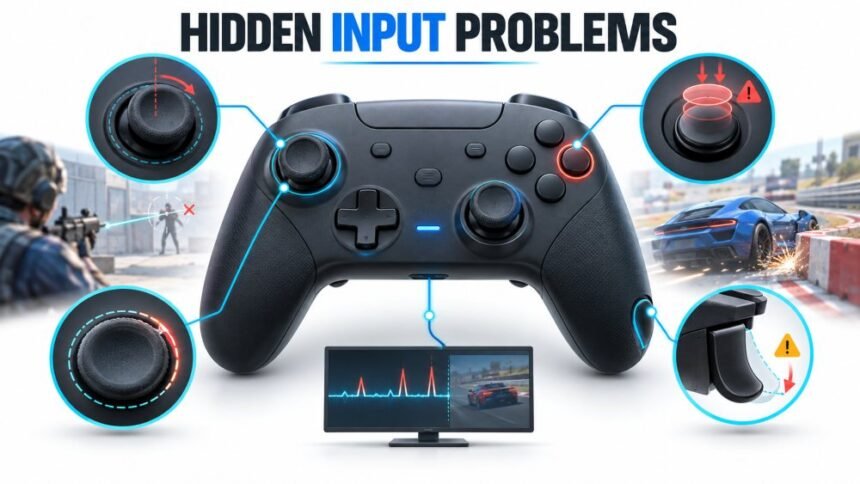
There is a particular kind of bad session that never gets diagnosed. You lose a duel you should have won. Your car clips a barrier on a corner you have taken two hundred times. You blame the patch, the server, the fact that you are tired, and then you queue again. Somewhere in that chain sits a controller that is slightly wrong, and nothing about it is loud enough to make you stop and look.
Controllers almost never die in one dramatic moment. They decay. A thumbstick that read dead centre out of the box might sit a few hundredths off after eighteen months of use, and a few hundredths is far too small to send your character walking across the room on its own. It is not too small to bend your aim by a degree every time you let go of the stick.
What Slow Failure Actually Looks Like
The mechanism behind most stick problems is unglamorous. Inside a conventional analog stick, small conductive contacts sweep across a resistive surface, and the resulting change in voltage becomes a position. iFixit’s teardown work on the DualSense explains why this arrangement has a shelf life: the resistive material physically wears away with use, and as it thins, the readings it produces stop lining up with where the stick actually is.
That wear does not announce itself. It arrives as a slow bias, and your hands compensate for it without telling you. Players routinely adapt to a controller that pulls left, then describe their aim as having “gone off” without connecting the two.
Drift Is A Symptom, Not A Diagnosis
The word drift gets attached to everything, which makes it close to useless as a starting point. A stick sending a constant small signal at rest is one thing. A stick that reports fine at rest but loses accuracy near its outer edge is a different fault with different consequences. So is a stick that is mechanically perfect and simply sitting behind a badly tuned deadzone.
That last case is more common than people expect, because games handle the centre of the stick very differently from one another. Valve’s own guidance to developers building for Steam Input tells them to expose deadzone, sensitivity and acceleration as adjustable settings rather than baking in fixed values. Plenty of studios ignore that advice. The result is that the same controller can feel immaculate in one title and mushy in the next. Even when moving between different types of gaming platforms, such as an xBet indir service, the way an application handles controller input can vary considerably, so a controller behaving differently from one environment to another does not automatically point to a hardware fault.
Number That Ends The Guessing
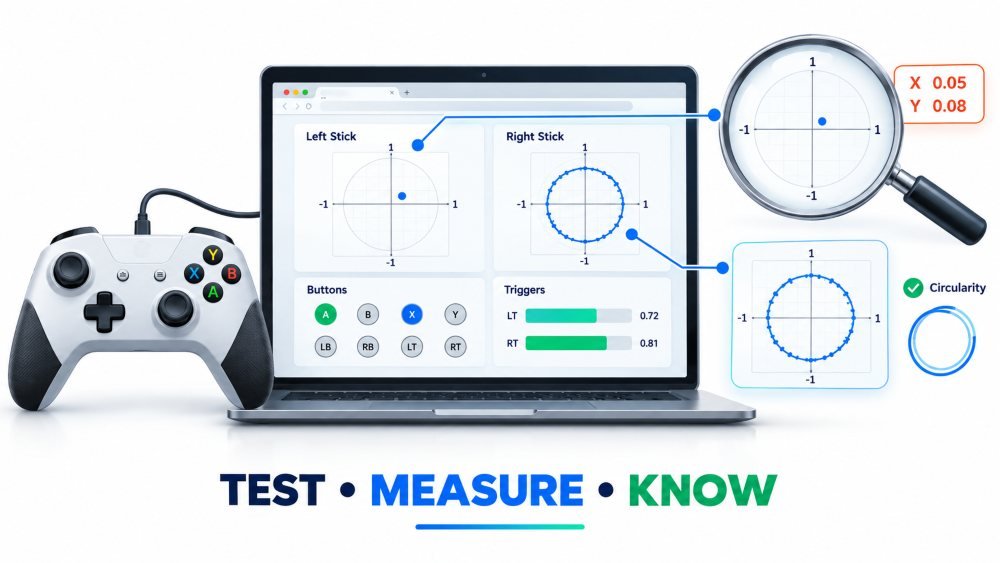
This is where a browser based test stops being a novelty and starts being genuinely diagnostic. The W3C Gamepad specification defines a low level interface that exposes each axis as a value between -1 and 1, with buttons reported separately. Mozilla’s documentation for the browser Gamepad API covers how those values are read and refreshed. What that gives you, in practice, is the raw figure your console never shows you.
Put the controller down. Do not touch it. Read the resting value. A pad in good health should sit at or very near zero on both axes. Anything meaningfully above that is your hardware offset, and now you have a number instead of a hunch.
Two practical notes. Firefox will not expose a gamepad to a page until you have physically interacted with it, which is a deliberate anti-fingerprinting measure, so press a button before you decide the test is broken. And roll each stick slowly around its full circle while you watch the trace. A worn stick often reveals itself at the edges, flattening or spiking where it should be describing a clean arc.
Buttons Break In Their Own Way
Sticks get all the attention, and buttons get almost none. They fail differently. A worn contact can register twice from a single press, which in a fighting game reads as a dropped combo and in a menu reads as you being clumsy. Triggers develop their own problems, since an analog trigger has a travel range and a worn one may stop short of full depression. In a racing game that means you are never quite at full throttle, and you will spend weeks blaming your lines.
Run each face button, each bumper, each trigger and every direction on the d-pad through a test one at a time. It takes ninety seconds and it converts a vague sense that something is off into a specific list.
Mobile And Cloud Rewrite The Rules
Pair a controller with a phone and the whole picture shifts. Android and iOS both accept standard Bluetooth gamepads at the system level, so the pad connects, the indicator goes solid, and you reasonably assume you are ready to play. Whether any individual app does anything at all with that connection is a completely separate question.
Most mobile apps are built for thumbs on glass and never ask the operating system for controller state in the first place. A betting app of the kind you get from xBet is a clean example of the category: the interface is touch driven from end to end, so a connected pad simply sits there contributing nothing. The browser versions behave the same way. Open a site like xBet on a laptop with a controller plugged in and the page will not register it, because a web page only receives gamepad data when its developers have explicitly called the Gamepad API and asked for it.
This is worth understanding because silence is easy to misread as failure. If your controller does nothing in one app and behaves perfectly in another, the pad is almost certainly innocent. Confirm it against something that definitely reads controller input before you start resetting hardware or buying replacements.
Fault You Cannot See At All
Latency is the input problem with no visible symptom whatsoever. Everything looks correct, everything responds, and the timing is subtly wrong in a way your hands notice before your brain does.
Research on local latency, meaning the delay introduced by your own devices rather than the network, found that real world gaming setups varied enormously, with measured end to end figures spanning roughly 23 to 243 milliseconds depending on hardware and peripherals (Ivkovic et al., 2015). Aiming accuracy degraded measurably as that figure climbed. Related work on tracking, latency and spatial jitter reached similar conclusions about how quickly small delays start costing precision (Teather et al., 2009).
The lesson is not that wireless is unusable. It is that connection method, dongle placement, crowded 2.4 GHz environments and display processing all stack, and a controller can be mechanically flawless while the path between it and the screen is quietly adding tens of milliseconds. Test wired against wireless on the same setup. If a cable makes a difference you can feel, you have found something worth fixing.
Check The Software Before You Blame The Plastic
Firmware is the step almost everyone skips. Microsoft ships controller updates that address exactly this class of issue, and one Xbox Wireless Controller release specifically included improvements to thumbstick calibration alongside fixes for unexpected disconnections. Those updates can be applied wirelessly, over USB, or through the Xbox Accessories app on a PC.
The other layer worth knowing about is how Windows talks to your pad in the first place. Microsoft’s XInput programming documentation describes the API most PC titles have relied on for years, and it coexists with older interfaces and with Steam’s own input layer. When a controller works everywhere except in one specific game, this stack is usually where the answer is hiding, rather than in the hardware.
A Routine Worth Five Minutes
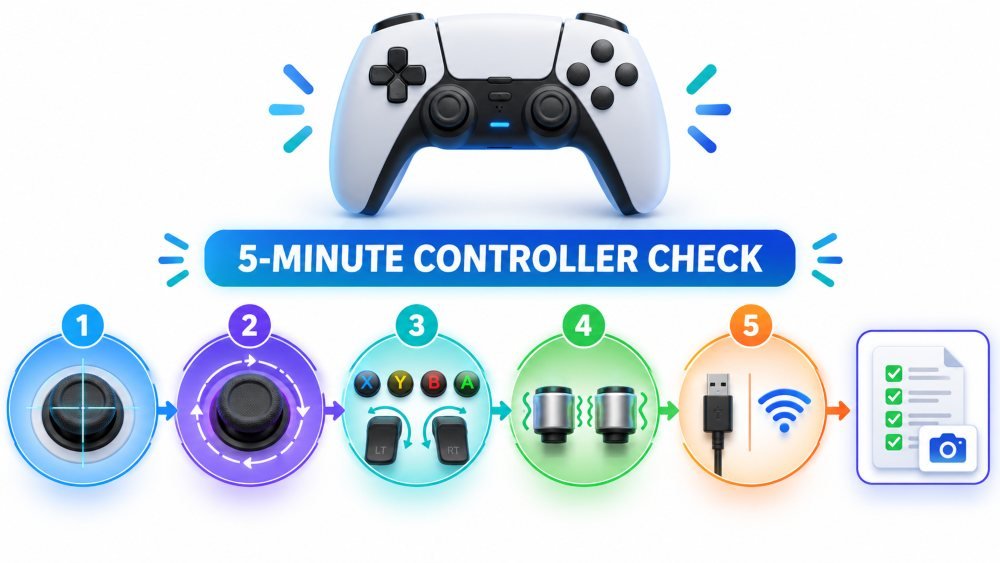
Before a warranty claim, before a repair kit, before handing money to a stranger for a used pad, work through the same short sequence every time.
- Read both sticks at rest and write the numbers down.
- Roll each stick through a full circle and watch for flat spots or spikes.
- Press every button and trigger individually, checking for doubles and for triggers that stop short.
- Test rumble on both motors, since one failing motor is easy to miss.
- Repeat the whole thing wired if you tested wireless, and vice versa.
Five minutes gives you a record. If you are buying second hand, run it before you pay. If you are filing a warranty claim, run it and screenshot the result, because a documented reading is considerably harder to dismiss than a description of a feeling.
Knowing When To Stop
Some faults are worth chasing and some are not. Cleaning and firmware updates cost you nothing and occasionally solve the problem outright. Adjusting a deadzone will mask a small offset well enough that the pad is usable again. Past a certain point, though, you are managing wear rather than repairing it, and the honest answer is a stick module replacement, a warranty claim while the window is still open, or a controller built with magnetic sensors that have no contact surface to wear down.
What matters is arriving at that decision with evidence. Most players never do. They absorb a slow decline into their own sense of how well they are playing, then replace the controller eventually for reasons they could not quite explain. A resting reading takes ten seconds and removes the guesswork completely, which is a good return on almost no effort at all.
Disclaimer: This article is provided for general informational purposes only and does not constitute technical, repair, legal or financial advice. Hardware behaviour varies by model, revision, firmware and region, and opening a controller may void its warranty. Always check the manufacturer’s current terms before attempting repairs or submitting a claim. External links are included for reference and do not constitute an endorsement of any product or service. Some linked services are commercial platforms that are age restricted and regulated differently depending on jurisdiction; readers are responsible for complying with the laws that apply where they live.
References
- Ivkovic, Z., Stavness, I., Gutwin, C., & Sutcliffe, S. (2015). Quantifying and mitigating the negative effects of local latencies on aiming in 3D shooter games. In Proceedings of the 33rd Annual ACM Conference on Human Factors in Computing Systems (CHI ’15), Seoul, Republic of Korea, pp. 135–144. Association for Computing Machinery. https://doi.org/10.1145/2702123.2702432
- Teather, R. J., Pavlovych, A., Stuerzlinger, W., & MacKenzie, I. S. (2009). Effects of tracking technology, latency, and spatial jitter on object movement. In 2009 IEEE Symposium on 3D User Interfaces (3DUI), Lafayette, LA, USA, pp. 43–50. IEEE. https://doi.org/10.1109/3DUI.2009.4811204
- W3C Web Applications Working Group. (2025). Gamepad (W3C Working Draft). World Wide Web Consortium. https://www.w3.org/TR/gamepad/
- Mozilla. Gamepad API. MDN Web Docs. https://developer.mozilla.org/en-US/docs/Web/API/Gamepad_API
- Microsoft. Getting started with XInput in Windows applications. Microsoft Learn. https://learn.microsoft.com/en-us/windows/win32/xinput/getting-started-with-xinput
- Microsoft. Update your Xbox Wireless Controller. Xbox Support. https://support.xbox.com/en-US/help/hardware-network/controller/update-xbox-wireless-controller
- iFixit. DualSense controller stick drift. iFixit Troubleshooting. https://www.ifixit.com/Troubleshooting/DualSense/Controller+Stick+Drift/538813
- Valve Corporation. Steam Input: getting started for developers. Steamworks Documentation. https://partner.steamgames.com/doc/features/steam_controller/getting_started_for_devs