

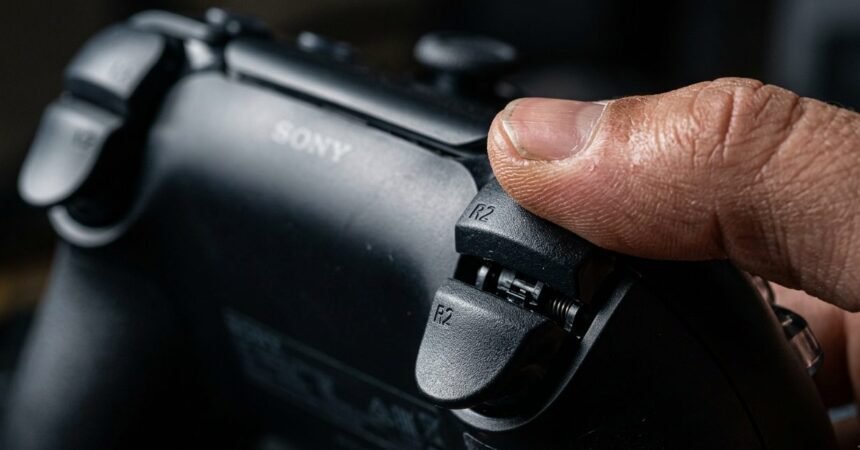
I missed a shot I should never miss, a stationary target at close range, finger already resting on the trigger. The shot fired late, after the target had already turned to face me. It was not lag. It was not my reaction time. It was trigger dead travel, the small gap of physical movement your trigger makes before the game engine actually registers a shot, and once I knew to look for it, I found it on nearly every controller I own to some degree.
What Trigger Dead Travel Actually Is
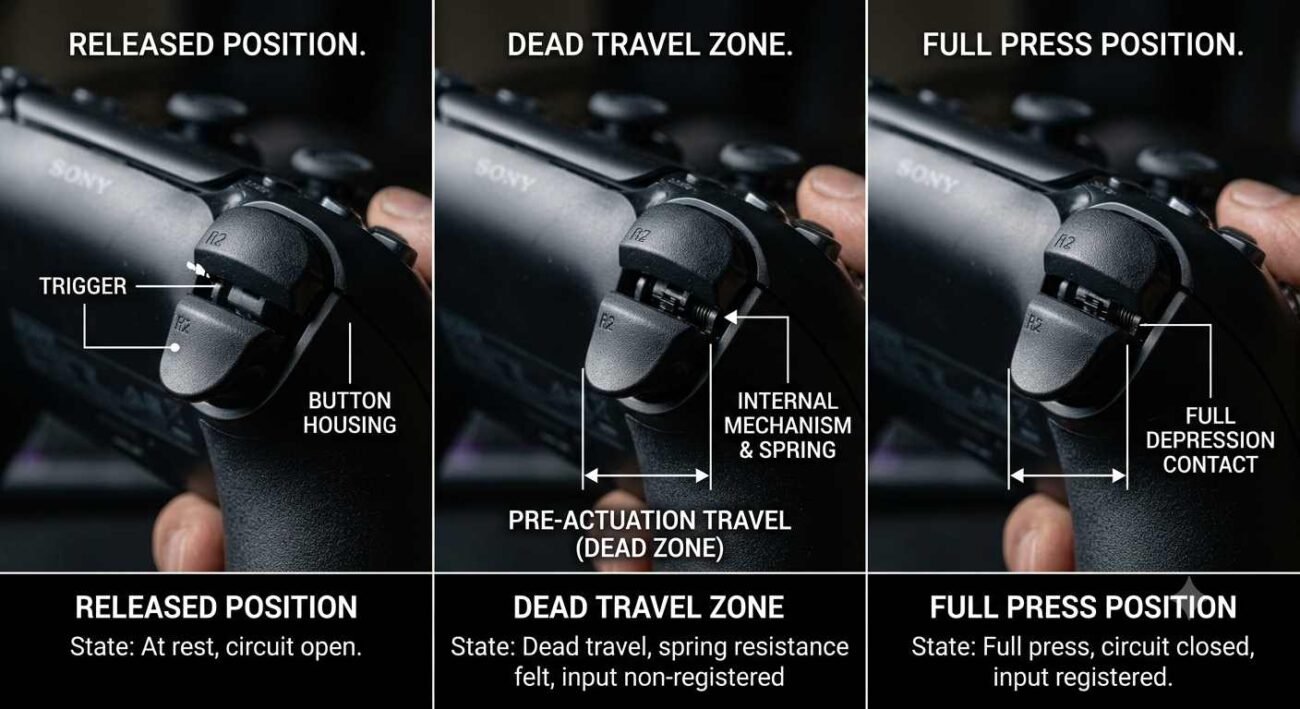
Every trigger has a small amount of physical movement at the very start of its pull that does not correspond to any registered input yet. Push the trigger from fully released, and for the first few millimeters, nothing happens as far as the game is concerned, even though your finger is physically moving and the trigger mechanism is physically compressing. Only past that initial gap does the trigger’s actual input signal begin, which the game then reads as your shot.
This gap exists because most triggers use an analog input reported as a percentage of total travel, and manufacturers build in a small buffer at the very start of that travel to prevent accidental activation from the lightest possible touch. Trigger dead zone settings inside many games add an additional software buffer on top of this physical one, and adjusting a trigger dead zone slider is often the first practical lever a player has, meaning the actual dead travel you experience is often a combination of hardware design and in-game settings stacked on top of each other.
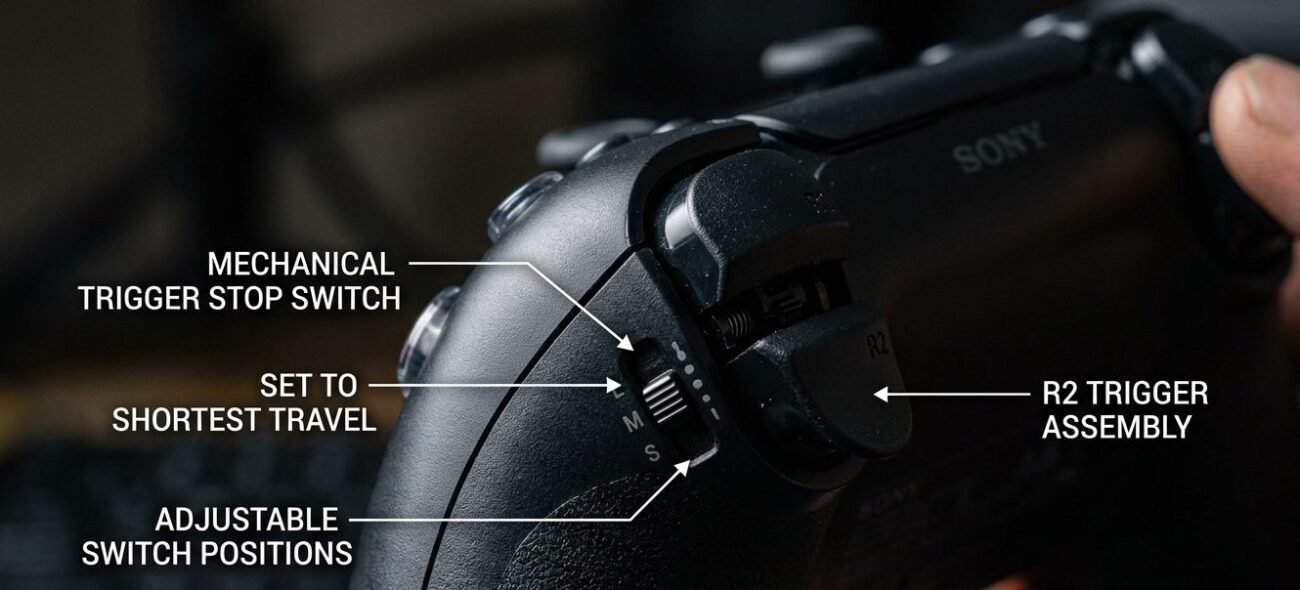
Trigger travel distance varies meaningfully between controllers. A standard Xbox controller’s trigger travels roughly 8 to 9 millimeters from rest to full press, with dead travel typically accounting for the first millimeter or so of that distance. Controllers with adjustable trigger stops, like the Xbox Elite Series 2, let you physically shorten the total travel distance, which does not eliminate dead travel but does reduce the total time between starting to pull and the shot actually registering.
I measured this roughly across three controllers using slow-motion video, timing from the first visible finger movement to the moment a shot registered on screen in a firing range test map. A standard Xbox controller at default trigger settings averaged close to 45 milliseconds from first movement to registered shot. The same controller with trigger stops set to their shortest position dropped to around 30 milliseconds. Fifteen milliseconds sounds trivial until you consider that a target’s exposure window in a fast-paced shooter can be shorter than that gap entirely.
Why Trigger Dead Travel Throws Off Your Aim
Aim accuracy controller issues caused by dead travel are subtle, and they rarely get diagnosed as an aim accuracy controller problem at all because they do not look like a hardware failure. Nothing is broken. Every diagnostic test the trigger passes, it genuinely passes, because dead travel is a normal, designed part of how the trigger works, not a malfunction. What it actually does is add a small, consistent delay between the moment you decide to shoot and the moment the game registers that decision, and in a fast-paced shooter, that delay lands at exactly the moments precision matters most.
This becomes a trigger sensitivity issue specifically in close-range, fast-reaction scenarios, and treating it as a trigger sensitivity issue rather than a lag complaint is the first step to actually fixing it: quick-scope shots, close-quarters combat, any moment where a target is visible for a narrow window, and your shot needs to land inside that window. A few milliseconds of dead travel is invisible during slower, more deliberate aiming, where you have time to settle before pulling the trigger fully. It becomes very visible the instant your target’s exposure window shrinks to something close to the size of the dead travel gap itself.
Shooter aim controller lag gets blamed on network delay or frame rate far more often, when a real shooter aim controller lag complaint is frequently sitting in the trigger itself, than it gets correctly attributed to trigger dead travel, partly because dead travel is not something most players know to check, and partly because it produces symptoms, a shot that seems to fired late, that are genuinely hard to distinguish from network delay without specifically isolating the trigger as the variable under test.
How to Actually Reduce That Dead Travel Gap
If your controller has adjustable trigger stops, shortening the travel distance is the most direct fix available, since it physically reduces the total distance your finger has to move before the shot registers, dead travel included. This is one of the more underrated reasons competitive players gravitate toward controllers with this feature, more than the marketed “faster shots” framing usually gives it credit for.
If your controller does not have adjustable trigger stops, most games let you adjust the analog trigger’s activation threshold directly in the input settings, effectively letting you tell the game to register a shot earlier in the physical pull rather than waiting for a higher percentage of travel. This will not eliminate the trigger’s built-in hardware dead travel, but it can meaningfully reduce the combined dead travel you experience by removing the software layer stacked on top of it.
Test any settings change specifically in the scenario where dead travel actually costs you: close-range reaction shots, not in open, slower-paced engagements where the delay was never noticeable in the first place. A configuration that feels identical in casual testing can still produce a measurable improvement in exactly the situations that originally prompted you to look into this.
Worth noting too: lowering the activation threshold too aggressively introduces its own tradeoff: a trigger that fires on the lightest accidental touch, which can cost you shots in a different way by registering before you meant to commit. Treat this as a tuning problem with a real middle ground rather than a setting you push to its most extreme value and forget about, and revisit it after a few sessions rather than assuming your first adjustment was the correct one.
Quick Checklist — Reducing Trigger Dead Travel
- Check whether your controller has adjustable trigger stops and shorten travel distance if it does
- Adjust your game’s trigger activation threshold in settings if hardware trigger stops are not available.
- Test any change specifically in close-range, fast-reaction scenarios, not slower deliberate aiming.
- Do not assume a late shot is connection delay before ruling out trigger dead travel as the cause.
- Remember that dead travel is a normal design feature, not a defect, so no controller fully eliminates it.
- Compare trigger travel distance across controllers if you are shopping specifically for competitive shooters.
- Combine hardware trigger stops with in-game sensitivity settings for the largest combined reduction.
- Accept that a small amount of dead travel will always remain; the goal is minimizing it, not eliminating it.
Trigger dead travel will never show up on a spec sheet or fail a calibration test, but it is sitting inside every trigger pull you make, quietly deciding whether your shot lands when you meant it to or a fraction of a second later than that.