Two weeks into a ranked season, my regular squad picked up a fifth player who only owned a PlayStation, so I borrowed a DualSense for the weekend instead of running solo on my typical Xbox pad. First match, tied score, extraction point on screen, and I hit Circle out of pure reflex, expecting it to confirm. On DualSense, Circle cancels. I backed out of the extraction prompt at the most inopportune moment, and we lost the round. That single button swap is what actually happens when you switch from Xbox to PlayStation controllers mid-season, and it is a bigger problem than anything related to stick sensitivity or trigger feel.
What Actually Changes When You Switch From Xbox to PlayStation Controllers
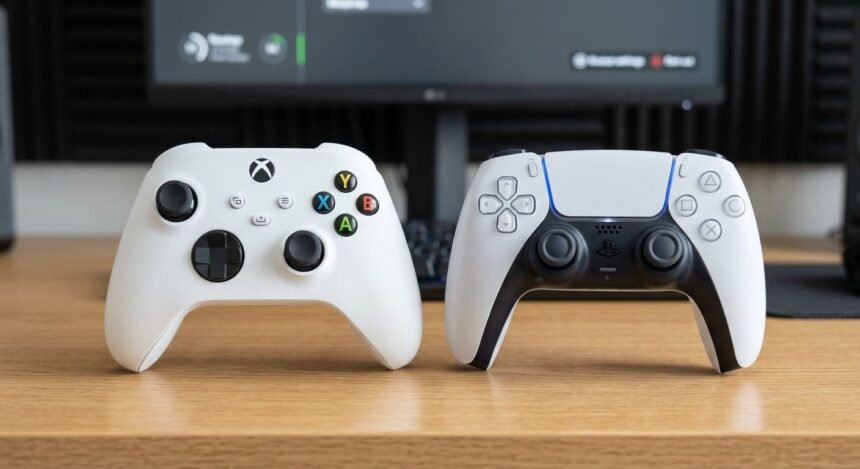
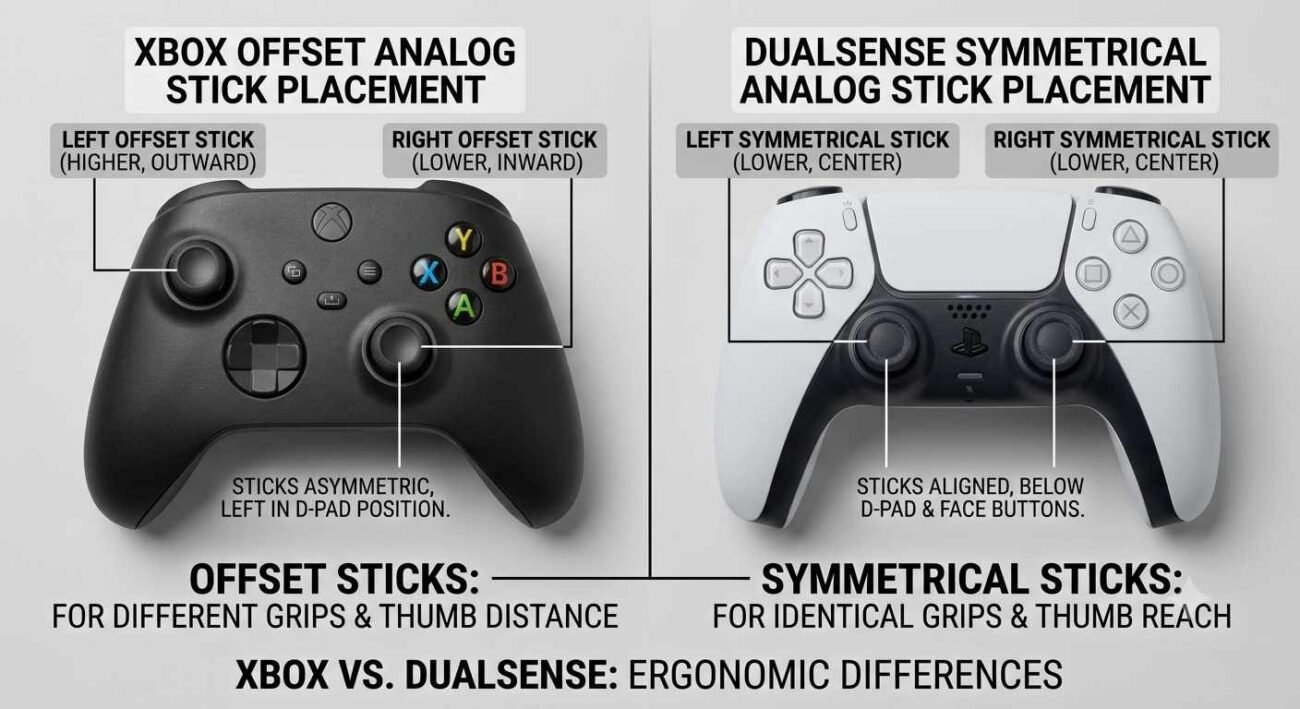
The Xbox vs PlayStation controller layout difference starts with analog stick placement, which is the first thing most players notice and the thing that matters least. Xbox gamepads use offset sticks, left stick higher and slightly left, right stick lower. DualSense uses symmetrical sticks, both sitting at the same height. Your thumbs adjust to this within the first twenty minutes of play, mostly without you consciously noticing, because the muscle memory involved is coarse, large-motion memory rather than fine reflexive memory.
The trigger feel is the second difference, and it matters more in specific genres than people expect. The DualSense’s adaptive triggers add real resistance during aiming down sights or drawing a bow in supported titles, resistance that simply does not exist on a standard Xbox controller. Switching from Xbox to PlayStation controllers mid-season in a game with adaptive trigger support implies your finger has to relearn how much force a shot actually takes, which briefly throws off trigger timing in fast exchanges until you adjust.
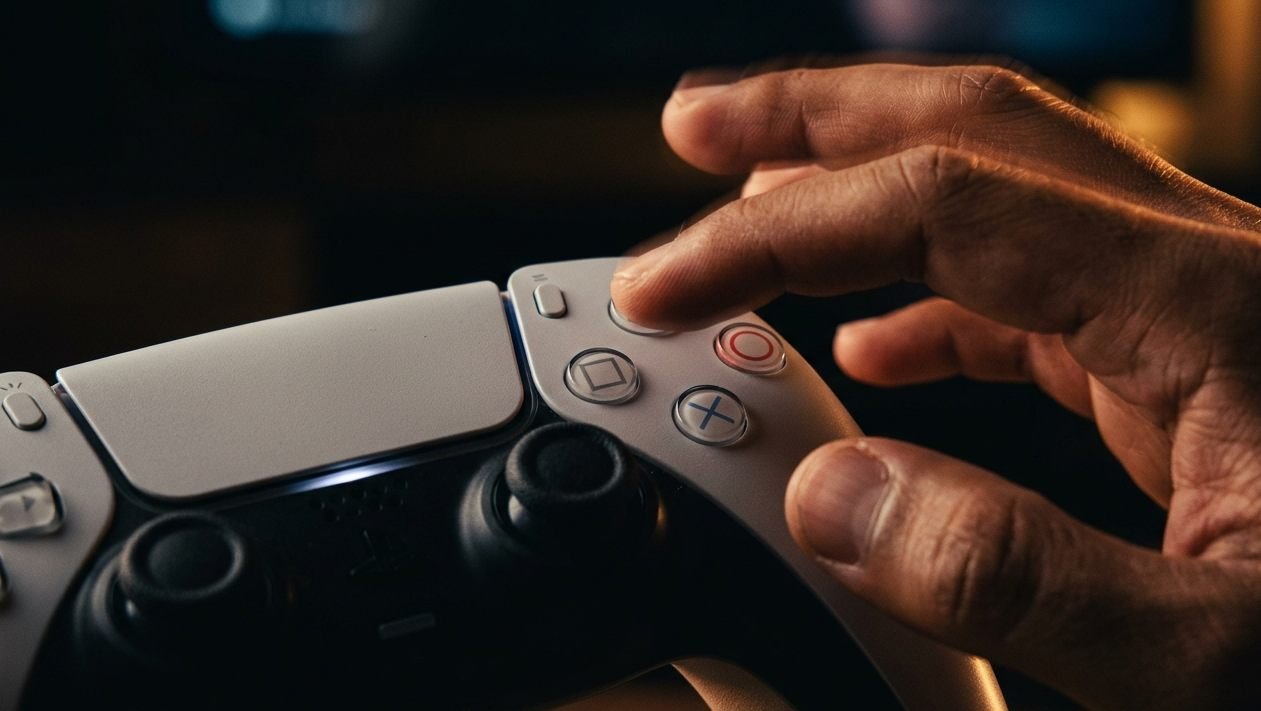
Then there is the part of the Xbox vs PlayStation controller layout that actually matters: the button layout itself. Xbox uses A for confirm and B for cancel. PlayStation uses Cross for confirm and Circle for cancel, positioned in the mirror-opposite corners of the same diamond. This is not a cosmetic difference. It is the single biggest source of actual mistakes when players make a cross-platform controller switch mid-season, and it is the one nobody warns you about because it sounds too simple to be the real problem.
The shoulder buttons and triggers add a smaller layer of friction on top of this. Xbox labels them LB, RB, LT, and RT. PlayStation labels the same physical positions L1, R1, L2, and R2. The labels themselves rarely cause mistakes since most players think in terms of finger position rather than button names, but menu prompts in some games display the platform-specific icon rather than a generic symbol, and reading an unfamiliar icon under time pressure adds a half-second of delay that compounds with everything else happening on screen during a tense moment.
Why the Confirm and Cancel Buttons Trip You Up the Most
Here is the counterintuitive part. Stick placement and trigger resistance are physical adjustments, and physical adjustments happen fast because your hands adapt to shape and resistance quickly. Confirm and cancel button placement is not a physical adjustment. It is a symbolic one, tied to years of accumulated controller muscle memory that fires below conscious thought, specifically at moments of pressure, which is exactly when a wrong button costs you the most.
In casual menu navigation, the confirm and cancel swap barely registers; you notice, correct, and move on within a session or two. Under pressure, in a clutch extraction, a tense dialogue choice, a last-second inventory swap during a boss fight, the older pattern reasserts itself, and you press the button your hands have used for years, not the one currently correct. I tracked this across four ranked sessions after switching platforms and hit the wrong confirm or cancel button an average of six times per session in the first week, dropping to roughly one misfire by the third session as the newer controller muscle memory started to take hold.
The mistakes were not evenly distributed either. Nearly all of them clustered in the final thirty seconds of close rounds, exactly the moments where a wrong button costs the most and where conscious correction has the least time to intervene. Early-round menu navigation, item pickups, loadout screens, produced almost no errors at all, because there was time to think before pressing. Controller muscle memory does not fail randomly; it fails specifically under the kind of pressure that suppresses conscious override.
This is also why the DualSense adjustment period is inconsistent from player to player. Someone who grew up on PlayStation and only recently moved to Xbox will relearn faster in the reverse direction, because the older, deeper pattern is the one reasserting itself correctly rather than working against them. The controller relearning curve is not symmetric. It depends heavily on which layout your hands learned first and how many years of habit you are asking them to override.
How Long the DualSense Adjustment Period Actually Takes and Who Should Skip It
Based on my own sessions and conversations with other players who switch from Xbox to PlayStation controllers mid-season for similar reasons, a full DualSense adjustment period runs somewhere between one and three weeks of regular play before the confirm and cancel mix-ups drop to a rare, forgivable rate rather than a session-costing one. Stick placement and trigger feel adapt faster, usually within the first few sessions. The button layout is what takes the longest, because it is fighting against the deepest layer of muscle memory rather than the shallowest.
If you are mid-competitive-season and considering a cross-platform controller switch for any reason other than necessity, the honest answer is do not do it right before a tournament or a ranked push. The adjustment window, even at its shortest, includes several sessions of measurably worse performance specifically under high-pressure moments, which is the exact scenario competitive play puts you in constantly. Casual players have the luxury of absorbing a few weeks of minor mistakes. Competitive players are handing their opponents a real advantage during exactly the window when the controller relearning curve is steepest.
If the switch is unavoidable, practicing in low-stakes modes for a week before returning to ranked play meaningfully shortens the rough period, because it lets the newer button pattern build up some strength in low-pressure situations before you need it to hold up under pressure.
There is a smaller secondary effect worth mentioning too. Players who split time evenly between both platforms, rather than fully switching, tend to report a longer overall adjustment period but a smaller peak error rate, since neither pattern ever fully takes over. If you know you will be moving back and forth between Xbox and PlayStation regularly rather than making one clean switch, expect a slower but shallower learning curve rather than the sharper one-to-three-week adjustment a full platform switch produces.
Quick Checklist — What to Expect When You Switch From Xbox to PlayStation Controllers
Expect one to three weeks before confirm and cancel mix-ups drop to a rare occurrence.
Do not make a cross-platform controller switch right before a tournament or ranked push if you can avoid it.
Stick placement and trigger feel adjust fastest, usually within the first few sessions.
Confirm and cancel button placement is the slowest adjustment because it overrides the deepest muscle memory.
Track your own mistake rate for a few sessions; the controller relearning curve is not the same for everyone.
If you learned PlayStation layout first, switching back to it will likely feel faster than the first move to Xbox.
Consider practicing menu navigation specifically, not just gameplay, since confirm and cancel errors often happen outside combat too.
The buttons do not care how many hours you have logged on the other platform. If you switch from Xbox to PlayStation controllers mid-season, your hands will believe whatever layout they learned first long after your brain has already accepted the new one.