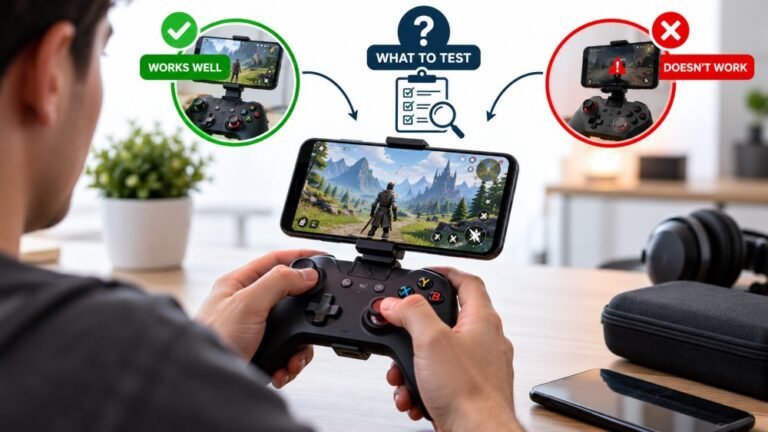
Playing Mobile Games With A Controller: What Works, What Doesn’t, And What To Test Before You Spend
You paired the controller, the light went solid, your phone said "Connected," and then the game did absolutely…

When I play some Steam games with my DualSense, one button press does two actions. Like pressing Cross jumps and also opens a menu. In other games it's fine. Your tester shows only one press for each button. What causes this?
The game is receiving your controller twice: once directly through its own PlayStation support, and once through Steam Input's virtual controller. Disable Steam Input for that game, or turn off the game's own PlayStation controller support, so only one path is used.

Your tester result is the key clue: one press, one input. The controller is fine; the game is hearing it twice.
Steam Input works by reading your real controller and presenting a virtual one to the game, and most games only look at that virtual controller. Some games, though, also have their own built-in PlayStation controller support and read the DualSense directly as well. Now the game has two sources, and each press arrives once from each. If the two sources map buttons differently, one press becomes two different actions, exactly as you describe.
The fix is to pick one path per game. Option one: disable Steam Input for that game, so the game reads the DualSense with its native support, which often brings proper PlayStation button prompts and sometimes haptics. Option two: keep Steam Input and turn off the game's own controller or PlayStation support in its settings, if it offers that.
The same doubling happens when DS4Windows runs alongside Steam, or when two remapping tools are active. Any setup where two programs expose the same controller can double up.
Start with option one; it is usually the quickest and keeps the game's native features.
Tested on: Applies to DualSense and DualShock 4 on Windows 11 with Steam and Chrome. Steam Input behaviour per Valve's Steam Input gamepad emulation documentation.
Checked by Alistair Thorne on . How we verify answers
Linux And Input Subsystem Engineer at Gamepad Tester
Lucas works on the Linux input subsystem. He follows how evdev registers a controller, how Steam Input sits on top of it and where the two disagree with the browser's view of the same device, which is the usual reason a pad behaves differently on a Steam Deck or a Linux desktop than on Windows. His testing targets parity: the same controller should produce the same reading on every operating system, and where it does not, the difference should be documented. On Gamepad Tester he handles the Linux and Steam Deck questions.
 Calder WrightFront-End Web Architect And Gamepad API Lead
 Elena RostovaHardware Diagnostics Engineer
 Garrett LindsayHardware Reviewer And Input Performance Specialist
 Venom’s Tech (Abhishek)Peripheral Reviewer And Tech Journalist
 Chloe HendersonHall Effect And Thumbstick Analyst
 Thiago AlvesHardware Repair Educator
 Devon MillerLow Latency And Input Timing Engineer
 Liam DaviesBluetooth And Wireless Test Engineer
Each answer is written by the specialist who owns that part of the hardware, tested on a real controller, and checked by a second team member. How we verify answers
Answers are free general guidance from the Gamepad Tester Team and the community. Opening a controller or replacing a thumbstick module can void your warranty, so check the maker's support or warranty first. Battery and soldering work carries a real risk of damage or injury.
Every test runs in your own browser with the Gamepad API. No sign up, no download, and your controller data never leaves your device.
You paired the controller, the light went solid, your phone said "Connected," and then the game did absolutely…
Gaming and trading look like separate worlds until you sit down and do both. One rewards reaction speed, pattern…
The Xbox Elite Series 2 seemed amazing for the first two weeks. Interchangeable thumbsticks, adjustable trigger locks…
The newest replies from players and the Gamepad Tester Team.