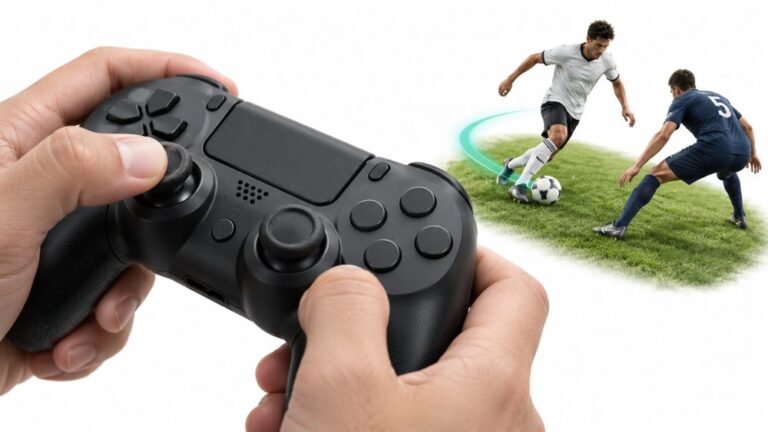
Why Sports Games Feel Better With a Controller
Ask a room full of sports gamers what they play with, and most will hold up an imaginary controller. Ask them why, and…

My DS4's R2 button keeps pressing automatically. In GTA the car slowly accelerates on its own and in shooters it fires randomly. On the trigger test R2 sits at like 0.12 when I'm not touching it, and it feels a little loose compared to L2, like it doesn't spring all the way back. Can I fix it or do I need a new controller?
A loose R2 resting at 0.12 is almost always a broken or unseated return spring, one of the most common DualShock 4 faults. The spring is a cheap part and the repair is straightforward, so the controller is very likely saveable.

Your two observations together, a resting value of 0.12 and a trigger that feels loose and does not spring fully back, point strongly at the return spring.
The DualShock 4's L2 and R2 are analog triggers. Each one moves a small sensor as you pull, and a little coil spring pushes the trigger back to rest. When that spring breaks, pops off its post or loses tension, the trigger stops returning all the way. The sensor then sits slightly pulled, and the game reads a constant partial press: slow acceleration in driving games, random shots in shooters with a low fire threshold.
Less often, the sensor itself is worn or dirty and gives a non-zero reading even when the trigger is physically at rest. You can tell the two apart in the test. Push R2 fully back to its rest position with a fingertip and hold it there. If the reading drops to 0.00 while you hold it, the sensor is fine and the spring is the problem. If it stays at 0.12 with the trigger pressed fully home, the sensor is the issue.
The spring repair is a well known job: open the shell, refit or replace the spring, close it up. Replacement springs are inexpensive and often sold in packs. If you would rather not open it yourself, a repair shop will do it quickly, and out of warranty it costs far less than a new controller.
Tested on: Applies to DualShock 4 CUH-ZCT1 and CUH-ZCT2 on Windows 11 with Chrome or Edge. Diagnosis based on the analog trigger values reported through the Gamepad API.
Checked by Arjun Mehta on . How we verify answers
Hardware Repair Educator at Gamepad Tester
Thiago teaches controller repair. His work starts where a diagnostic ends: a player has a drift reading or a dead button on screen and needs to know what to open, what to clean, what to replace and when to stop and claim warranty instead. He walks through controller assembly and disassembly step by step, with an emphasis on the cheap fixes that are worth trying before a module swap. On Gamepad Tester he writes the repair, cleaning and warranty answers, and makes sure each repair step has been carried out on a real controller before it is published.
 Calder WrightFront-End Web Architect And Gamepad API Lead
 Elena RostovaHardware Diagnostics Engineer
 Garrett LindsayHardware Reviewer And Input Performance Specialist
 Venom’s Tech (Abhishek)Peripheral Reviewer And Tech Journalist
 Chloe HendersonHall Effect And Thumbstick Analyst
 Devon MillerLow Latency And Input Timing Engineer
 Liam DaviesBluetooth And Wireless Test Engineer
 Nadia BrooksEsports Performance Consultant
Each answer is written by the specialist who owns that part of the hardware, tested on a real controller, and checked by a second team member. How we verify answers
Answers are free general guidance from the Gamepad Tester Team and the community. Opening a controller or replacing a thumbstick module can void your warranty, so check the maker's support or warranty first. Battery and soldering work carries a real risk of damage or injury.
Every test runs in your own browser with the Gamepad API. No sign up, no download, and your controller data never leaves your device.
Ask a room full of sports gamers what they play with, and most will hold up an imaginary controller. Ask them why, and…
There is a particular kind of bad session that never gets diagnosed. You lose a duel you should have won. Your car…
World of Warcraft Classic is built around smart decisions. Your class, spec, talents, gear, keybinds, and reaction…
The newest replies from players and the Gamepad Tester Team.

