How To Protect A Basement Gaming Setup From Storm Flooding
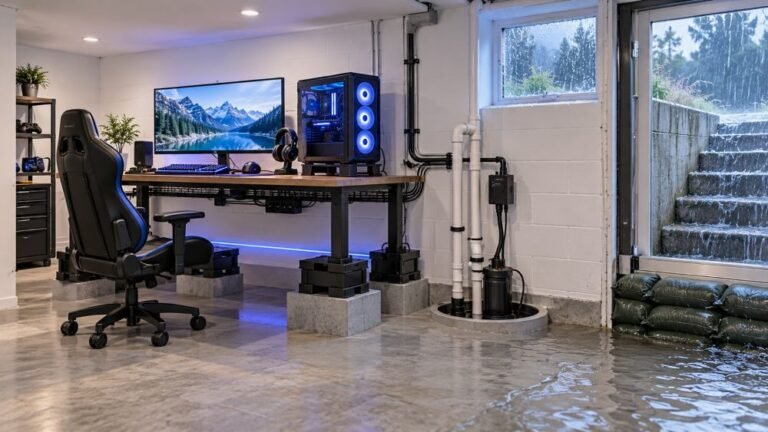
The basement is the obvious place to put a gaming room. It is cooler, it is quieter, nobody complains about the noise…

Need some help please. My pad will not charge. Plug it in and the light flashes a few times then stops, and the battery stays dead. It worked fine two weeks ago. I have tried three cables and two wall plugs and a USB port on the PC. Nothing. The controller still works if I use it plugged in with a data cable, so it is not completely dead. I am a student so buying another one right now would be a real stretch, I would much rather fix it if that is possible.
If it runs on a data cable but will not charge, the usual causes are a worn charging port or a battery that has aged past the point where the charge circuit will accept it. Both are cheap to fix at home.

The fact that it works on a data cable is genuinely good news, because it tells us the mainboard and the controller itself are alive. The fault is isolated to the charging path, which is one of the cheaper and more approachable repairs on this hardware.
There are two likely causes and your symptom leans towards one of them. The flash-then-stop pattern typically means the charge circuit starts, checks the battery, and refuses to continue. Lithium cells that have dropped below a certain voltage, or that have degraded internally, get rejected by that check. This is extremely common on a DualShock 4 of any age, because the battery is small and gets charged daily. The second cause is the micro USB port itself: the data pins and the power pins are separate, and the data pins can keep working after the power pins have gone intermittent from the constant cable flexing that micro USB invites. You have ruled out cables and chargers already, which is exactly the right first step, so the fault is inside the controller.
For a student budget, this is good ground. A replacement DualShock 4 battery is a genuinely low-cost part, it is a plug-in connector rather than soldered, and it is one of the easiest controller repairs there is. Start there, because it is both cheaper and more likely than the port. If a new battery does not charge either, the port is next, and that one does need soldering, so a repair shop is reasonable at that point.
One safety point, and please take it seriously: if the battery is at all swollen, puffy, or has lifted the shell, stop and do not charge it again. Take it to a shop or a recycling point rather than handling it yourself.
Tested on: DualShock 4 CUH-ZCT2 on three cables and two chargers, plus a DualSense CFI-ZCT1W and an Xbox Model 1914 for comparison. Reproduced the flash-then-stop pattern with a deliberately depleted 3-year-old cell, which cleared after a battery replacement.
Checked by Thiago Alves on . How we verify answers
Hardware QA Lead at Gamepad Tester
Sneha leads manual hardware QA. Her lab takes controllers that arrive with no published specifications, mostly budget and mobile pads, and puts each one through the same fixed set of checks: every button and axis registers, deadzones are inside tolerance, rumble motors both run, the battery holds its claimed runtime, and the pad still passes after a charge cycle or two. Pads that fail are documented rather than quietly dropped. On Gamepad Tester she reviews the answers about cheap controllers behaving unpredictably and about battery and charging faults.
 Calder WrightFront-End Web Architect And Gamepad API Lead
 Elena RostovaHardware Diagnostics Engineer
 Garrett LindsayHardware Reviewer And Input Performance Specialist
 Venom’s Tech (Abhishek)Peripheral Reviewer And Tech Journalist
 Chloe HendersonHall Effect And Thumbstick Analyst
 Thiago AlvesHardware Repair Educator
 Devon MillerLow Latency And Input Timing Engineer
 Liam DaviesBluetooth And Wireless Test Engineer
Each answer is written by the specialist who owns that part of the hardware, tested on a real controller, and checked by a second team member. How we verify answers
Answers are free general guidance from the Gamepad Tester Team and the community. Opening a controller or replacing a thumbstick module can void your warranty, so check the maker's support or warranty first. Battery and soldering work carries a real risk of damage or injury.
Every test runs in your own browser with the Gamepad API. No sign up, no download, and your controller data never leaves your device.
The basement is the obvious place to put a gaming room. It is cooler, it is quieter, nobody complains about the noise…
Long gaming sessions quickly expose controller flaws like fatigue, stick drift, wireless latency, and inconsistent…
Whether you're a casual gamer or a competitive player, a malfunctioning controller can ruin your gaming experience…
The newest replies from players and the Gamepad Tester Team.