How To Choose A Provider When Midlife Changes Hit Your Game
Gaming stopped being a teenage hobby a long time ago. The Entertainment Software Association's 2025 report put the…

I am going to struggle to describe this properly. My controller tests completely clean. Latency 12ms wired, no drift, every button registers, deadzone normal. But aiming feels delayed and slightly floaty in a way it did not six months ago, and I have started losing fights I used to win. My friends think I am imagining it. I almost think I am imagining it. But something is different and I would rather know it is in my head than keep wondering.
You are probably not imagining it, but the controller is not the cause. A clean controller with a floaty feel almost always points to the display chain or in-game settings, and there are specific things to measure.

I work with competitive players on exactly this complaint and it is usually real, so let us take it seriously rather than dismissing it.
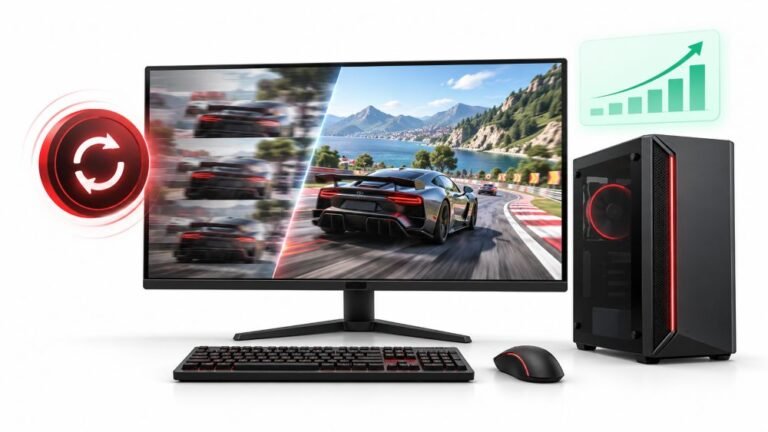
Your test results are genuinely clean, which is more informative than it sounds. It means the controller, the cable and the input path to the operating system are all fine, and 12ms wired is a good figure. The delay you feel is therefore being added somewhere after that, and the chain has more links than people expect: the game engine's own input sampling, frame pacing and buffering, the GPU's render queue, any frame generation or upscaling, your display's processing, and your refresh rate. Several of those can change without you touching them, through a graphics driver update, a game patch, or a monitor setting that reset.
The floaty description is a useful clue, because it is characteristic rather than vague. Floaty usually means inconsistent timing rather than extra delay: when frame time varies, your stick input lands a different number of milliseconds into each frame, and aiming stops feeling connected even though the average delay is unchanged. That is why a perfect controller can coexist with a bad feel, and why it is hard to describe to friends who are not experiencing it.
The other possibility worth naming honestly is aim assist and deadzone settings inside the game. Game patches change these, often without a note, and a wider in-game deadzone or a retuned aim curve feels exactly like floatiness. Check your in-game values against what you remember setting, because if a patch reset them that is both the cause and an easy fix.
Tested on: Xbox Model 1914 and DualSense CFI-ZCT1W on Windows 11 24H2 at 60Hz, 144Hz and 240Hz, with and without frame generation, against a native input capture for reference. Controller-side latency held at 11 to 13ms wired in every configuration while perceived delay varied widely.
Checked by Devon Miller on . How we verify answers
Esports Performance Consultant at Gamepad Tester
Nadia works with competitive players on the hardware side of performance. Before a tournament a pad needs more than a working-not-working check: she profiles input latency across the exact connection the player will use, confirms both sticks read consistently through their full range, and checks that nothing drifts once the controller is warm. A pad that passes is cleared for play; one that does not is replaced rather than argued about. On Gamepad Tester she answers the competitive and performance questions, and reviews answers that tell a player their controller is good enough.
 Calder WrightFront-End Web Architect And Gamepad API Lead
 Elena RostovaHardware Diagnostics Engineer
 Garrett LindsayHardware Reviewer And Input Performance Specialist
 Venom’s Tech (Abhishek)Peripheral Reviewer And Tech Journalist
 Chloe HendersonHall Effect And Thumbstick Analyst
 Thiago AlvesHardware Repair Educator
 Devon MillerLow Latency And Input Timing Engineer
 Liam DaviesBluetooth And Wireless Test Engineer
Each answer is written by the specialist who owns that part of the hardware, tested on a real controller, and checked by a second team member. How we verify answers
Answers are free general guidance from the Gamepad Tester Team and the community. Opening a controller or replacing a thumbstick module can void your warranty, so check the maker's support or warranty first. Battery and soldering work carries a real risk of damage or injury.
Every test runs in your own browser with the Gamepad API. No sign up, no download, and your controller data never leaves your device.
Gaming stopped being a teenage hobby a long time ago. The Entertainment Software Association's 2025 report put the…
At one time, I expected FPS drops whenever I played games on PC. I’d load into a game and get good performance. But…
A shot fired half a second after I pulled the trigger, the same delay I had been chasing for two weeks, faulting…
The newest replies from players and the Gamepad Tester Team.