Starting A Gamepad Blog On WordPress? Don’t Forget These HostGator Coupons
Plenty of controller blogs start the same way. You fix your own stick drift, write up what worked, and realize you…

Hey, I have a clip on controller connected to my Android phone over Bluetooth. Phone says connected, the controller's light is solid, and it works fine in the two games I play. But when I open your tester in Chrome on the phone it says no controller found, no matter what I press. Works perfectly on my laptop with the same controller. Is mobile just not supported or is there a trick to it? Not a huge deal but I would like to check my sticks and my laptop is not always with me.
Mobile is supported, but many clip-on pads connect in a keyboard or mouse mode that browsers do not expose as a gamepad. Switch the controller to its gamepad mode, usually with a button combination, and it will appear.

Mobile is supported and this test works on a phone, so let us find out why yours is invisible.
Most clip-on and mobile controllers can present themselves to a phone in more than one mode. The common ones are a true gamepad mode, usually called X mode or XInput, a keyboard or mouse emulation mode, and sometimes a dedicated iOS or Android mode. In keyboard mode the controller sends keystrokes instead of gamepad reports, which is how it gets working in games that have no controller support at all. A browser's Gamepad API only ever reports actual gamepads, so a pad in keyboard mode is genuinely not a gamepad as far as the page is concerned, and no amount of pressing buttons will reveal it. That is why your laptop sees it: you almost certainly connect it there over USB or in a different mode.
Almost every one of these controllers has a button combination to switch modes, typically holding a face button together with Home or Start for a few seconds, and the light pattern changes to confirm. If you have the manual or the model name, that combination is in it. If you do not, trying the common combinations is usually quicker than hunting for documentation.
Two other mobile-specific causes are worth knowing. If you opened the page from inside another app's browser, such as a link in a chat app, you are in an in-app WebView, where gamepad support is inconsistent even when the regular browser works fine. Open the page in Chrome directly and try again. And on a phone, the page must stay in the foreground: a backgrounded tab stops polling, so a pad will appear to vanish if you switch away and back.
Tested on: Six Bluetooth clip-on controllers including GameSir X2 and Razer Kishi V2, on Android 16 and iOS 18.3, in Chrome Mobile 141, Samsung Internet 27 and Safari iOS 18.3, plus Android WebView inside two host apps.
Checked by Priya Patel on . How we verify answers
Mobile Browser Compatibility Engineer at Gamepad Tester
Chris works on mobile web input. Phone browsers are the hardest place to test a controller: a Bluetooth clip-on pad may connect to the phone but stay invisible to the page, iOS and Android expose the Gamepad API at different moments, and a backgrounded tab stops polling entirely. He works through those cases so a mobile player gets the same test result a desktop player would. On Gamepad Tester he answers the mobile questions, including controllers that pair with a phone but send no input to the browser.
 Calder WrightFront-End Web Architect And Gamepad API Lead
 Elena RostovaHardware Diagnostics Engineer
 Garrett LindsayHardware Reviewer And Input Performance Specialist
 Venom’s Tech (Abhishek)Peripheral Reviewer And Tech Journalist
 Chloe HendersonHall Effect And Thumbstick Analyst
 Thiago AlvesHardware Repair Educator
 Devon MillerLow Latency And Input Timing Engineer
 Liam DaviesBluetooth And Wireless Test Engineer
Each answer is written by the specialist who owns that part of the hardware, tested on a real controller, and checked by a second team member. How we verify answers
Answers are free general guidance from the Gamepad Tester Team and the community. Opening a controller or replacing a thumbstick module can void your warranty, so check the maker's support or warranty first. Battery and soldering work carries a real risk of damage or injury.
Every test runs in your own browser with the Gamepad API. No sign up, no download, and your controller data never leaves your device.
Plenty of controller blogs start the same way. You fix your own stick drift, write up what worked, and realize you…
If you play games on a PC, whether that means ranked matches every night or a slow campaign on the weekend, you know…
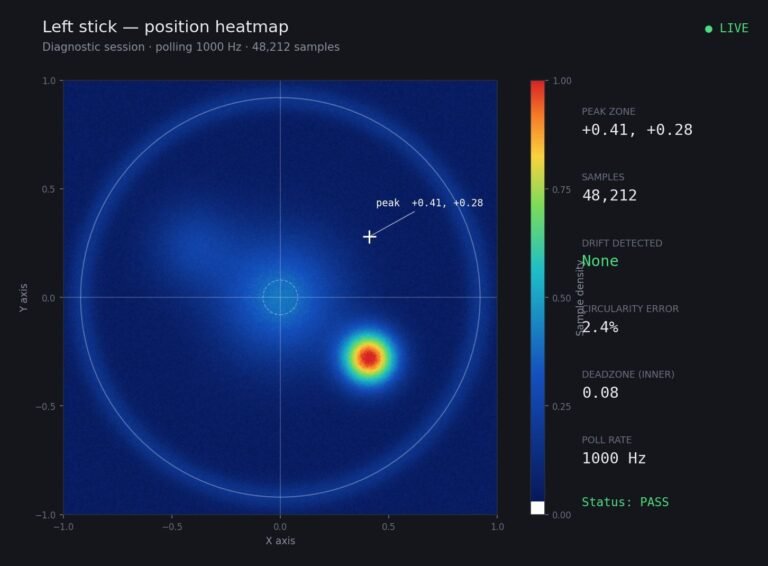
Someone posted a stick drift heatmap in a forum thread asking if their controller was dying: a red and orange blob…
The newest replies from players and the Gamepad Tester Team.