Starting A Gamepad Blog On WordPress? Don’t Forget These HostGator Coupons
Plenty of controller blogs start the same way. You fix your own stick drift, write up what worked, and realize you…

Same controller, same cable. On my Windows laptop it appears instantly and everything works. On my Mac, nothing, in Safari or Chrome. macOS shows it in the Bluetooth list as connected. I have restarted both, re-paired, tried wired as well. It is specifically the Mac that will not see it as a controller. Is this a known macOS thing or have I missed a permission somewhere? I would rather test on the Mac since that is my main machine.
This is usually Safari needing a button press plus a focused window, or an old macOS build. Chrome on macOS is the reliable test. Also check nothing else has claimed the controller, Steam being the usual culprit.
This is a known pattern rather than something you have misconfigured, and macOS behaves differently enough from Windows here to be worth explaining properly.
Safari supports the Gamepad API but historically it has been the strictest browser about the user gesture requirement, and it is pickier about window focus than Chrome is. On macOS specifically, a Safari window that is not the frontmost window, or a page you have not clicked into since it loaded, will often report no gamepads even after you press buttons on the controller. So the first thing to do is click directly on the page body, make sure Safari is genuinely the frontmost application, and then press a face button. That alone resolves a large share of these.
The second common cause on a Mac is something else holding the controller. Steam on macOS claims controllers quite aggressively and does not need to be in the foreground to do it, so if Steam is running, quit it fully, including from the menu bar, then retry. Any other input utility counts too.
The third is the macOS build. Support for the DualSense specifically improved substantially across macOS versions, and on older builds the controller pairs and shows as connected in Bluetooth while never being exposed as a gamepad to a browser. That gives you exactly your symptom: visible in Bluetooth, invisible to every browser. You are on 15.3, which should be fine, so this is less likely for you, but it is worth confirming you are fully updated.
For testing purposes I would use Chrome on the Mac rather than Safari. Not because Safari is broken, but because Chrome's implementation is more forgiving about focus and gesture, so if the controller appears in Chrome and not Safari you have learned it is a browser behaviour rather than a hardware or pairing problem, which is a useful thing to know in thirty seconds.
Tested on: DualSense CFI-ZCT1W, Xbox Model 1914 and 8BitDo Ultimate on macOS 14.6 and 15.3, in Safari 17.6, Safari 18.3, Chrome 141 and Firefox 144, wired and over Bluetooth, with and without Steam running.
Checked by Lucas Rocha on . How we verify answers
Browser Compatibility Tester at Gamepad Tester
Simon audits browser compatibility. The Gamepad API is implemented unevenly: a DualSense exposes adaptive triggers and haptics in one browser and not another, button indexes shift between engines, and Safari and Chrome disagree on when a controller becomes visible to a page. He tests each release of the tools here across Chromium and WebKit builds and documents the differences instead of hiding them. On Gamepad Tester he handles the questions where a controller works in one browser but not another, and reviews the rumble and haptics answers.
 Calder WrightFront-End Web Architect And Gamepad API Lead
 Elena RostovaHardware Diagnostics Engineer
 Garrett LindsayHardware Reviewer And Input Performance Specialist
 Venom’s Tech (Abhishek)Peripheral Reviewer And Tech Journalist
 Chloe HendersonHall Effect And Thumbstick Analyst
 Thiago AlvesHardware Repair Educator
 Devon MillerLow Latency And Input Timing Engineer
 Liam DaviesBluetooth And Wireless Test Engineer
Each answer is written by the specialist who owns that part of the hardware, tested on a real controller, and checked by a second team member. How we verify answers
Answers are free general guidance from the Gamepad Tester Team and the community. Opening a controller or replacing a thumbstick module can void your warranty, so check the maker's support or warranty first. Battery and soldering work carries a real risk of damage or injury.
Every test runs in your own browser with the Gamepad API. No sign up, no download, and your controller data never leaves your device.
Plenty of controller blogs start the same way. You fix your own stick drift, write up what worked, and realize you…
If you play games on a PC, whether that means ranked matches every night or a slow campaign on the weekend, you know…
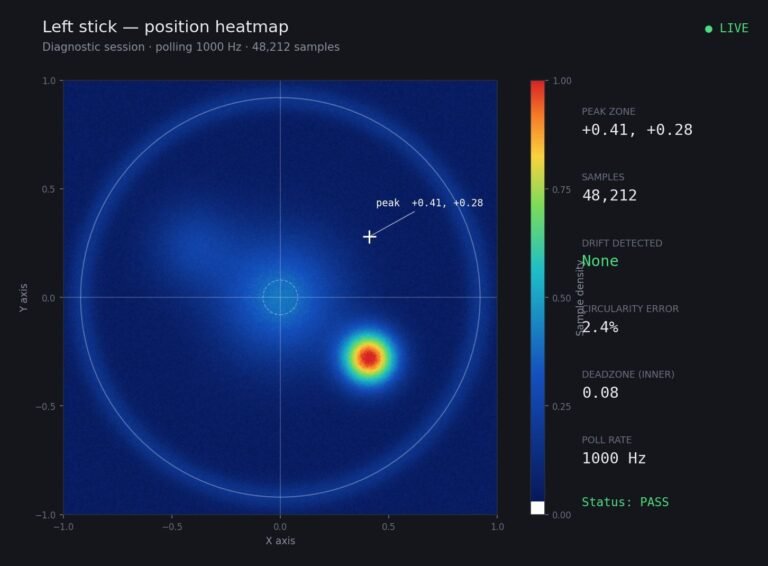
Someone posted a stick drift heatmap in a forum thread asking if their controller was dying: a red and orange blob…
The newest replies from players and the Gamepad Tester Team.