
What Is Frame Rate Test? A Beginner’s Guide to FPS Test and Refresh Rate
If you have ever watched a video that looked choppy, played a game that felt sluggish, or noticed that scrolling on…

There's a small dark spot on my laptop screen. On your dead pixel test it shows on white, but it looks a bit blurry and bigger than one pixel. On black I can't see it. Dead pixel or something else?
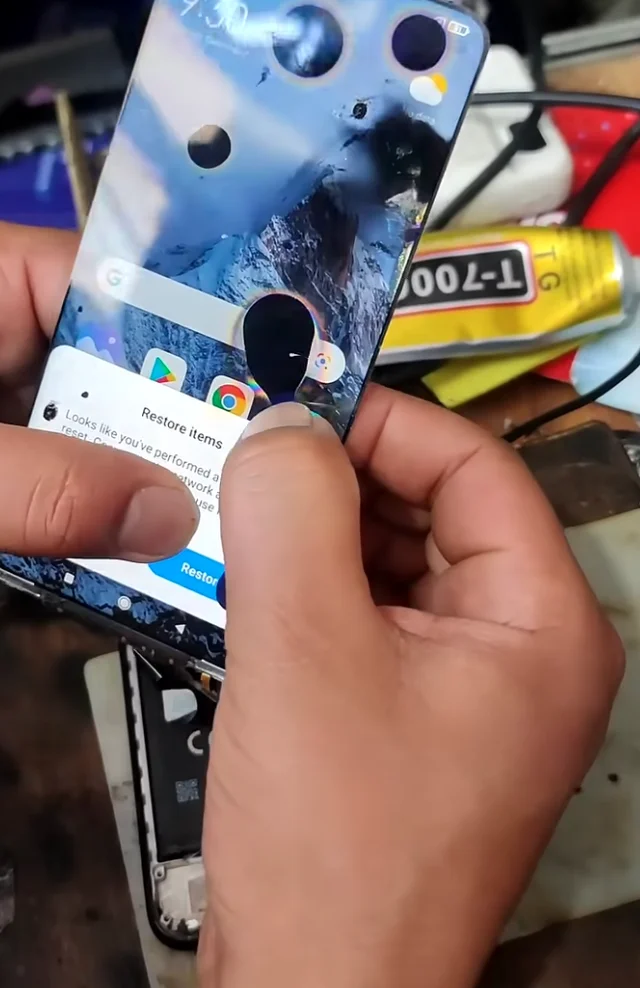
A dead pixel is a sharp, single-pixel dot that stays the same size and position. A blurry spot larger than a pixel is more likely dust or debris on the surface or between the panel layers. Wipe the surface first; if the blur remains, it is inside the panel and a warranty or repair question.

The shape is the clue. A dead pixel is exactly one pixel: tiny, sharp-edged and square if you look closely, and the same size whatever the colour around it. What you describe, slightly blurry and larger than a pixel, usually means something sitting on or inside the screen rather than a failed pixel.
Check the surface first. Turn the screen off and look at it at an angle under a light. If you see a speck on the surface, clean it gently with a dry microfibre cloth, then a slightly damp one if needed.
If the spot is still there with a clean surface, it may be between the layers of the panel. Dust can get between the LCD and the backlight layers, especially after a repair or a knock, and shows as a soft dark spot that is most visible on white. You may notice it shifts slightly with viewing angle, because it sits at a different depth from the pixels.
Inside-the-panel dust cannot be wiped away. If the laptop is in warranty, report it with a photo on our white screen. A repair shop can sometimes clean behind the panel, but it is a delicate job.
Tested on: Applies to LCD laptop screens and monitors. Defect definitions per published pixel policies such as Lenovo's.
Checked by Sneha Reddy on . How we verify answers
QA And Test Automation Lead at Gamepad Tester
Tyler leads test automation. Before each change to the tools here goes live, his pipelines drive simulated inputs through the pages across multiple browsers and desktop environments and compare the readings against known-good baselines. It catches the regressions manual testing misses: a button index that shifts, an axis that stops updating, a layout that breaks at one viewport. On Gamepad Tester he signs off releases of the test tools and handles the answers where the tool itself, rather than the controller, is behaving oddly.
 Calder WrightFront-End Web Architect And Gamepad API Lead
 Elena RostovaHardware Diagnostics Engineer
 Garrett LindsayHardware Reviewer And Input Performance Specialist
 Venom’s Tech (Abhishek)Peripheral Reviewer And Tech Journalist
 Chloe HendersonHall Effect And Thumbstick Analyst
 Thiago AlvesHardware Repair Educator
 Devon MillerLow Latency And Input Timing Engineer
 Liam DaviesBluetooth And Wireless Test Engineer
Each answer is written by the specialist who owns that part of the hardware, tested on a real controller, and checked by a second team member. How we verify answers
Answers are free general guidance from the Gamepad Tester Team and the community. Opening a controller or replacing a thumbstick module can void your warranty, so check the maker's support or warranty first. Battery and soldering work carries a real risk of damage or injury.
Every test runs in your own browser with the Gamepad API. No sign up, no download, and your controller data never leaves your device.
If you have ever watched a video that looked choppy, played a game that felt sluggish, or noticed that scrolling on…
Content creators, marketers, and businesses are finding creating images and videos more and more effortless via AI. As…
Bilibili Gaming defeated G2 Esports 3-1 in São Paulo on March 22, 2026, to win an international League of Legends…
The newest replies from players and the Gamepad Tester Team.

