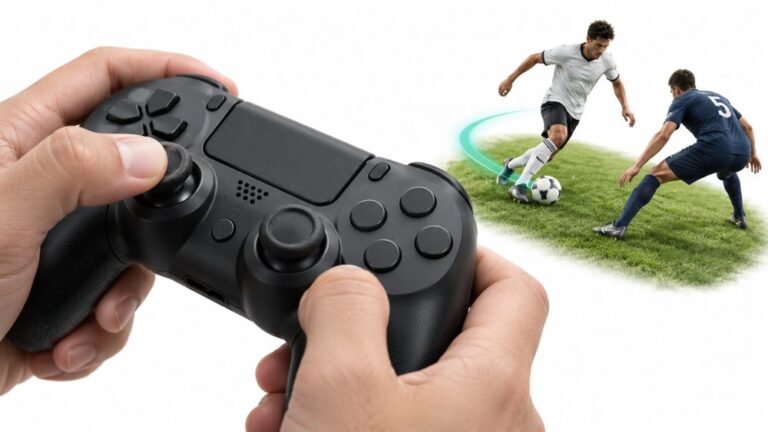
Why Sports Games Feel Better With a Controller
Ask a room full of sports gamers what they play with, and most will hold up an imaginary controller. Ask them why, and…

Trigger is stuck at 100% according to your trigger test. Not touching it. RT value sits at 1.00 constantly, LT reads 0.00 and behaves normally. Happened overnight, no drop, no liquid. Pad is 8 months old. Cars accelerate on their own in Forza and I cannot aim in anything. Already power cycled, reconnected wired, tried a second PC. Same on both. What is it?
A trigger pinned at exactly 1.00 is almost always a dislodged spring or a shifted potentiometer arm inside the trigger assembly, not firmware. It is an easy open-and-reseat repair.

The detail that identifies this is the exact value. A dirty or failing trigger sensor gives you a noisy resting value that wanders, something like 0.12 one second and 0.31 the next. Yours is pinned at 1.00 and does not move, and the other trigger is perfect. That is a mechanical position problem, not a sensor problem: the trigger's potentiometer arm is sitting at the end of its travel because the spring that returns the trigger has come off its post, or the whole trigger assembly has shifted in its seat. The spring on the Model 1914 sits on a small plastic post and it only needs to slip a millimetre.
That is why nothing you tried worked, and why it followed the controller to a second PC. There is no software state involved. It also explains the overnight onset with no drop. These springs let go on their own, usually after the plastic post has worn slightly.
The repair is one of the more forgiving ones. You are opening the shell, looking at the trigger assembly on the right side, and seating the spring back on its post, or reseating the assembly so the arm returns fully. No soldering. If the post itself has snapped you will need a replacement trigger assembly, which is an inexpensive part. Before you open anything, update the controller firmware through the Xbox Accessories app, because it takes two minutes and it means you can tell any warranty conversation that you ruled it out. At 8 months old you are inside the standard Microsoft warranty, so a replacement claim is worth trying before you pick up a screwdriver, and opening the controller will void it.
Tested on: Xbox Wireless Controller Model 1914, firmware 5.21.3, wired USB-C and Xbox Wireless, Windows 11 24H2, Chrome 141. Reproduced by deliberately unseating the right trigger spring on a donor unit, which produced an identical fixed 1.00.
Checked by Thiago Alves on . How we verify answers
Embedded Systems And Firmware Programmer at Gamepad Tester
Alistair is an embedded systems programmer. He writes custom firmware for third-party PC gamepads and builds input-parsing test rigs on microcontrollers such as the Arduino and Raspberry Pi Pico, which means he can see what a controller is sending at the wire level rather than guessing from what the operating system reports. That is usually the fastest way to settle whether a fault is in the pad, the driver or the browser. On Gamepad Tester he answers the firmware and driver questions, including the ones where an update has broken a working controller.
 Calder WrightFront-End Web Architect And Gamepad API Lead
 Elena RostovaHardware Diagnostics Engineer
 Garrett LindsayHardware Reviewer And Input Performance Specialist
 Venom’s Tech (Abhishek)Peripheral Reviewer And Tech Journalist
 Chloe HendersonHall Effect And Thumbstick Analyst
 Thiago AlvesHardware Repair Educator
 Devon MillerLow Latency And Input Timing Engineer
 Liam DaviesBluetooth And Wireless Test Engineer
Each answer is written by the specialist who owns that part of the hardware, tested on a real controller, and checked by a second team member. How we verify answers
Answers are free general guidance from the Gamepad Tester Team and the community. Opening a controller or replacing a thumbstick module can void your warranty, so check the maker's support or warranty first. Battery and soldering work carries a real risk of damage or injury.
Every test runs in your own browser with the Gamepad API. No sign up, no download, and your controller data never leaves your device.
Ask a room full of sports gamers what they play with, and most will hold up an imaginary controller. Ask them why, and…
There is a particular kind of bad session that never gets diagnosed. You lose a duel you should have won. Your car…
World of Warcraft Classic is built around smart decisions. Your class, spec, talents, gear, keybinds, and reaction…
The newest replies from players and the Gamepad Tester Team.

