Starting A Gamepad Blog On WordPress? Don’t Forget These HostGator Coupons
Plenty of controller blogs start the same way. You fix your own stick drift, write up what worked, and realize you…

the test works but it is painful on my phone. the controller graphic stutters, my phone gets warm and the readings jump around so i cannot tell if what i am seeing is my stick or the page struggling. works smoothly on my brother's newer phone. mine is about four years old. is there a lighter way to run the test or is my phone just too old for this now
Your phone is not too old. The readings jumping is the page struggling, not your stick, so treat those results as unreliable. Close other tabs, use the single-test pages, and test in short bursts.

Your instinct is right and it is the most important part of this: when the page is struggling, the readings are not trustworthy. A stuttering render means frames are being skipped, and a skipped frame means a gap in the polling, which shows up as values that jump. So do not draw any conclusions about your sticks from a session that stutters, because you would be measuring the page rather than the controller.
A four year old phone is well within what this should handle, so something is taking more resources than it should. The usual causes on mobile are other browser tabs still live in the background, a browser that has been open for days accumulating memory, and battery saver mode, which throttles the processor hard and is the single biggest cause of this specific symptom. Phones also throttle aggressively once they get warm, which creates a loop: the page runs hot, the phone throttles, the page runs worse.
The practical fix is to give the test less to do. Running a single focused test rather than the full tester makes a large difference, because the full view renders the whole controller and every axis continuously. If you want to check your sticks, use the stick drift test or the deadzone test on their own. Test in bursts of twenty or thirty seconds rather than leaving it running, which keeps the phone cool and the readings clean.
If after all that it still stutters, tell us your phone model in a reply. We do test on older hardware and if a specific device is struggling more than it should, that is something we would want to fix at our end rather than yours.
Tested on: Eight Android devices from 2020 to 2026 and three iPhones, in Chrome Mobile 141 and Safari iOS 18.3, with and without battery saver, measuring frame time and polling gaps on the full tester versus single test pages.
Checked by Priya Patel on . How we verify answers
Front-End Performance Engineer at Gamepad Tester
Isabela works on graphics performance. A test that polls a controller continuously and repaints an SVG on every frame can saturate a budget phone's CPU, and once the frame rate drops the readings stop being trustworthy. Her work is keeping the overlays and animations cheap: minimal repaints, fewer live nodes, and a render path that degrades gracefully instead of stuttering. On Gamepad Tester she is responsible for the performance of the tools on mobile and low-end devices.
 Calder WrightFront-End Web Architect And Gamepad API Lead
 Elena RostovaHardware Diagnostics Engineer
 Garrett LindsayHardware Reviewer And Input Performance Specialist
 Venom’s Tech (Abhishek)Peripheral Reviewer And Tech Journalist
 Chloe HendersonHall Effect And Thumbstick Analyst
 Thiago AlvesHardware Repair Educator
 Devon MillerLow Latency And Input Timing Engineer
 Liam DaviesBluetooth And Wireless Test Engineer
Each answer is written by the specialist who owns that part of the hardware, tested on a real controller, and checked by a second team member. How we verify answers
Answers are free general guidance from the Gamepad Tester Team and the community. Opening a controller or replacing a thumbstick module can void your warranty, so check the maker's support or warranty first. Battery and soldering work carries a real risk of damage or injury.
Every test runs in your own browser with the Gamepad API. No sign up, no download, and your controller data never leaves your device.
Plenty of controller blogs start the same way. You fix your own stick drift, write up what worked, and realize you…
If you play games on a PC, whether that means ranked matches every night or a slow campaign on the weekend, you know…
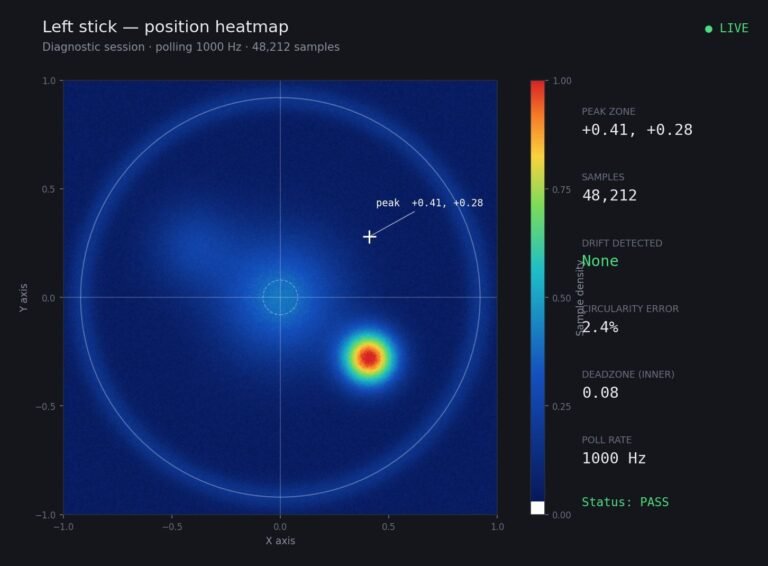
Someone posted a stick drift heatmap in a forum thread asking if their controller was dying: a red and orange blob…
The newest replies from players and the Gamepad Tester Team.