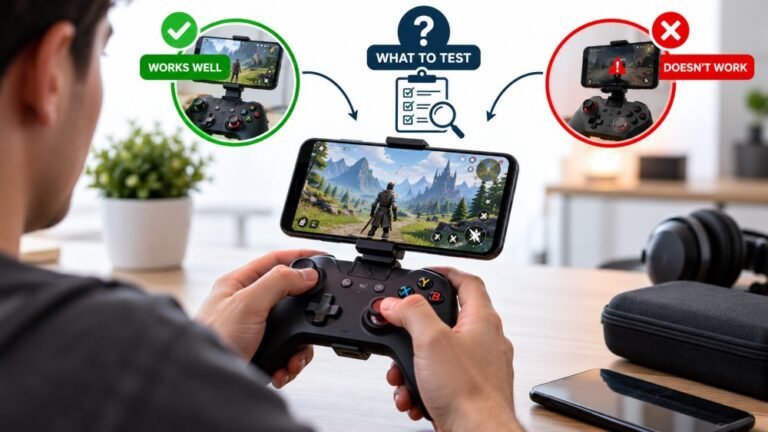
Playing Mobile Games With A Controller: What Works, What Doesn’t, And What To Test Before You Spend
You paired the controller, the light went solid, your phone said "Connected," and then the game did absolutely…

Odd one. Front port on my PC case, controller works fine. Any of the three rear ports, controller lights up but never appears in Windows or the browser. Other devices work fine in those rear ports, keyboard and a USB stick both fine. So the ports are not dead. Same cable in all cases. I am not short of ports so it is not a crisis, but I would like to understand it because it bothers me.
Almost certainly a USB hub or controller-chip issue on those rear ports, often a USB 3 port behind an internal hub that a low-power HID device handles badly. Cheap fix: use the working port, or add a powered hub.

This is a satisfying one to explain, because the thing that confuses people is exactly the thing that identifies the cause: a keyboard works in those ports but a gamepad does not.
Not all USB ports on a motherboard are equal. The rear ports are typically split across different internal controllers, and several are often behind an internal hub rather than wired directly. A keyboard and a USB stick are undemanding and tolerant: they enumerate slowly, they do not care much about timing, and they work behind almost anything. A gamepad is a low-speed HID device that enumerates in a particular way and then streams continuously, and some controller chips and internal hubs handle that combination poorly. The controller gets power, which is why it lights up, but enumeration never completes, so neither Windows nor the browser ever sees a device. A lit controller that does not appear anywhere is a very specific signature and this is its usual cause.
There are two other common contributors on rear ports. USB 3 ports generate radio noise around 2.4GHz, which matters for a wireless dongle in that port though not for a wired pad like yours. And motherboard firmware has settings for legacy USB support and for per-controller power that can leave some ports less tolerant than others.
Practically, this is not usually worth chasing hard. A BIOS update sometimes fixes it, and disabling fast startup in Windows occasionally does too, because the hybrid shutdown can leave USB controllers in a state that a fresh boot would clear. But the honest answer is that using the port that works, or adding a powered USB hub, costs nothing and solves it permanently. If you want to understand which ports are grouped together, Device Manager with the view set to show devices by connection will lay out your USB topology and you will see immediately which ports share a hub.
Tested on: 8BitDo Ultimate wired, Xbox Model 1914 and two generic pads across eight ports on three motherboards, with USB topology mapped in Device Manager and compared on Windows 11 24H2 and Ubuntu 25.04.
Checked by Alistair Thorne on . How we verify answers
Retro And Adapter Hardware Specialist at Gamepad Tester
Graham works on legacy input hardware. Older controllers reach a browser through a USB adapter, and the adapter decides what the browser sees: button order changes, axes arrive as buttons, D-pads report as hats, and two adapters for the same console can behave nothing alike. He maps how the common adapters present themselves so that a player with a SNES or Sega pad can read a test result correctly instead of concluding their controller is broken. On Gamepad Tester he answers the adapter and legacy hardware questions.
 Calder WrightFront-End Web Architect And Gamepad API Lead
 Elena RostovaHardware Diagnostics Engineer
 Garrett LindsayHardware Reviewer And Input Performance Specialist
 Venom’s Tech (Abhishek)Peripheral Reviewer And Tech Journalist
 Chloe HendersonHall Effect And Thumbstick Analyst
 Thiago AlvesHardware Repair Educator
 Devon MillerLow Latency And Input Timing Engineer
 Liam DaviesBluetooth And Wireless Test Engineer
Each answer is written by the specialist who owns that part of the hardware, tested on a real controller, and checked by a second team member. How we verify answers
Answers are free general guidance from the Gamepad Tester Team and the community. Opening a controller or replacing a thumbstick module can void your warranty, so check the maker's support or warranty first. Battery and soldering work carries a real risk of damage or injury.
Every test runs in your own browser with the Gamepad API. No sign up, no download, and your controller data never leaves your device.
You paired the controller, the light went solid, your phone said "Connected," and then the game did absolutely…
There is a particular kind of bad session that never gets diagnosed. You lose a duel you should have won. Your car…
A shot fired half a second after I pulled the trigger, the same delay I had been chasing for two weeks, faulting…
The newest replies from players and the Gamepad Tester Team.

