

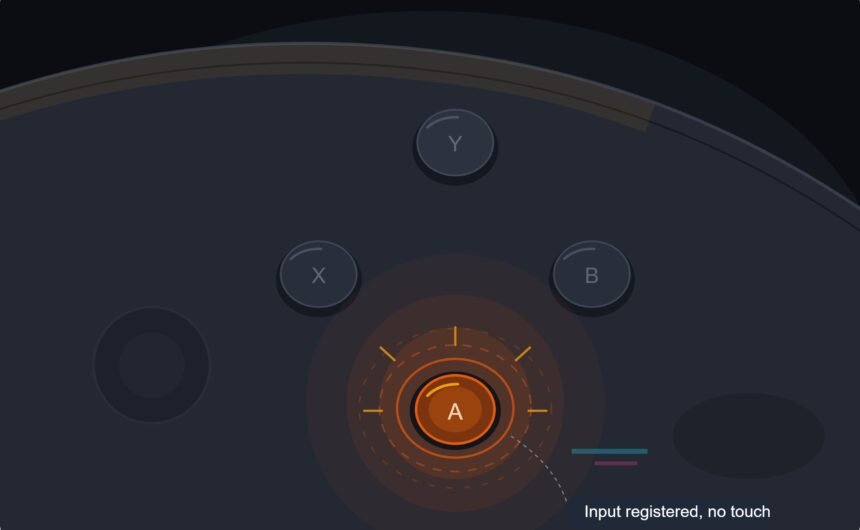
The face button registered a press I never made, a phantom input firing on its own during a menu screen while my thumb sat nowhere near it. It happened twice more that session, always the same button, always with no finger anywhere close. Ghost inputs caused by worn carbon pads are one of the particularly unsettling controller problems specifically because they happen without you touching anything, and diagnosing the actual cause took longer than fixing it once I finally understood what was going on underneath the button.
What Worn Carbon Pads Actually Are
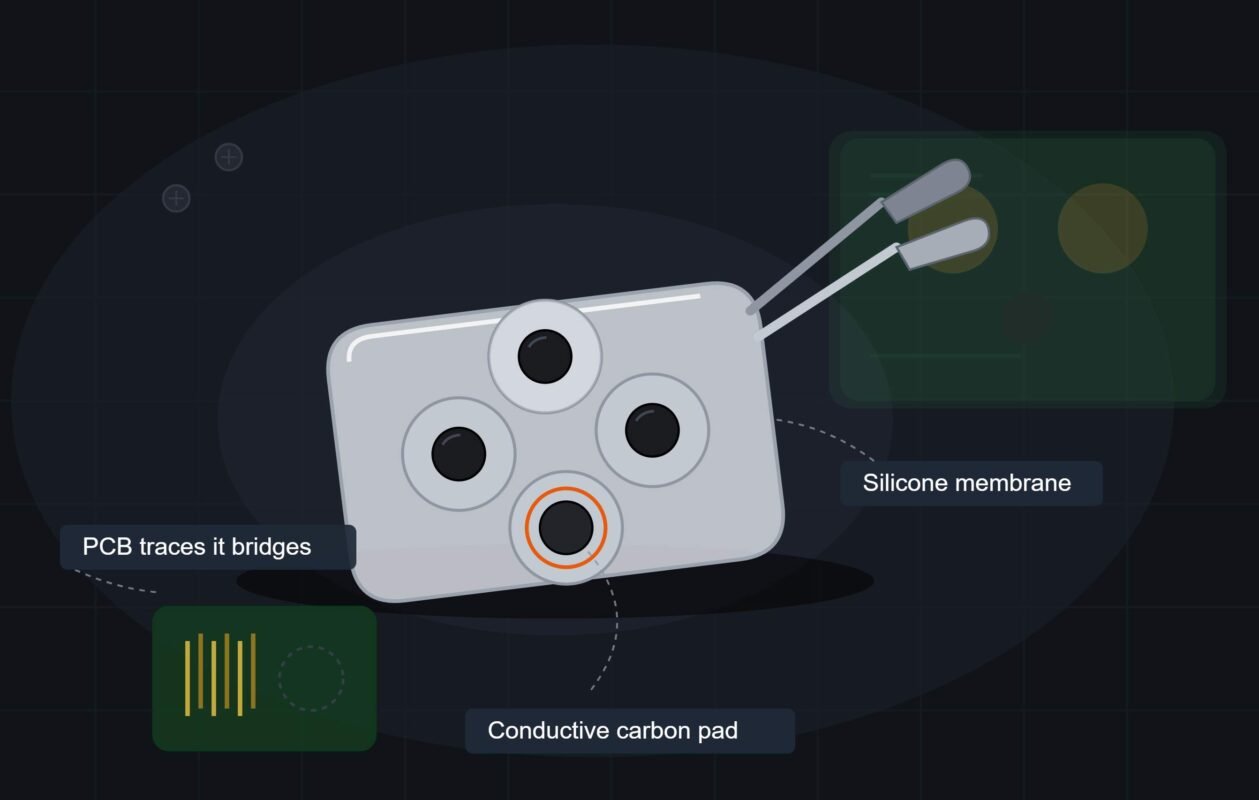
Most controller buttons do not use a mechanical switch the way a keyboard does. Instead, a small conductive carbon pad sits on the underside of the rubber button membrane, and pressing the button pushes that carbon pad down onto a printed circuit contact, completing a circuit that registers as a press. This design is cheap, reliable for a long time, and works well until the carbon pad itself begins to wear.
Worn carbon pads develop a thin residue buildup over thousands of presses, a mix of degraded carbon material and skin oils that gradually becomes slightly conductive on its own, even without being pressed. Once that residue reaches a certain thickness and conductivity, it can complete the circuit briefly on its own, particularly with small vibrations, temperature changes, or static buildup, producing a phantom press with no physical button contact involved at all.
This is the full mechanical story behind ghost inputs caused by worn carbon pads, and understanding it changes how you approach a fix. A button is not malfunctioning randomly; it is responding to a residue layer that behaves electrically similar to an actual finger press under specific, if inconsistent, conditions. That distinction matters because it means the fix is chemical and mechanical, not electronic or software-based.
This is a textbook controller button ghost input problem, and it concentrates heavily on the most frequently used buttons, which makes sense once you understand the cause is cumulative wear from repeated presses rather than a random manufacturing defect; the same underlying idea covered in wear shows up in feedback motors the same way it shows up in buttons. The face buttons in fighting games, the jump button in platformers, whatever gets pressed thousands of times more than its neighbors on a given controller, is disproportionately likely to be the first button showing ghost inputs. This uneven distribution is itself a useful diagnostic clue when narrowing down a controller button ghost input complaint to a specific cause.
What Does Not Actually Fix This
Compressed air around the button, the default first attempt for most controller issues, does very little here, since the residue causing ghost inputs sits directly on the carbon pad’s contact surface instead of as loose debris nearby that air pressure can dislodge. This is a fundamentally different problem from dust sitting in a trigger’s pivot gap, and treating it the same way rarely produces results.
Pressing the affected button repeatedly, trying to work through whatever is causing the phantom presses, also does not dependably help and can occasionally worsen the problem by grinding the degraded carbon material further into the contact surface instead of clearing it away. Phantom button presses caused by residue buildup need the residue actually removed, not more pressure applied to the same worn surface, and treating phantom button presses as a pressure problem rather than a cleaning problem is the most common mistake players make.
How to Actually Fix Ghost Inputs From Worn Carbon Pads
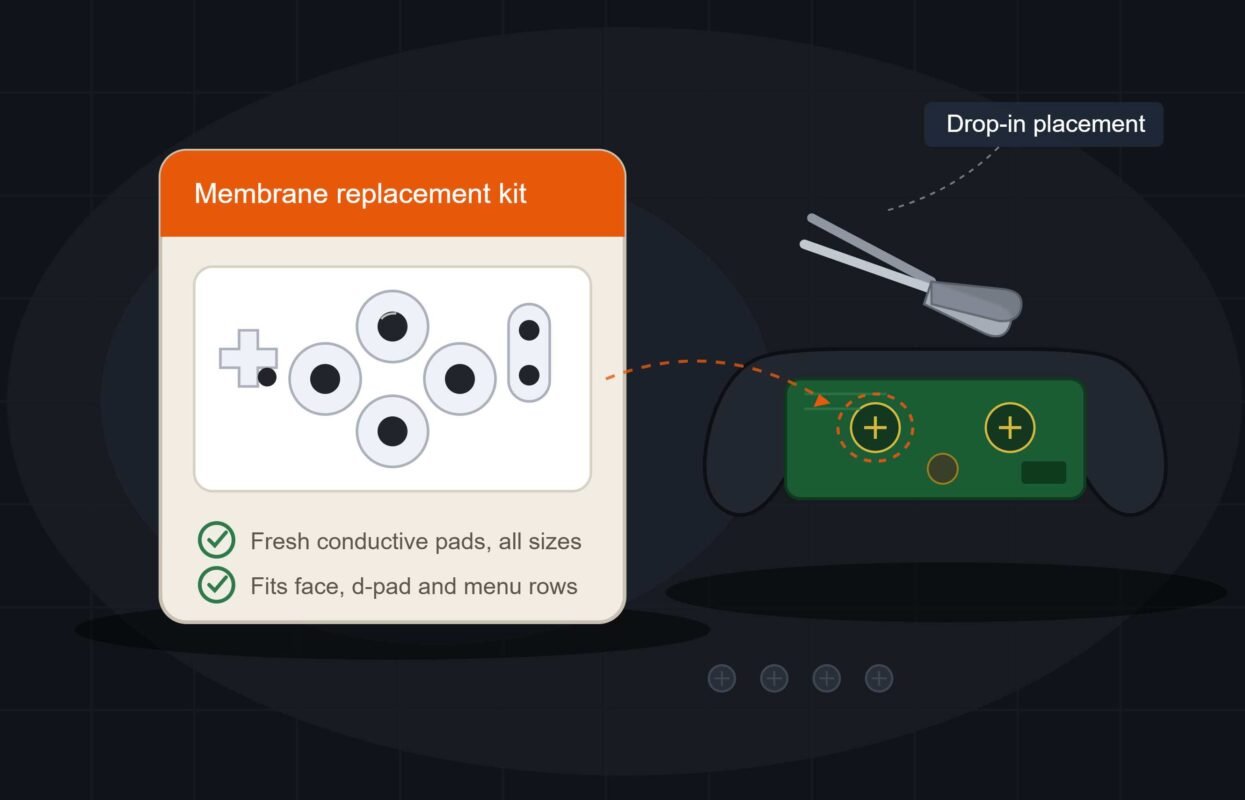
Carbon pad replacement is the most reliable fix, and it is more accessible than it sounds for most standard controllers. Replacement carbon pad kits, sometimes called conductive rubber pad kits, are widely available for common controller models, and installation usually involves opening the controller shell, removing the old rubber membrane with its used pads, and installing a new membrane with fresh, unworn conductive pads in the exact same positions.
Most replacement kits cost a small fraction of a new controller and include the full rubber membrane for every button rather than just the single affected one, which means it is worth replacing the entire membrane at once rather than trying to source a single carbon pad, since the rest of the pads are statistically not far behind the one that failed first given they have seen nearly identical use.
Before committing to an entire replacement, cleaning the existing pad with isopropyl alcohol on a cotton swab, worked gently across the conductive surface, resolves a meaningful share of ghost input cases where the issue is residue buildup rather than the carbon material itself being physically degraded. Let it dry completely before reassembling and testing, since any remaining moisture can itself cause the same conductivity problem you are trying to fix.
Membrane pad wear that persists after cleaning, continuing to produce ghost inputs on the same button, indicates the carbon material itself has degraded past the point cleaning can address, at which point replacement is the realistic next step rather than continuing to clean membrane pad wear that cleaning alone cannot reverse. Cleaning genuinely resolves early-stage cases, but it is not a permanent fix once wear has progressed far enough.
Quick Checklist — Fixing Ghost Inputs From Worn Carbon Pads
- Identify which specific button is producing phantom presses; ghost inputs are rarely random across all buttons.
- Skip compressed air as a first attempt; it does not address residue sitting directly on the contact surface.
- Try cleaning the affected pad with isopropyl alcohol before assuming full replacement is necessary.
- Let any cleaning fully dry before reassembling and testing; residual moisture can cause the same problem.
- Consider a carbon pad replacement kit if cleaning does not resolve the issue or symptoms return quickly.
- Expect the most frequently pressed buttons to show this problem first; it correlates with cumulative use.
- Do not aggressively press the affected button repeatedly hoping to work through the issue; this can worsen it.
- Weigh full controller replacement if multiple buttons show wear simultaneously across an aging controller.
Ghost inputs caused by worn carbon pads feel like a malfunction with no explanation until you understand the mechanism underneath the button, and once you know it is ghost inputs caused by worn carbon pads specifically, the fix path becomes obvious. Once you know what is actually happening, it becomes one of the more fixable and reasonably affordable controller problems out there.