Starting A Gamepad Blog On WordPress? Don’t Forget These HostGator Coupons
Plenty of controller blogs start the same way. You fix your own stick drift, write up what worked, and realize you…

Bought a PS5 controller online for a lot cheaper than usual. It works on my PC but the PS5 won't connect to it properly and the touchpad feels off. Your tester shows the name as just Wireless Controller. Is it fake and how can I check?
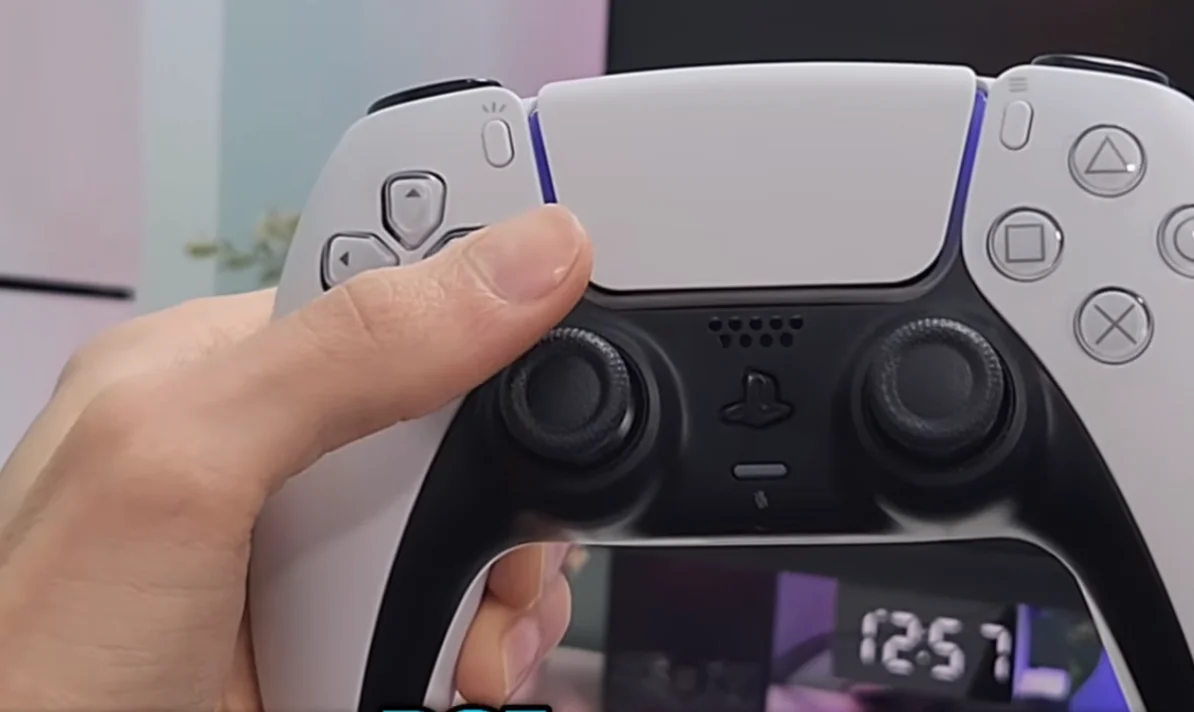
Several signs together point to a copy: a much lower price, trouble pairing with a PS5, a different feel, and an identity string that does not match a genuine DualSense. A genuine DualSense reports Sony's vendor ID 054C. Copies can fake IDs, so combine checks.

Counterfeit controllers have become very convincing, so one check rarely settles it. Look at several together.
Identity. Every controller reports a name plus vendor and product IDs. A genuine DualSense reports Sony's vendor ID, 054C, and usually appears as DualSense Wireless Controller. Yours showing just Wireless Controller is worth noting, but name strings vary by browser and connection. Some copies also report genuine-looking IDs, so a match does not prove it is real, while a clear mismatch is a strong sign it is not.
Behaviour on the console. A genuine DualSense pairs with a PS5 by cable instantly and accepts system updates. Copies often work on PC or in limited modes but fail to pair properly, lose functions, or fail firmware updates on the PS5. Your PS5 trouble is a strong sign.
Hardware feel. Copies often weigh less, have looser or stiffer buttons, weak or rattly rumble instead of the DualSense's crisp haptics, and adaptive triggers that are missing or feel wrong. Packaging and printing are often slightly off too.
If several signs line up, contact the seller and the marketplace. Buyer protection usually covers counterfeit goods, so keep your photos and test screenshots.
Tested on: Applies to controllers sold as DualSense, checked on Windows 11 with Chrome and on PS5. Vendor ID details per USB identification conventions and the W3C Gamepad specification's id field.
Checked by Venom’s Tech (Abhishek) on . How we verify answers
Open Source Contributor And Device ID Specialist at Gamepad Tester
Vikram contributes to open source Gamepad API tooling, with a focus on device identification. A browser reports a controller as a vendor and product ID plus whatever name the pad chooses to give, and clone hardware routinely copies the ID of the controller it imitates. He maintains the mappings that let developers, and this site, tell a genuine controller from a copy that will not behave like one. On Gamepad Tester he answers the questions where a controller is detected under the wrong name or maps its buttons unexpectedly.
 Calder WrightFront-End Web Architect And Gamepad API Lead
 Elena RostovaHardware Diagnostics Engineer
 Garrett LindsayHardware Reviewer And Input Performance Specialist
 Venom’s Tech (Abhishek)Peripheral Reviewer And Tech Journalist
 Chloe HendersonHall Effect And Thumbstick Analyst
 Thiago AlvesHardware Repair Educator
 Devon MillerLow Latency And Input Timing Engineer
 Liam DaviesBluetooth And Wireless Test Engineer
Each answer is written by the specialist who owns that part of the hardware, tested on a real controller, and checked by a second team member. How we verify answers
Answers are free general guidance from the Gamepad Tester Team and the community. Opening a controller or replacing a thumbstick module can void your warranty, so check the maker's support or warranty first. Battery and soldering work carries a real risk of damage or injury.
Every test runs in your own browser with the Gamepad API. No sign up, no download, and your controller data never leaves your device.
Plenty of controller blogs start the same way. You fix your own stick drift, write up what worked, and realize you…
If you play games on a PC, whether that means ranked matches every night or a slow campaign on the weekend, you know…
Sony has not announced the PlayStation 6. That is the honest starting point, because almost everything circulating…
The newest replies from players and the Gamepad Tester Team.