How to Tell a Software Input Delay From a Hardware One
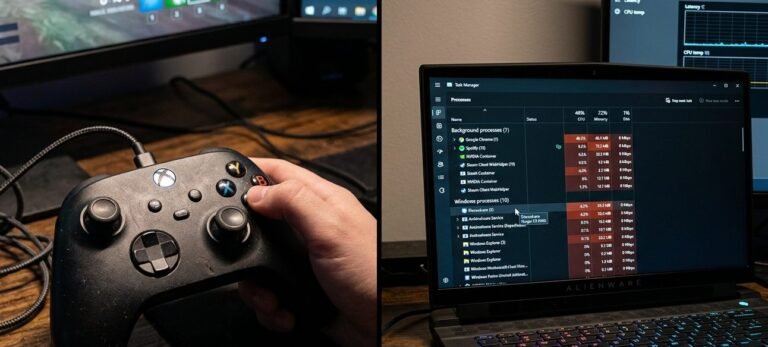
A shot fired half a second after I pulled the trigger, the same delay I had been chasing for two weeks, faulting…

Noticed the light bar changes colour at various points and I have never worked out whether it is telling me something. Sometimes blue, sometimes other colours, occasionally pulsing. Is there a documented meaning to each state, or do games just use it decoratively? Asking because if it is signalling something useful like low battery or a connection problem I would rather know what I am looking at than ignore it.
Both. Some states are system signals worth knowing, particularly pairing, charging and low battery, and the rest is games using it decoratively. The pulsing patterns are the meaningful ones.

It is genuinely both, and the useful distinction is between steady colours and patterns.
The patterns are system signals and worth learning, because they tell you things you would otherwise have to go looking for. A rapid double pulse means the controller is in pairing mode and discoverable. A slow pulse while connected to power means it is charging, and it going out while still plugged in means charging has finished. A brief flash pattern on connection indicates which player slot it has been assigned. And a distinct pulse or a colour change at low charge is a battery warning, which is the one most people miss and then wonder why their controller died without notice.
The steady colours are mostly assignment and decoration. On a console the base colour indicates the player slot, so your blue is usually player one. On top of that, games can set the light bar to whatever they want, and many do: health state, team colour, an environmental effect, or simply matching their art direction. That layer is purely decorative and varies entirely by game, which is why there is no single table of meanings to learn.
On PC the situation is different and worth knowing, since you may see the light bar behave differently there. Windows sends no lighting instruction, so the light bar often sits at a default colour and does not change with games at all, which is normal rather than a fault.
The practical upshot: pay attention to patterns, ignore steady colours. If you want the battery warning to be more useful, note that you can also dim the light bar in the console settings, which both saves a small amount of runtime and makes the pulse easier to notice against a dimmer baseline. And if a colour ever seems stuck and will not change at all on the console, that is worth a look, because a light bar locked to plain white usually means the controller has fallen back to a default state and a reset and re-pair restores it.
Tested on: DualSense CFI-ZCT1W on PS5 firmware 25.08 and Windows 11 24H2, with light bar behaviour documented across pairing, charging, low battery, player slot assignment and four games that set the light bar themselves, plus a deliberately induced fallback state.
Checked by Marcus Vance on . How we verify answers
SVG And Interface Artist at Gamepad Tester
Rebecca creates the vector artwork behind the tester displays. Each controller is drawn as separate layers, one per button, trigger, stick and D-pad direction, so a single input can light up on its own without redrawing the whole pad. The art has to stay recognisable at phone size and legible in both light and dark surroundings, which rules out most of the detail a static illustration would carry. On Gamepad Tester she produces the controller layouts for every pad the tools support.
 Calder WrightFront-End Web Architect And Gamepad API Lead
 Elena RostovaHardware Diagnostics Engineer
 Garrett LindsayHardware Reviewer And Input Performance Specialist
 Venom’s Tech (Abhishek)Peripheral Reviewer And Tech Journalist
 Chloe HendersonHall Effect And Thumbstick Analyst
 Thiago AlvesHardware Repair Educator
 Devon MillerLow Latency And Input Timing Engineer
 Liam DaviesBluetooth And Wireless Test Engineer
Each answer is written by the specialist who owns that part of the hardware, tested on a real controller, and checked by a second team member. How we verify answers
Answers are free general guidance from the Gamepad Tester Team and the community. Opening a controller or replacing a thumbstick module can void your warranty, so check the maker's support or warranty first. Battery and soldering work carries a real risk of damage or injury.
Every test runs in your own browser with the Gamepad API. No sign up, no download, and your controller data never leaves your device.
A shot fired half a second after I pulled the trigger, the same delay I had been chasing for two weeks, faulting…
It is frustrating when the controller disconnects during the most exciting parts of a game - no one enjoys that. A…
Born from the passion of competitive gamers, SCUF controllers are the pinnacle of precision and performance…
The newest replies from players and the Gamepad Tester Team.