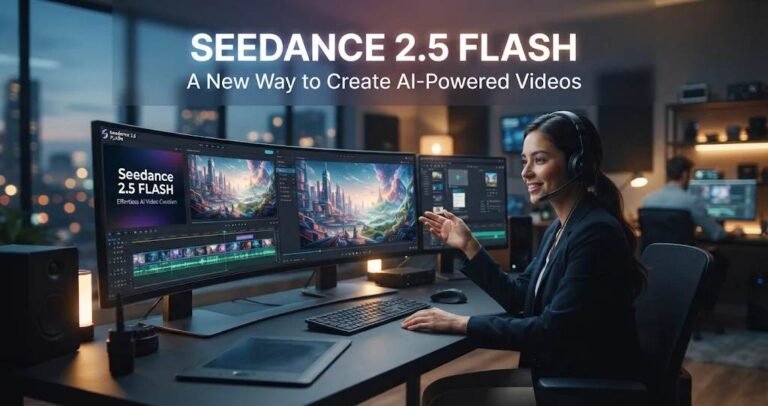
Seedance 2.5 Flash: A New Way to Create AI-Powered Videos
Content creators, marketers, and businesses are finding creating images and videos more and more effortless via AI. As…

It vibrates when nothing is happening. Short buzzes, a second or so, sometimes in a menu, sometimes on the desktop with no game running at all. On your vibration test both motors work correctly when commanded, so the motors are fine. It is the commands that seem to be coming from nowhere. Slightly unnerving honestly, like the controller has a mind of its own. Is this a software thing or is something shorting inside?
Almost certainly software sending rumble commands, not a short. Background apps, overlays and remapping tools all do this. Close them one at a time to find the culprit before suspecting hardware.

Nothing is shorting, and the reassuring version of this is that a short would not produce short, clean, one-second buzzes. It would produce continuous vibration or nothing at all.
What you are describing is a rumble command arriving from software. Your test showing both motors working correctly on command confirms the hardware side is healthy, which means the question is what is sending them. More things do this than people expect.
The usual suspects, in rough order of how often we see them. A game or launcher still running in the background, which includes a minimised game, a launcher doing a controller check, and storefront apps that test rumble when they detect a controller. Remapping and configuration tools such as DS4Windows, reWASD or vendor utilities, which pulse the motors as feedback on profile changes or connection events. Streaming and overlay software, which some titles use to signal notifications. And a browser tab still open on a page with gamepad access, including testers, which may fire rumble on an event. That last one is worth checking given what you have been doing: a tester left open in a background tab can still receive gamepad events.
Work through it by elimination, which takes ten minutes. Close every browser tab, then quit Steam and any other launcher completely including from the system tray, then quit remapping and vendor tools, then overlays. Wait between each and see when the buzzing stops. You will almost always land on a single culprit.
Two specific causes worth a direct look. A paired second controller or a controller sharing the pairing can cause crossed rumble commands, so unpair anything you are not using. And a low-battery warning: some setups pulse the motors to signal low charge, which would also explain a buzz with nothing running, so check the battery level when it happens.
Tested on: Xbox Model 1914 and DualSense CFI-ZCT1W monitored on Windows 11 24H2 with a minimised game, Steam running idle, DS4Windows active, an overlay running, and a tester page in a background tab. Unexplained rumble pulses were reproduced by the background tester tab, the remapping tool's profile feedback and a launcher's controller detection.
Checked by Tyler Vance on . How we verify answers
Haptics And Rumble Test Engineer at Gamepad Tester
Camila works on vibration and haptics, with a background in audio and signal work that transfers directly: a rumble motor is a frequency-and-amplitude problem, and the difference between a weak motor, a flat waveform and a browser that is not sending anything is audible and measurable before it is visible. She tests both motors independently, the DualSense haptic layer and the adaptive triggers, across the connections that support them and the ones that silently do not. On Gamepad Tester she owns the vibration test and the rumble faults topic.
 Calder WrightFront-End Web Architect And Gamepad API Lead
 Elena RostovaHardware Diagnostics Engineer
 Garrett LindsayHardware Reviewer And Input Performance Specialist
 Venom’s Tech (Abhishek)Peripheral Reviewer And Tech Journalist
 Chloe HendersonHall Effect And Thumbstick Analyst
 Thiago AlvesHardware Repair Educator
 Devon MillerLow Latency And Input Timing Engineer
 Liam DaviesBluetooth And Wireless Test Engineer
Each answer is written by the specialist who owns that part of the hardware, tested on a real controller, and checked by a second team member. How we verify answers
Answers are free general guidance from the Gamepad Tester Team and the community. Opening a controller or replacing a thumbstick module can void your warranty, so check the maker's support or warranty first. Battery and soldering work carries a real risk of damage or injury.
Every test runs in your own browser with the Gamepad API. No sign up, no download, and your controller data never leaves your device.
Content creators, marketers, and businesses are finding creating images and videos more and more effortless via AI. As…
Bilibili Gaming defeated G2 Esports 3-1 in São Paulo on March 22, 2026, to win an international League of Legends…
Most gaming setup advice stops at the desk. The room around it gets ignored, which is strange when the room decides…
The newest replies from players and the Gamepad Tester Team.

