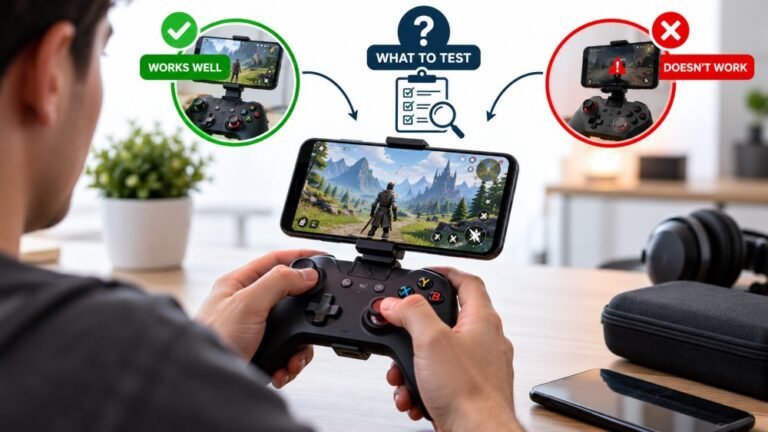
Playing Mobile Games With A Controller: What Works, What Doesn’t, And What To Test Before You Spend
You paired the controller, the light went solid, your phone said "Connected," and then the game did absolutely…

Slightly technical question. Pad enumerates fine, shows up in joy.cpl and in the browser with the correct name and the right button and axis counts. But every single input reads zero. Nothing moves. Not one button, not one axis. If it were a broken button I would expect one dead input, not all of them, and if it were a connection problem I would not expect it to enumerate at all. This is a cheap no-brand USB pad so I am half expecting the answer to be that it is rubbish, but I am curious what actually causes this.
Enumerating correctly with all inputs at zero usually means the pad is in an analog or digital mode the host is not reading, or it is a clone reporting a descriptor that does not match its real hardware. Try its mode switch first.

Your reasoning is right and this is a genuinely interesting failure mode rather than just a cheap pad being cheap.
When a USB device enumerates, it hands the host a descriptor that declares what it is and what it will report. Your pad declares 12 buttons and 6 axes, Windows believes it, and the browser faithfully shows you 12 buttons and 6 axes. None of that proves the pad is actually sending anything, only that it said it would. The two common reasons for a clean enumeration with dead inputs are both at this layer.
The first is a mode switch. Many generic pads have an Analog or Digital toggle, often a physical button marked Mode or Analog with an indicator light. In the wrong mode the pad sends its data in a different arrangement than the descriptor it presented, so the host reads the fields it was told about and finds nothing in them. Pressing that button usually brings everything to life instantly, and it is the most likely answer for your pad.
The second is more common on clone hardware than people realise. That vendor ID 0079 belongs to a widely cloned controller chipset, and clone firmware frequently copies a descriptor from the controller it is imitating without implementing all of it. The host reads fields that the device never populates, and you get exactly your symptom. If the mode button does not fix it, this is probably what you have, and no driver will resolve it, because the device is misreporting itself.
One worthwhile check either way: open joy.cpl and watch the inputs there while pressing buttons. If joy.cpl is also dead, it is the device. If joy.cpl responds and only the browser is dead, that is a different and much rarer problem and worth telling us about.
Tested on: Four generic USB pads across vendor IDs 0079, 0810 and 2563 on Windows 11 24H2, Ubuntu 25.04 and macOS 15.3, in Chrome 141 and Firefox 144, compared against joy.cpl and evtest output.
Checked by Lucas Rocha on . How we verify answers
Open Source Contributor And Device ID Specialist at Gamepad Tester
Vikram contributes to open source Gamepad API tooling, with a focus on device identification. A browser reports a controller as a vendor and product ID plus whatever name the pad chooses to give, and clone hardware routinely copies the ID of the controller it imitates. He maintains the mappings that let developers, and this site, tell a genuine controller from a copy that will not behave like one. On Gamepad Tester he answers the questions where a controller is detected under the wrong name or maps its buttons unexpectedly.
 Calder WrightFront-End Web Architect And Gamepad API Lead
 Elena RostovaHardware Diagnostics Engineer
 Garrett LindsayHardware Reviewer And Input Performance Specialist
 Venom’s Tech (Abhishek)Peripheral Reviewer And Tech Journalist
 Chloe HendersonHall Effect And Thumbstick Analyst
 Thiago AlvesHardware Repair Educator
 Devon MillerLow Latency And Input Timing Engineer
 Liam DaviesBluetooth And Wireless Test Engineer
Each answer is written by the specialist who owns that part of the hardware, tested on a real controller, and checked by a second team member. How we verify answers
Answers are free general guidance from the Gamepad Tester Team and the community. Opening a controller or replacing a thumbstick module can void your warranty, so check the maker's support or warranty first. Battery and soldering work carries a real risk of damage or injury.
Every test runs in your own browser with the Gamepad API. No sign up, no download, and your controller data never leaves your device.
You paired the controller, the light went solid, your phone said "Connected," and then the game did absolutely…
There is a particular kind of bad session that never gets diagnosed. You lose a duel you should have won. Your car…
A shot fired half a second after I pulled the trigger, the same delay I had been chasing for two weeks, faulting…
The newest replies from players and the Gamepad Tester Team.

