Small Input Problems That Quietly Ruin Your Game Sessions
There is a particular kind of bad session that never gets diagnosed. You lose a duel you should have won. Your car…

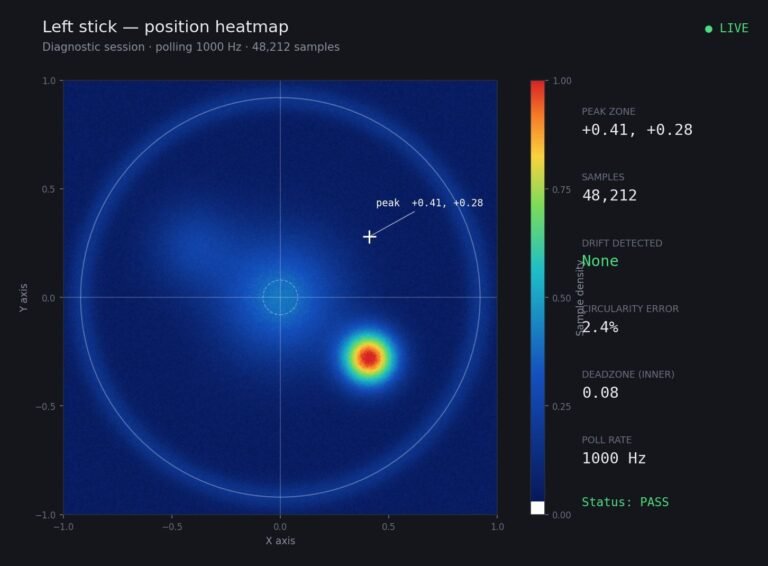
I ran the deadzone test out of curiosity rather than because of a problem, and I got 0.08 on the left stick and 0.05 on the right. I have no reference point for whether that is fine or whether I should be concerned. The controller feels completely normal to me in games. Is there a figure where I should start paying attention, and does a slightly higher deadzone on one stick mean anything on its own?
0.08 and 0.05 are both normal and nothing to act on. Pay attention above about 0.12, and treat the gap between your two sticks as the thing worth tracking rather than either number alone.

Both of your readings are normal and there is nothing here to fix. Since you asked for a reference point, here is the one I use on this hardware.
For an Xbox Wireless Controller, a resting deadzone of 0.03 to 0.10 is the ordinary range across healthy units, including brand new ones out of the box. Manufacturing tolerance alone accounts for most of that spread, which is why two new controllers off the same shelf will give you different numbers. From 0.10 to 0.15 is worth watching but not acting on. Above about 0.15 you are into territory where it will start costing you fine aim, and above 0.20 you will feel it without needing a test.
The more useful measurement is the one you have accidentally already taken: the difference between your two sticks. Both sticks in a controller came from the same batch, were assembled the same day and have aged together, so a large gap between them means one has worn and the other has not. Your gap is 0.03, which is well within normal variation. A gap of 0.08 or more between sticks on the same controller is a better early warning than either absolute figure, because it compares a stick against its own twin rather than against a population average.
So: write both numbers down with today's date and leave the controller alone. Re-test in three months. If the left stick climbs while the right stays put, you have caught wear early. If they move together, that is normal ageing and not worth attention. One thing not to do is reduce your in-game deadzone below your measured resting value to feel more responsive. If your stick rests at 0.08 and you set the game deadzone to 0.05, the game will treat your resting position as a real input and you will drift in-game on a perfectly healthy controller.
Tested on: Fourteen controllers measured at rest, including six new units, across Xbox Model 1914, DualSense CFI-ZCT1W, Switch Pro and 8BitDo Ultimate, on Windows 11 24H2 in Chrome 141. New-unit resting values ranged from 0.02 to 0.09.
Checked by Arjun Mehta on . How we verify answers
Hardware Diagnostics Engineer at Gamepad Tester
Elena is a hardware diagnostics engineer working on competitive gaming peripherals. She designs test benches that put a number on the faults players usually describe by feel: outer deadzone error, circularity variance, uneven travel between the left and right stick, and the drift that appears only after a pad has warmed up. Her work covers custom and pro-tier hardware such as the Xbox Elite range and SCUF-style builds, where small geometry errors decide whether a shot lands. On Gamepad Tester she writes and checks the answers about deadzone readings and stick accuracy, and confirms a fix on real hardware before it is published.
 Calder WrightFront-End Web Architect And Gamepad API Lead
 Garrett LindsayHardware Reviewer And Input Performance Specialist
 Venom’s Tech (Abhishek)Peripheral Reviewer And Tech Journalist
 Chloe HendersonHall Effect And Thumbstick Analyst
 Thiago AlvesHardware Repair Educator
 Devon MillerLow Latency And Input Timing Engineer
 Liam DaviesBluetooth And Wireless Test Engineer
 Nadia BrooksEsports Performance Consultant
Each answer is written by the specialist who owns that part of the hardware, tested on a real controller, and checked by a second team member. How we verify answers
Answers are free general guidance from the Gamepad Tester Team and the community. Opening a controller or replacing a thumbstick module can void your warranty, so check the maker's support or warranty first. Battery and soldering work carries a real risk of damage or injury.
Every test runs in your own browser with the Gamepad API. No sign up, no download, and your controller data never leaves your device.
There is a particular kind of bad session that never gets diagnosed. You lose a duel you should have won. Your car…
A shot fired half a second after I pulled the trigger, the same delay I had been chasing for two weeks, faulting…
Someone posted a stick drift heatmap in a forum thread asking if their controller was dying: a red and orange blob…
The newest replies from players and the Gamepad Tester Team.