Starting A Gamepad Blog On WordPress? Don’t Forget These HostGator Coupons
Plenty of controller blogs start the same way. You fix your own stick drift, write up what worked, and realize you…

Trying to test my share Button Opens and every time I press it the console overlay opens over the top of what I am doing, so I cannot tell whether the button registered in the test or not. Same on PC where it opens the Game Bar. Is there a way to test that button without the system grabbing it first? Feels like a daft question but it is genuinely in the way.
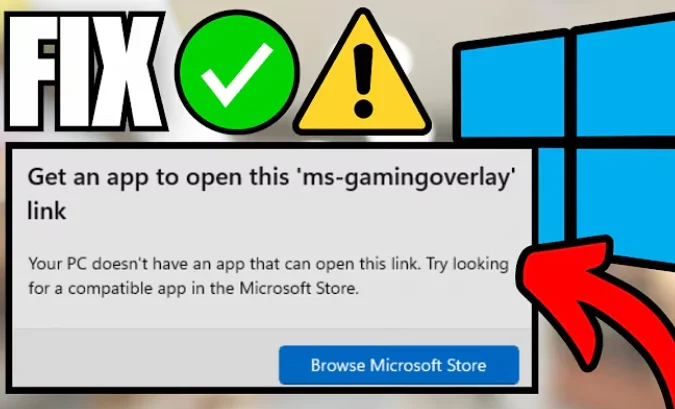
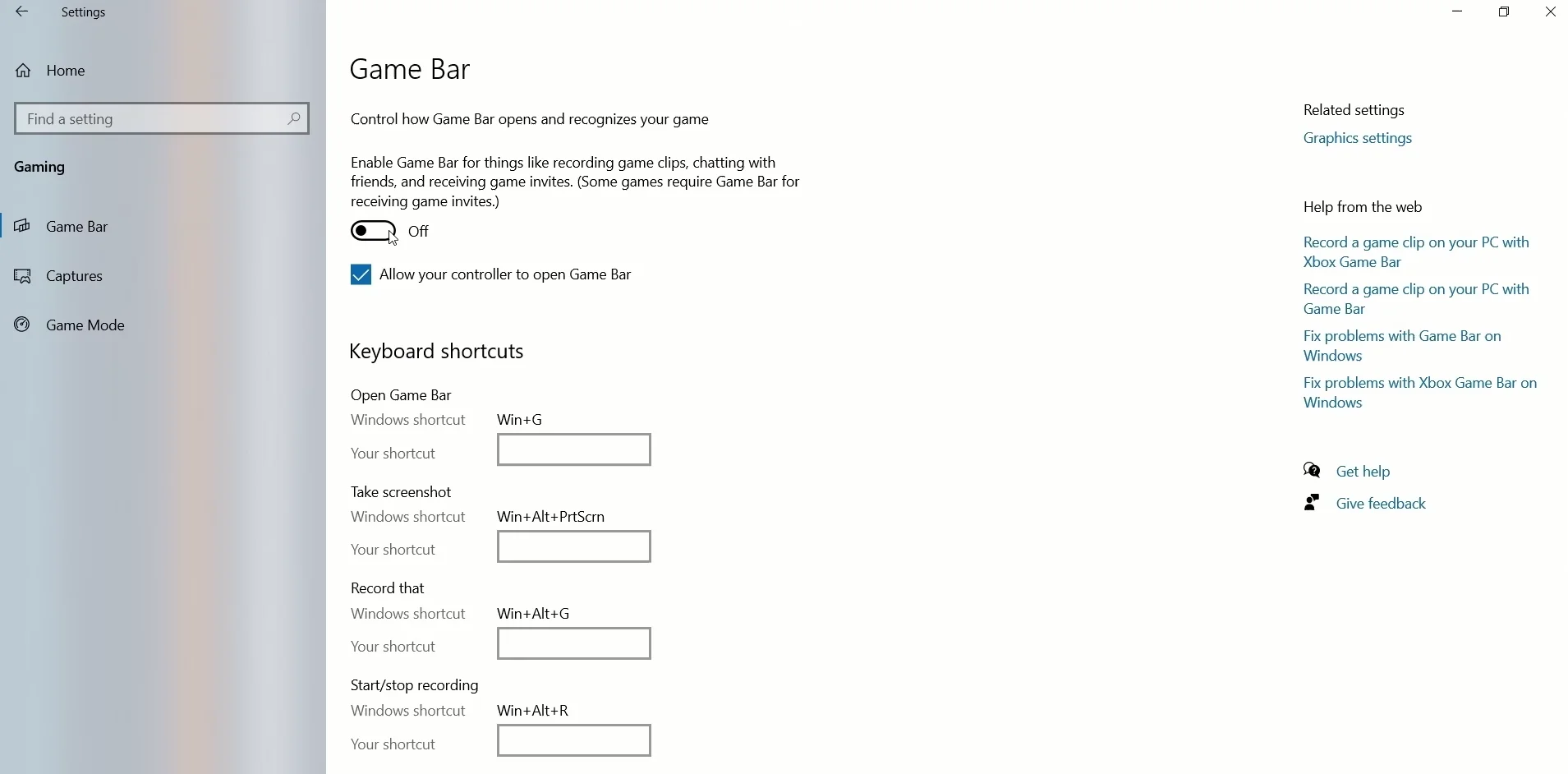
Not a daft question at all. The operating system intercepts that button before any page sees it. Turn off the Game Bar shortcut on Windows and the button will register normally in the test.

Not daft, and it is a limitation worth explaining because it affects three buttons on most controllers and people assume they are broken.
Some controller buttons are claimed by the operating system at a level above any application. On Windows the Xbox button and the Share button are wired to the Game Bar, and on a console the equivalent buttons belong to the system interface. When the OS claims a button, it consumes the event and never passes it on, so a web page genuinely cannot see it. This is not a browser limitation or a gap in the Gamepad API; the input is intercepted before the browser is involved. The same applies to the PS button on a DualSense and the Home button on a Switch Pro Controller.
The good news is that on Windows you can stop the interception. In Windows settings under Gaming, turn off the setting that lets the Xbox button open Game Bar. With that off, Share and the Xbox button stop triggering the overlay and start arriving at the page like ordinary buttons, and the menu buttons test will show them. Remember to turn it back on afterwards if you use the Game Bar for captures.
On a console there is no equivalent switch, so test those buttons on a PC instead. That is the practical route and it tells you what you need: if the button registers on a PC with the Game Bar shortcut disabled, the button hardware is fine and anything odd on the console is a console setting rather than a fault.
One more thing worth knowing while you are testing these buttons. The Share and Xbox buttons on this controller sit on the same small membrane as each other, so if one is genuinely dead it is worth testing both, since a membrane fault often takes out its neighbour at around the same time.
Tested on: Xbox Model 1914 with Game Bar shortcut enabled and disabled on Windows 11 24H2 in Chrome 141, Edge 141 and Firefox 144, plus DualSense PS button and Switch Pro Home button for comparison. All three were intercepted by the OS when their respective shortcuts were active.
Checked by Simon Fletcher on . How we verify answers
Front-End Web Architect And Gamepad API Lead at Gamepad Tester
Calder is a front-end web architect working with the HTML5 Gamepad API. His focus is the part most browser testers get wrong: reading a controller often enough, and timing it well enough, that the numbers on screen match what the hardware is actually sending. He writes the polling loops that capture analog trigger tension and stick travel without dropping samples, and renders them on 2D vector layouts that hold a steady 60+ FPS on ordinary laptops. On Gamepad Tester he maintains the main tester tool, the button test and the trigger pressure test, and reviews any answer that explains how a reading on this site should be interpreted.
 Elena RostovaHardware Diagnostics Engineer
 Garrett LindsayHardware Reviewer And Input Performance Specialist
 Venom’s Tech (Abhishek)Peripheral Reviewer And Tech Journalist
 Chloe HendersonHall Effect And Thumbstick Analyst
 Thiago AlvesHardware Repair Educator
 Devon MillerLow Latency And Input Timing Engineer
 Liam DaviesBluetooth And Wireless Test Engineer
 Nadia BrooksEsports Performance Consultant
Each answer is written by the specialist who owns that part of the hardware, tested on a real controller, and checked by a second team member. How we verify answers
Answers are free general guidance from the Gamepad Tester Team and the community. Opening a controller or replacing a thumbstick module can void your warranty, so check the maker's support or warranty first. Battery and soldering work carries a real risk of damage or injury.
Every test runs in your own browser with the Gamepad API. No sign up, no download, and your controller data never leaves your device.
Plenty of controller blogs start the same way. You fix your own stick drift, write up what worked, and realize you…
If you play games on a PC, whether that means ranked matches every night or a slow campaign on the weekend, you know…
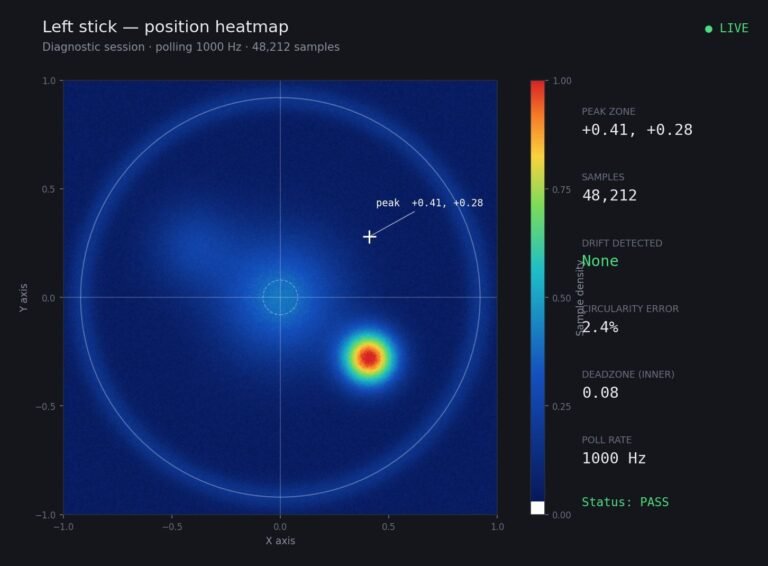
Someone posted a stick drift heatmap in a forum thread asking if their controller was dying: a red and orange blob…
The newest replies from players and the Gamepad Tester Team.