How To Protect A Basement Gaming Setup From Storm Flooding
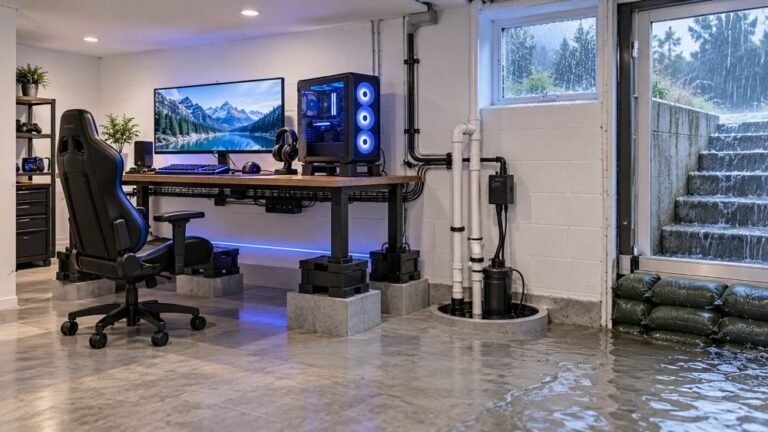
The basement is the obvious place to put a gaming room. It is cooler, it is quieter, nobody complains about the noise…

Nothing at all. No light, no vibration, no response on any cable or wirelessly. It worked fine when I put it down two days ago. It has been on charge overnight and there is still no sign of life, not even a charging light. It is three years old Controller and has never been dropped or had anything spilled on it. On your USB port charging test the computer does not register anything connected at all. Is there any point opening it or is a dead controller just dead?
Worth opening. A deeply discharged battery that the charge circuit refuses is the most common cause of a completely dead controller, and it presents exactly like this. The battery is cheap and easy to replace.

There is a good reason to open it, and the odds are better than you think.
A lithium cell that has self-discharged below the charge circuit's minimum threshold gets refused. The circuit checks the cell, sees a voltage too low to charge safely, and does nothing at all, including not lighting the charging indicator. From outside, that is indistinguishable from a dead mainboard, which is why people throw away perfectly repairable controllers. A controller left untouched for a while, on a three-year-old cell, is a strong candidate, and your description of it simply being put down and never waking up fits this better than it fits a board failure.
The computer not registering anything on USB is also consistent. On a DualShock 4, with no usable power the controller cannot bring up its USB interface, so it does not enumerate even though the data lines are intact.
The test is a battery swap, and it is the cheapest diagnostic available. A DualShock 4 battery is an inexpensive part on a plug-in connector, no soldering, and the repair is genuinely simple. If a fresh battery brings it to life, you have a working controller for the price of a coffee. If it stays dead with a known-good battery, then the fault is on the board and that is where you stop, because at that point you are into a repair that is not economic.
Two things before you start. Try a long charge from a plain low-power USB port, with the controller untouched, for several hours; a marginal cell occasionally crawls back above the threshold from a slow trickle, and that costs nothing. And when you open it, check for any swelling in the cell. A swollen battery should not be charged again and should go to a recycling point rather than in a bin.
Also check the obvious once you are in there: the battery connector may simply have worked loose, which happens and is free to fix.
Tested on: Five non-responsive DualShock 4 CUH-ZCT2 units opened and tested: three revived with a fresh battery, one had a loose battery connector, one had a board fault that a known-good battery did not resolve.
Checked by Thiago Alves on . How we verify answers
Hardware QA Lead at Gamepad Tester
Sneha leads manual hardware QA. Her lab takes controllers that arrive with no published specifications, mostly budget and mobile pads, and puts each one through the same fixed set of checks: every button and axis registers, deadzones are inside tolerance, rumble motors both run, the battery holds its claimed runtime, and the pad still passes after a charge cycle or two. Pads that fail are documented rather than quietly dropped. On Gamepad Tester she reviews the answers about cheap controllers behaving unpredictably and about battery and charging faults.
 Calder WrightFront-End Web Architect And Gamepad API Lead
 Elena RostovaHardware Diagnostics Engineer
 Garrett LindsayHardware Reviewer And Input Performance Specialist
 Venom’s Tech (Abhishek)Peripheral Reviewer And Tech Journalist
 Chloe HendersonHall Effect And Thumbstick Analyst
 Thiago AlvesHardware Repair Educator
 Devon MillerLow Latency And Input Timing Engineer
 Liam DaviesBluetooth And Wireless Test Engineer
Each answer is written by the specialist who owns that part of the hardware, tested on a real controller, and checked by a second team member. How we verify answers
Answers are free general guidance from the Gamepad Tester Team and the community. Opening a controller or replacing a thumbstick module can void your warranty, so check the maker's support or warranty first. Battery and soldering work carries a real risk of damage or injury.
Every test runs in your own browser with the Gamepad API. No sign up, no download, and your controller data never leaves your device.
The basement is the obvious place to put a gaming room. It is cooler, it is quieter, nobody complains about the noise…
Long gaming sessions quickly expose controller flaws like fatigue, stick drift, wireless latency, and inconsistent…
Whether you're a casual gamer or a competitive player, a malfunctioning controller can ruin your gaming experience…
The newest replies from players and the Gamepad Tester Team.