Smart Floor Lamp Setup For Your Gaming Room: A Beginner’s Matter Guide
A good gaming setup is more than a fast controller and a sharp screen. The light around you changes how long you can…

Not low, just unstable. Your polling rate test shows it bouncing between about 180 and 250Hz, never settling. Wired. I would expect a consistent figure from a wired connection. Latency average looks acceptable but the spread is wider than I would like, which I suspect is the same problem showing up twice. Is an unstable polling rate a controller fault, a PC problem, or is some variation just normal and I am over-reading it?
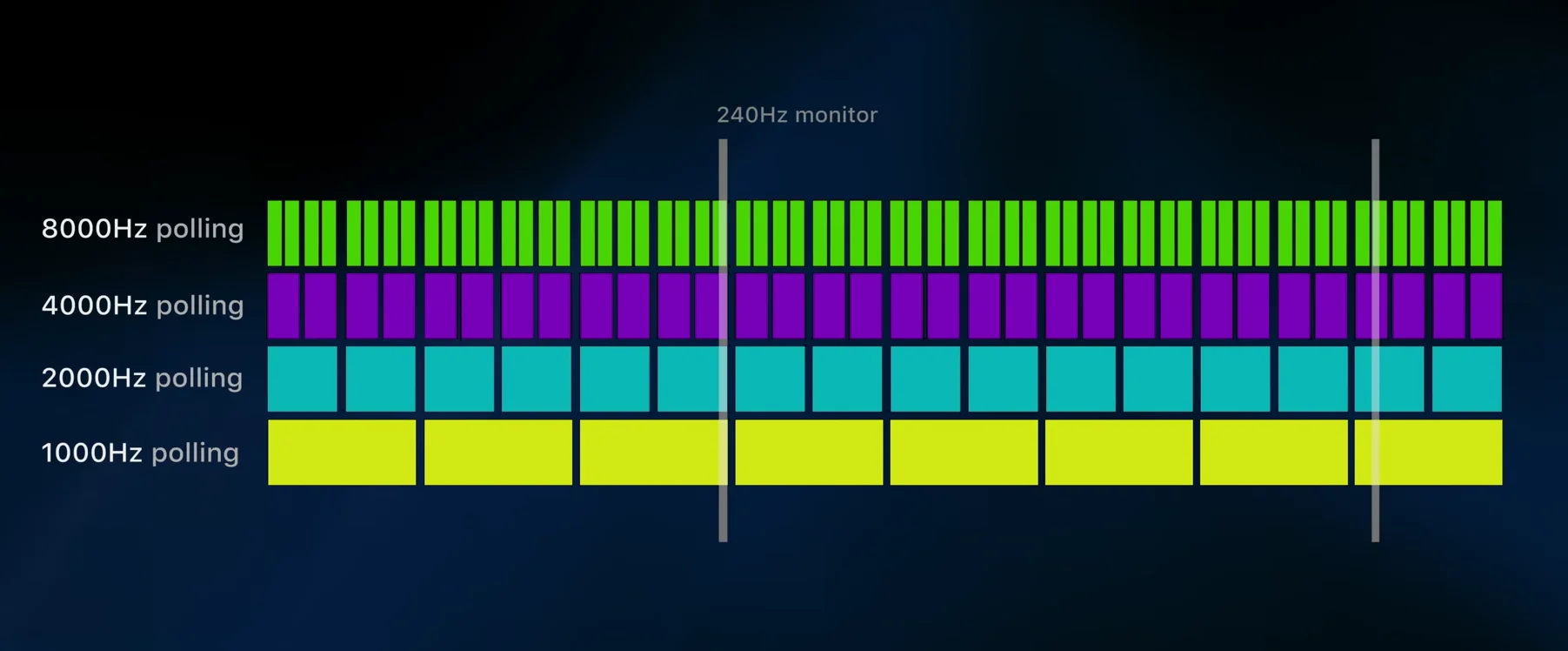
Some variation is normal, but a 70Hz swing is more than you should see wired. It is usually host-side scheduling rather than the controller, so close background load and check USB sharing first.

You are right to read the two measurements together, and you are right that a 70Hz swing is more variation than a wired connection should give you.
A small amount of jitter is normal. The figure a browser measures depends on how reliably the page's polling runs, which depends on the browser's scheduling, which depends on everything else the machine is doing. A swing of ten or twenty hertz is ordinary. A swing of seventy means something is intermittently delaying either the USB transfers or the browser's polling loop, and because both your polling spread and your latency spread are wide, it is likely to be upstream of both rather than two separate problems.
Host-side causes are far more common than controller faults here, so check these first. Background load is the big one: a scheduled antivirus scan, a cloud sync, a launcher doing housekeeping or a browser with many tabs will all intermittently delay the polling loop. USB bus sharing is the second: other devices on the same internal controller, particularly a webcam, an audio interface or an external drive, compete for bus time and produce exactly this kind of swing. Power management is the third, especially on a laptop, where CPU frequency scaling changes how quickly the polling loop runs from one moment to the next.
So: close background applications and other tabs, move the controller to a USB port on a different internal controller with nothing else on it, set the power plan to high performance, and re-measure. If the swing collapses to ten or twenty hertz, it was host-side and you are done.
If it still swings seventy hertz on a quiet machine on a dedicated port, then look at the controller, and specifically at its firmware, since several third party pads have had polling stability fixes. 8BitDo's own utility will tell you whether an update exists and whether a polling rate setting is exposed.
And a reassurance: at 180 to 250Hz you are well inside the range where this will not be affecting how the controller feels in a game.
Tested on: 8BitDo Ultimate 2 wired, Xbox Model 1914 and DualSense CFI-ZCT1W measured on a quiet machine and under background load, on a dedicated USB controller and sharing one with a webcam and external drive, on balanced and high performance power plans, on Windows 11 24H2 in Chrome 141. Shared-bus and background-load conditions each widened the swing from under 20Hz to over 60Hz.
Checked by Isabela Costa on . How we verify answers
QA And Test Automation Lead at Gamepad Tester
Tyler leads test automation. Before each change to the tools here goes live, his pipelines drive simulated inputs through the pages across multiple browsers and desktop environments and compare the readings against known-good baselines. It catches the regressions manual testing misses: a button index that shifts, an axis that stops updating, a layout that breaks at one viewport. On Gamepad Tester he signs off releases of the test tools and handles the answers where the tool itself, rather than the controller, is behaving oddly.
 Calder WrightFront-End Web Architect And Gamepad API Lead
 Elena RostovaHardware Diagnostics Engineer
 Garrett LindsayHardware Reviewer And Input Performance Specialist
 Venom’s Tech (Abhishek)Peripheral Reviewer And Tech Journalist
 Chloe HendersonHall Effect And Thumbstick Analyst
 Thiago AlvesHardware Repair Educator
 Devon MillerLow Latency And Input Timing Engineer
 Liam DaviesBluetooth And Wireless Test Engineer
Each answer is written by the specialist who owns that part of the hardware, tested on a real controller, and checked by a second team member. How we verify answers
Answers are free general guidance from the Gamepad Tester Team and the community. Opening a controller or replacing a thumbstick module can void your warranty, so check the maker's support or warranty first. Battery and soldering work carries a real risk of damage or injury.
Every test runs in your own browser with the Gamepad API. No sign up, no download, and your controller data never leaves your device.
A good gaming setup is more than a fast controller and a sharp screen. The light around you changes how long you can…
Gaming stopped being a teenage hobby a long time ago. The Entertainment Software Association's 2025 report put the…
At one time, I expected FPS drops whenever I played games on PC. I’d load into a game and get good performance. But…
The newest replies from players and the Gamepad Tester Team.