Playing Mobile Games With A Controller: What Works, What Doesn’t, And What To Test Before You Spend
You paired the controller, the light went solid, your phone said "Connected," and then the game did absolutely…

Half my games show controller buttons icons correctly and a few insist on showing keyboard keys even though I am playing entirely on the controller and it works perfectly. One game shows PlayStation icons despite me using an Xbox pad. Button test shows everything registering normally so the controller is clearly fine. What decides which icons a game displays, and can I make the stubborn ones show the right thing?
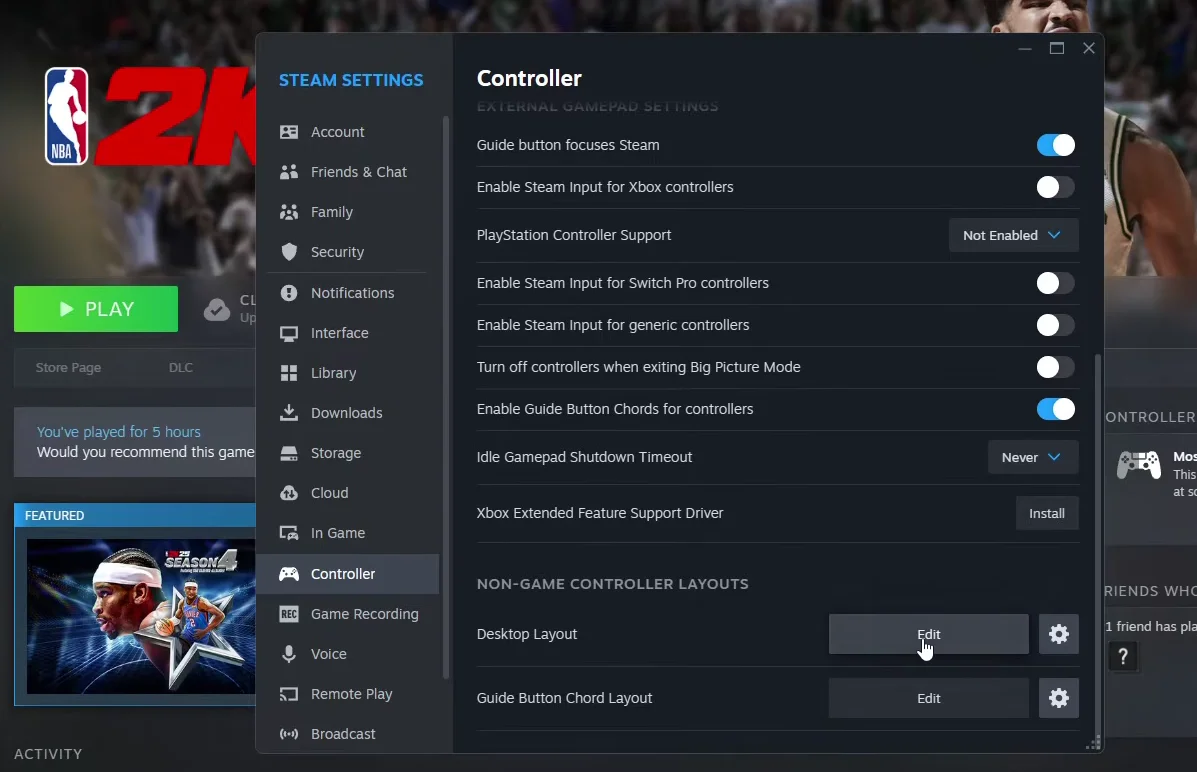
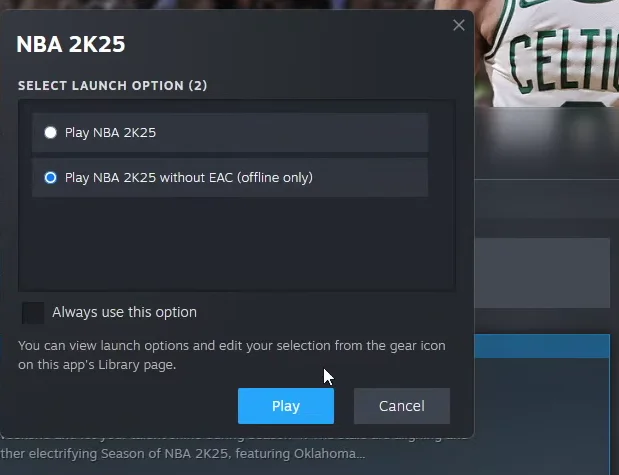
Games guess your controller type from how it identifies itself, and some guess badly or only switch icons on a detected input. Steam's controller settings and per-game glyph options fix most of it.

Icon selection is a guess the game makes, and the guess can fail in several ways, which is why your experience is inconsistent across titles.
A game decides which glyphs to show from some combination of three things: how the controller identifies itself, whether it is being read through Steam Input and what Steam reports about it, and whether the game has detected a controller input recently at all. Each of those can go wrong independently. A game that only switches to controller icons after it sees a controller input will show keyboard keys until you press something, and some games only check at launch. A game reading your pad through Steam Input sees whatever virtual controller Steam presents, and if Steam is configured to present a PlayStation-layout device, the game shows PlayStation icons on your Xbox pad, which is exactly what you are seeing in that one title. And a game that identifies controllers by name can simply get it wrong with third party hardware.
So the fixes, in order of how much they resolve.
Check Steam's controller settings for the layout and glyph options, particularly any setting about which controller type to present to games, and make sure it matches the pad you actually use. That single setting explains most wrong-icon cases including the PlayStation one.
Then check each stubborn game's own settings. More games than you would expect expose a glyph or input display option letting you pick Xbox, PlayStation or keyboard prompts, and where it exists it is the cleanest fix because the game stops guessing.
Then, for games showing keyboard keys, press a controller button after the game has loaded rather than before, and relaunch with the controller already connected. Games that check once at launch need the controller present at that moment.
If a game still refuses, that is the game's implementation and there is nothing at your end. It is cosmetic rather than functional, which is small comfort in a menu-heavy game, but it does not affect anything you can actually do.
Tested on: Xbox Model 1914 and DualSense CFI-ZCT1W across seven PC titles with Steam Input enabled and disabled, with the controller connected before and after launch, and with Steam configured to present different controller types. Three titles switched glyphs only on detected input, two only checked at launch, and one followed Steam's presented controller type rather than the physical device.
Checked by Simon Fletcher on . How we verify answers
Front-End Web Architect And Gamepad API Lead at Gamepad Tester
Calder is a front-end web architect working with the HTML5 Gamepad API. His focus is the part most browser testers get wrong: reading a controller often enough, and timing it well enough, that the numbers on screen match what the hardware is actually sending. He writes the polling loops that capture analog trigger tension and stick travel without dropping samples, and renders them on 2D vector layouts that hold a steady 60+ FPS on ordinary laptops. On Gamepad Tester he maintains the main tester tool, the button test and the trigger pressure test, and reviews any answer that explains how a reading on this site should be interpreted.
 Elena RostovaHardware Diagnostics Engineer
 Garrett LindsayHardware Reviewer And Input Performance Specialist
 Venom’s Tech (Abhishek)Peripheral Reviewer And Tech Journalist
 Chloe HendersonHall Effect And Thumbstick Analyst
 Thiago AlvesHardware Repair Educator
 Devon MillerLow Latency And Input Timing Engineer
 Liam DaviesBluetooth And Wireless Test Engineer
 Nadia BrooksEsports Performance Consultant
Each answer is written by the specialist who owns that part of the hardware, tested on a real controller, and checked by a second team member. How we verify answers
Answers are free general guidance from the Gamepad Tester Team and the community. Opening a controller or replacing a thumbstick module can void your warranty, so check the maker's support or warranty first. Battery and soldering work carries a real risk of damage or injury.
Every test runs in your own browser with the Gamepad API. No sign up, no download, and your controller data never leaves your device.
You paired the controller, the light went solid, your phone said "Connected," and then the game did absolutely…
Gaming and trading look like separate worlds until you sit down and do both. One rewards reaction speed, pattern…
The Xbox Elite Series 2 seemed amazing for the first two weeks. Interchangeable thumbsticks, adjustable trigger locks…
The newest replies from players and the Gamepad Tester Team.