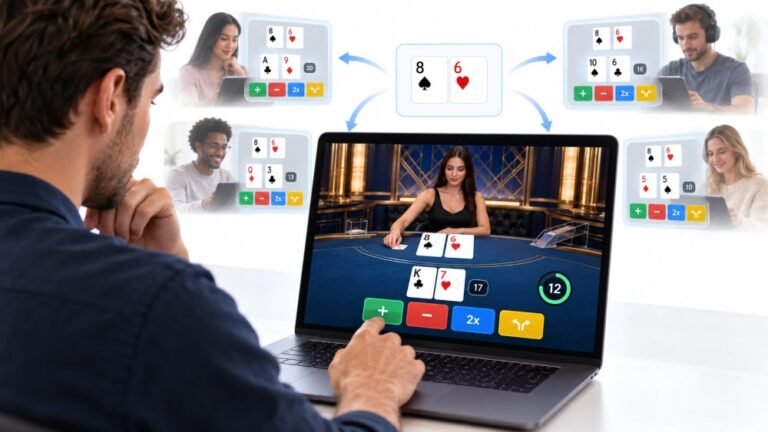
One Deal, Unlimited Inputs: How Infinite Blackjack Handles Thousands Of Decisions At Once
Every controller test starts the same way. You press a button, the screen confirms it, and for a split second you are…

When I play and hold W and A and press Space, sometimes the jump doesn't happen. On your keyboard test, if I hold W, A and Shift, the Space key doesn't light up at all. It's a cheap keyboard. Is it broken or is this normal?
This is ghosting, a limit of the keyboard's wiring, not a fault. Budget keyboards can only detect certain key combinations at once. A keyboard with anti-ghosting or N-key rollover, or remapping jump to a key outside the blocked combination, fixes it.

What you have found is called ghosting, and the keyboard test is the right way to see it.
Most keyboards arrange keys in a grid of wires, a matrix. When you hold several keys on overlapping rows and columns, the keyboard's controller can no longer tell exactly which keys are down. To avoid sending wrong keys, it blocks some combinations. The result is exactly your case: three keys held, and the fourth simply does not register.
Budget membrane keyboards often have only basic protection, so common gaming combinations can block. Gaming keyboards advertise anti-ghosting for common game keys, or N-key rollover, which means every key is detected independently.
Your options: buy a keyboard with N-key rollover or anti-ghosting, which is the real fix; remap jump to a key that is not blocked, finding it with the test; or reduce how many keys you hold at once, for example using toggle sprint.
The test is also useful when shopping. Hold your most common combination and check every key lights.
Tested on: Applies to USB membrane and mechanical keyboards on Windows 11 with Chrome, Edge or Firefox. Key detection per MDN's KeyboardEvent documentation.
Checked by Calder Wright on . How we verify answers
Front-End Developer at Gamepad Tester
Rohan is a React and Next.js developer working on responsive interfaces that handle continuous input. Reading a controller many times a second and updating an interface at the same time is the kind of work that blocks a main thread and makes a page feel broken, so his focus is keeping input handling off the render path and the interface responsive under constant updates. On Gamepad Tester he builds and maintains the front-end around the test tools.
 Calder WrightFront-End Web Architect And Gamepad API Lead
 Elena RostovaHardware Diagnostics Engineer
 Garrett LindsayHardware Reviewer And Input Performance Specialist
 Venom’s Tech (Abhishek)Peripheral Reviewer And Tech Journalist
 Chloe HendersonHall Effect And Thumbstick Analyst
 Thiago AlvesHardware Repair Educator
 Devon MillerLow Latency And Input Timing Engineer
 Liam DaviesBluetooth And Wireless Test Engineer
Each answer is written by the specialist who owns that part of the hardware, tested on a real controller, and checked by a second team member. How we verify answers
Answers are free general guidance from the Gamepad Tester Team and the community. Opening a controller or replacing a thumbstick module can void your warranty, so check the maker's support or warranty first. Battery and soldering work carries a real risk of damage or injury.
Every test runs in your own browser with the Gamepad API. No sign up, no download, and your controller data never leaves your device.
Every controller test starts the same way. You press a button, the screen confirms it, and for a split second you are…
Is your gamepad feeling a little...lazy? Maybe your character in your favorite game isn't running when you press the…
Content creators, marketers, and businesses are finding creating images and videos more and more effortless via AI. As…
The newest replies from players and the Gamepad Tester Team.