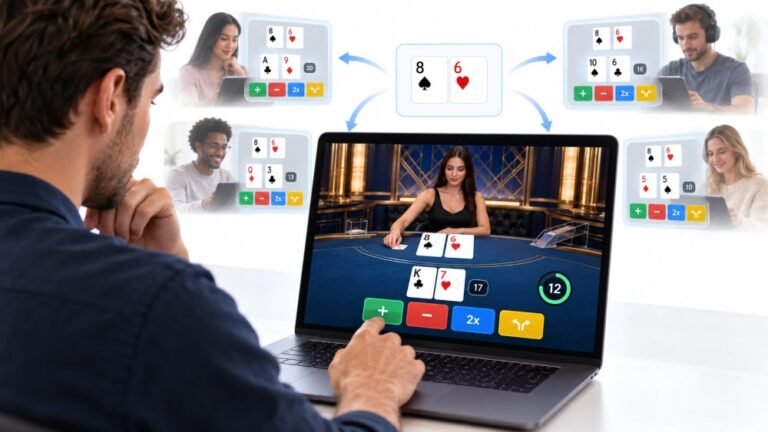
One Deal, Unlimited Inputs: How Infinite Blackjack Handles Thousands Of Decisions At Once
Every controller test starts the same way. You press a button, the screen confirms it, and for a split second you are…

My mouse's middle click (pressing the wheel) barely works now. I use it to open links in new tabs and in Blender. On your mouse test it only registers maybe one in five presses. Scrolling still works fine. Fix or replace?
The wheel click uses its own small switch under the wheel, separate from scrolling. One in five registering means that switch is worn or dirty. Rule out mouse software remapping it, try compressed air, then use the warranty or replace the switch or mouse.

Pressing the wheel uses a separate small switch under the wheel, so scrolling can work perfectly while the click fails. One in five presses is a clear sign that switch is struggling.
Check software first, since it is quick. Mouse software can remap the middle button to something else, sometimes in a profile for a specific app. If the mouse test shows the press registering only occasionally, though, it is more likely the switch.
Then try cleaning. Blow compressed air around the wheel from different angles while clicking it. Dust under the wheel can stop the switch closing reliably, and this occasionally fixes it.
If it still fails, the switch is worn. It is a replaceable part for anyone comfortable soldering, but for most people a warranty claim or a new mouse is more practical.
Meanwhile, many mice let you assign middle click to a side button in their software, and in Blender you can enable emulate 3 button mouse in the input preferences, which uses Alt and left click instead.
Re-test 20 presses in the mouse test after each step.
Tested on: Applies to mice on Windows 11 with Firefox, Chrome or Edge. Button events per standard browser mouse events.
Checked by Venom’s Tech (Abhishek) on . How we verify answers
SVG And Interface Artist at Gamepad Tester
Rebecca creates the vector artwork behind the tester displays. Each controller is drawn as separate layers, one per button, trigger, stick and D-pad direction, so a single input can light up on its own without redrawing the whole pad. The art has to stay recognisable at phone size and legible in both light and dark surroundings, which rules out most of the detail a static illustration would carry. On Gamepad Tester she produces the controller layouts for every pad the tools support.
 Calder WrightFront-End Web Architect And Gamepad API Lead
 Elena RostovaHardware Diagnostics Engineer
 Garrett LindsayHardware Reviewer And Input Performance Specialist
 Venom’s Tech (Abhishek)Peripheral Reviewer And Tech Journalist
 Chloe HendersonHall Effect And Thumbstick Analyst
 Thiago AlvesHardware Repair Educator
 Devon MillerLow Latency And Input Timing Engineer
 Liam DaviesBluetooth And Wireless Test Engineer
Each answer is written by the specialist who owns that part of the hardware, tested on a real controller, and checked by a second team member. How we verify answers
Answers are free general guidance from the Gamepad Tester Team and the community. Opening a controller or replacing a thumbstick module can void your warranty, so check the maker's support or warranty first. Battery and soldering work carries a real risk of damage or injury.
Every test runs in your own browser with the Gamepad API. No sign up, no download, and your controller data never leaves your device.
Every controller test starts the same way. You press a button, the screen confirms it, and for a split second you are…
Is your gamepad feeling a little...lazy? Maybe your character in your favorite game isn't running when you press the…
Content creators, marketers, and businesses are finding creating images and videos more and more effortless via AI. As…
The newest replies from players and the Gamepad Tester Team.