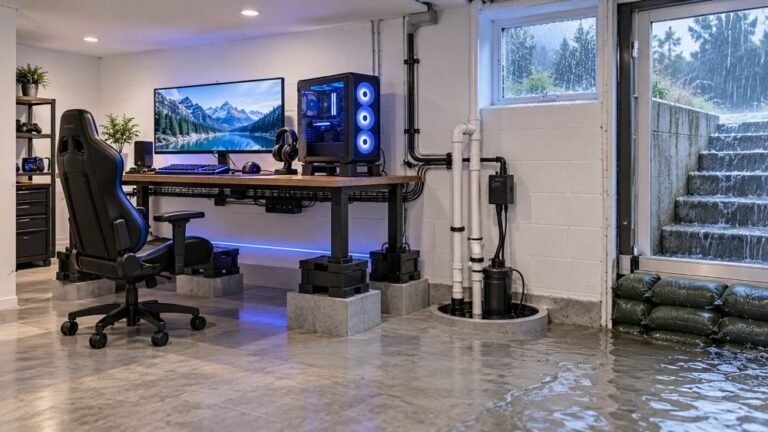
How To Protect A Basement Gaming Setup From Storm Flooding
The basement is the obvious place to put a gaming room. It is cooler, it is quieter, nobody complains about the noise…

I usually plug my PS5 controller in at night and leave it charging until morning. My brother says that kills the battery. Is that true? And is there anything I should do to make the battery last more years?
Leaving it on the charger overnight is fine; the controller stops charging when full. Heat and running the battery completely flat matter more for long-term health. Use a decent charger and avoid charging it somewhere hot.

Your brother's worry is understandable but mostly outdated. Modern controllers, including the DualSense, have charge management that stops charging when the battery is full, so it is not being forced past full all night.
What actually wears lithium-ion batteries faster is heat, time spent at full charge in hot conditions, and repeatedly running the battery completely flat. Charging overnight in a cool room is not a meaningful problem. Charging on top of a hot console vent or in a sunny window is worse than the overnight part.
A few habits genuinely help over years. Use the console, a computer USB port or a reputable charger, not a damaged cable or a no-name fast charger. Avoid letting it die completely on a regular basis. If you will not use it for weeks, store it part-charged rather than full or empty, and top it up every couple of months.
Battery capacity still drops slowly with age whatever you do. Tracking how long a full charge lasts in the same game every few months tells you when it is genuinely wearing out, and a battery replacement is a known repair when it gets there.
Tested on: Applies to DualSense and other lithium-ion controllers. Guidance reflects general lithium-ion battery care and Sony's controller support information.
Checked by Sneha Reddy on . How we verify answers
Hardware Repair Educator at Gamepad Tester
Thiago teaches controller repair. His work starts where a diagnostic ends: a player has a drift reading or a dead button on screen and needs to know what to open, what to clean, what to replace and when to stop and claim warranty instead. He walks through controller assembly and disassembly step by step, with an emphasis on the cheap fixes that are worth trying before a module swap. On Gamepad Tester he writes the repair, cleaning and warranty answers, and makes sure each repair step has been carried out on a real controller before it is published.
 Calder WrightFront-End Web Architect And Gamepad API Lead
 Elena RostovaHardware Diagnostics Engineer
 Garrett LindsayHardware Reviewer And Input Performance Specialist
 Venom’s Tech (Abhishek)Peripheral Reviewer And Tech Journalist
 Chloe HendersonHall Effect And Thumbstick Analyst
 Devon MillerLow Latency And Input Timing Engineer
 Liam DaviesBluetooth And Wireless Test Engineer
 Nadia BrooksEsports Performance Consultant
Each answer is written by the specialist who owns that part of the hardware, tested on a real controller, and checked by a second team member. How we verify answers
Answers are free general guidance from the Gamepad Tester Team and the community. Opening a controller or replacing a thumbstick module can void your warranty, so check the maker's support or warranty first. Battery and soldering work carries a real risk of damage or injury.
Every test runs in your own browser with the Gamepad API. No sign up, no download, and your controller data never leaves your device.
The basement is the obvious place to put a gaming room. It is cooler, it is quieter, nobody complains about the noise…
Long gaming sessions quickly expose controller flaws like fatigue, stick drift, wireless latency, and inconsistent…
Whether you're a casual gamer or a competitive player, a malfunctioning controller can ruin your gaming experience…
The newest replies from players and the Gamepad Tester Team.