How To Protect A Basement Gaming Setup From Storm Flooding
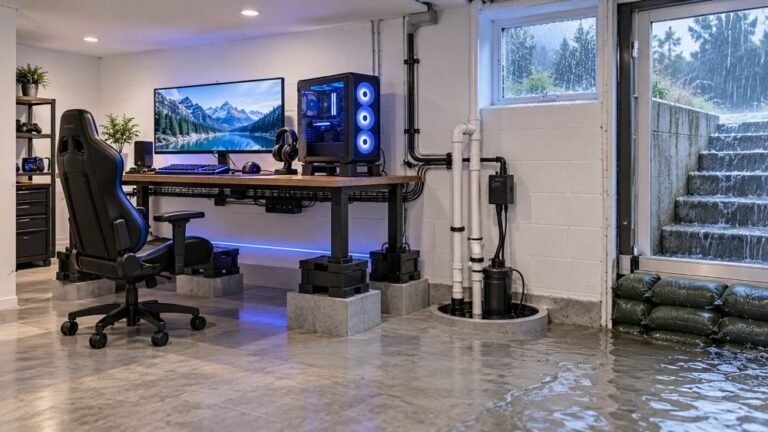
The basement is the obvious place to put a gaming room. It is cooler, it is quieter, nobody complains about the noise…

My Xbox Series controller won't turn on at all. Put in brand new batteries, pressed the Xbox button, nothing. No light. It was working yesterday. Is it dead?
Check the battery contacts and orientation, then connect it to a PC or console with a USB cable, which powers the controller without batteries. If it lights up on the cable, the battery compartment or contacts are the problem. If it does nothing on a cable either, it needs repair.

Before deciding it is dead, there is a quick way to separate the battery side from the controller itself.
First the simple checks. Make sure the new batteries are facing the right way; it is an easy mistake with the Xbox compartment. Look at the springs and flat contacts for corrosion or bending, and check the batteries sit tightly. If you use a rechargeable pack, try plain AA batteries instead.
Then use a cable. Remove the batteries and connect the controller to a PC or console with a USB-C cable that carries data. Xbox controllers can run from USB power without batteries. If the Xbox button lights up and the gamepad tester sees it, the controller works, and the fault is in the battery compartment or contacts. Clean the contacts with isopropyl alcohol, gently bend flattened springs back out, and try again.
If it does not light up even on a cable, take the batteries out for a minute, reconnect, and hold the Xbox button for a few seconds. If there is still nothing, the controller needs repair or replacement, and Xbox support is the next step if it is in warranty.
Tested on: Applies to Xbox Wireless Controller Model 1914 on Windows 11 and Xbox consoles. Troubleshooting order per Xbox support's controller connection guide.
Checked by Liam Davies on . How we verify answers
QA And Test Automation Lead at Gamepad Tester
Tyler leads test automation. Before each change to the tools here goes live, his pipelines drive simulated inputs through the pages across multiple browsers and desktop environments and compare the readings against known-good baselines. It catches the regressions manual testing misses: a button index that shifts, an axis that stops updating, a layout that breaks at one viewport. On Gamepad Tester he signs off releases of the test tools and handles the answers where the tool itself, rather than the controller, is behaving oddly.
 Calder WrightFront-End Web Architect And Gamepad API Lead
 Elena RostovaHardware Diagnostics Engineer
 Garrett LindsayHardware Reviewer And Input Performance Specialist
 Venom’s Tech (Abhishek)Peripheral Reviewer And Tech Journalist
 Chloe HendersonHall Effect And Thumbstick Analyst
 Thiago AlvesHardware Repair Educator
 Devon MillerLow Latency And Input Timing Engineer
 Liam DaviesBluetooth And Wireless Test Engineer
Each answer is written by the specialist who owns that part of the hardware, tested on a real controller, and checked by a second team member. How we verify answers
Answers are free general guidance from the Gamepad Tester Team and the community. Opening a controller or replacing a thumbstick module can void your warranty, so check the maker's support or warranty first. Battery and soldering work carries a real risk of damage or injury.
Every test runs in your own browser with the Gamepad API. No sign up, no download, and your controller data never leaves your device.
The basement is the obvious place to put a gaming room. It is cooler, it is quieter, nobody complains about the noise…
Long gaming sessions quickly expose controller flaws like fatigue, stick drift, wireless latency, and inconsistent…
Whether you're a casual gamer or a competitive player, a malfunctioning controller can ruin your gaming experience…
The newest replies from players and the Gamepad Tester Team.