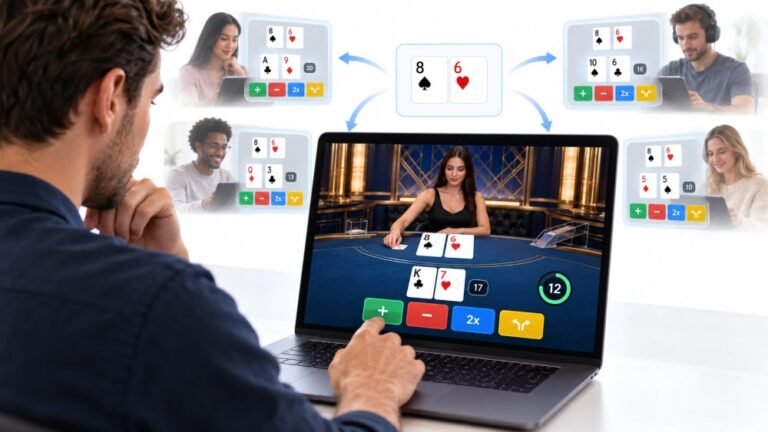
One Deal, Unlimited Inputs: How Infinite Blackjack Handles Thousands Of Decisions At Once
Every controller test starts the same way. You press a button, the screen confirms it, and for a split second you are…

My mouse has a DPI button but no app, and I don't know what DPI it's on. Friends ask what DPI and sensitivity I use. Can your mouse test measure DPI? How accurate would it be?
You can estimate DPI by moving the mouse an exact distance, such as one inch, and counting how far the pointer travels. Turn off Enhance pointer precision and use the default Windows pointer speed first, and account for display scaling. The result is an estimate, usually close enough to identify the setting.

DPI, or more precisely CPI, is how many counts the mouse reports per inch of movement. You can estimate it with a ruler and the mouse test.
Set Windows up first, or the number will be wrong. In mouse settings, turn off Enhance pointer precision, which adds acceleration. Leave the pointer speed at the default middle setting, which passes movement through one to one. Note your display scaling; at 150 percent, for example, pointer movement in the browser is scaled.
Then measure. Put a ruler on the desk, place the mouse at the zero mark, and move it exactly one inch, or 2.54 cm, slowly and in a straight line. The mouse test shows how many pixels the pointer moved. With scaling at 100 percent, that number is roughly your DPI. With scaling, multiply by the scale factor.
Repeat a few times and take the average, since hand movement varies. Most mice use standard steps like 400, 800, 1600 or 3200, so your result will usually be close to one of those.
For comparing with friends, eDPI is more useful: your DPI multiplied by your in-game sensitivity.
Tested on: Applies to mice on Windows 11 with Chrome or Edge. Pointer behaviour per MDN's pointerrawupdate documentation; results are estimates.
Checked by Gabriel Silva on . How we verify answers
Hardware Reviewer And Input Performance Specialist at Gamepad Tester
Garrett reviews gaming controllers the slow way. Instead of a week of impressions he runs a fixed battery of measurements on every pad: resting deadzone on both sticks, raw polling rate over wired and wireless, trigger travel consistency, and how the face buttons and stick modules hold up over extended use. The result is a review that can be checked rather than argued with, which is why his numbers are cited in the buying guides here. On Gamepad Tester he leads the reviews and buying topic, and signs off answers that recommend one controller over another.
 Calder WrightFront-End Web Architect And Gamepad API Lead
 Elena RostovaHardware Diagnostics Engineer
 Venom’s Tech (Abhishek)Peripheral Reviewer And Tech Journalist
 Chloe HendersonHall Effect And Thumbstick Analyst
 Thiago AlvesHardware Repair Educator
 Devon MillerLow Latency And Input Timing Engineer
 Liam DaviesBluetooth And Wireless Test Engineer
 Nadia BrooksEsports Performance Consultant
Each answer is written by the specialist who owns that part of the hardware, tested on a real controller, and checked by a second team member. How we verify answers
Answers are free general guidance from the Gamepad Tester Team and the community. Opening a controller or replacing a thumbstick module can void your warranty, so check the maker's support or warranty first. Battery and soldering work carries a real risk of damage or injury.
Every test runs in your own browser with the Gamepad API. No sign up, no download, and your controller data never leaves your device.
Every controller test starts the same way. You press a button, the screen confirms it, and for a split second you are…
Is your gamepad feeling a little...lazy? Maybe your character in your favorite game isn't running when you press the…
Content creators, marketers, and businesses are finding creating images and videos more and more effortless via AI. As…
The newest replies from players and the Gamepad Tester Team.