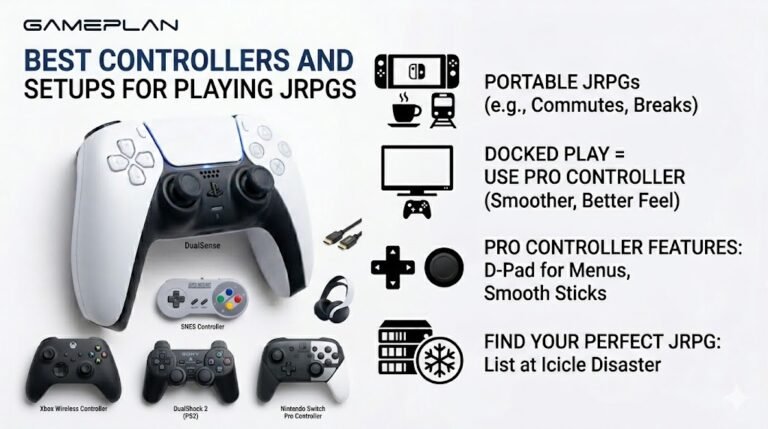
Best Controllers and Setups for Playing JRPGs
Nobody ever talks about controller ergonomics when they recommend JRPGs, and honestly, that is a mistake. These are…

My PC audio crackles and pops randomly, in games, videos and music. It's worse when the PC is busy. Your sound test tone also crackles sometimes. Headphones are fine on my phone. What causes this?
Crackling that gets worse under load is usually the PC struggling to deliver audio on time. Turn off audio enhancements, set a standard format such as 24-bit 48kHz, update the audio driver, use a high performance power plan and avoid USB hubs for audio devices.

Crackles that get worse when the PC is busy point to timing rather than broken speakers or headphones. Audio has to be delivered in small chunks, on time, constantly. If something delays the system for a moment, a chunk arrives late and you hear a pop or crackle.
Work through the usual fixes in order.
Audio enhancements. Turn them off for your output device. They add processing that can cause glitches.
Format. In the device's advanced properties, set a standard format such as 24-bit, 48000 Hz. Very high rates add load without audible benefit.
Drivers. Update the audio driver from your motherboard or PC maker, and update the graphics driver, since graphics drivers are a common cause of system delays.
Power. Use a balanced or high performance power plan; aggressive power saving can cause delays.
USB. If you use a USB headset or DAC, plug it directly into the PC, not a hub.
If it persists, a free tool such as LatencyMon can show which driver causes the delays. Our sound test is a quick way to check after each change.
Tested on: Applies to onboard and USB audio on Windows 11. Steps per Microsoft's sound troubleshooting guide.
Checked by Alistair Thorne on . How we verify answers
Low Latency And Input Timing Engineer at Gamepad Tester
Devon is a low latency engineer. On a browser-based latency test the easiest mistake is measuring the wrong thing: network round trips, render queues and browser throttling can all add milliseconds that have nothing to do with the controller. His work is isolating the input path so that what the test reports is the hardware delay, and documenting the conditions under which the reading is trustworthy. On Gamepad Tester he owns the latency test and the input lag topic, and checks any answer that quotes a millisecond figure.
 Calder WrightFront-End Web Architect And Gamepad API Lead
 Elena RostovaHardware Diagnostics Engineer
 Garrett LindsayHardware Reviewer And Input Performance Specialist
 Venom’s Tech (Abhishek)Peripheral Reviewer And Tech Journalist
 Chloe HendersonHall Effect And Thumbstick Analyst
 Thiago AlvesHardware Repair Educator
 Liam DaviesBluetooth And Wireless Test Engineer
 Nadia BrooksEsports Performance Consultant
Each answer is written by the specialist who owns that part of the hardware, tested on a real controller, and checked by a second team member. How we verify answers
Answers are free general guidance from the Gamepad Tester Team and the community. Opening a controller or replacing a thumbstick module can void your warranty, so check the maker's support or warranty first. Battery and soldering work carries a real risk of damage or injury.
Every test runs in your own browser with the Gamepad API. No sign up, no download, and your controller data never leaves your device.
Nobody ever talks about controller ergonomics when they recommend JRPGs, and honestly, that is a mistake. These are…
Content creators, marketers, and businesses are finding creating images and videos more and more effortless via AI. As…
Bilibili Gaming defeated G2 Esports 3-1 in São Paulo on March 22, 2026, to win an international League of Legends…
The newest replies from players and the Gamepad Tester Team.

