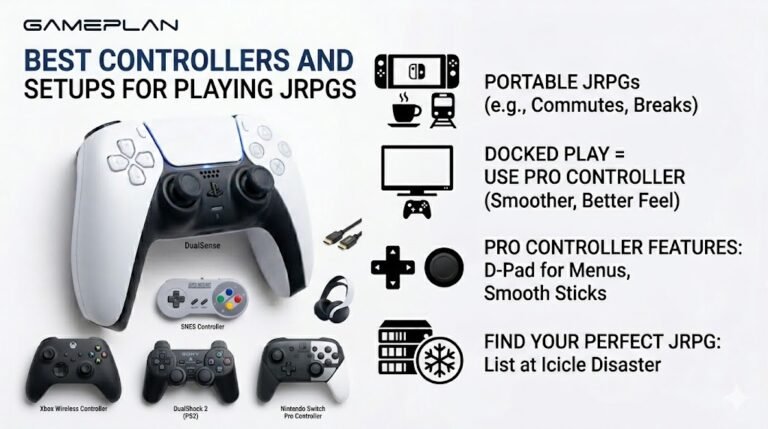
Best Controllers and Setups for Playing JRPGs
Nobody ever talks about controller ergonomics when they recommend JRPGs, and honestly, that is a mistake. These are…

Games and Spotify play sound fine, but nothing in Chrome. YouTube has no audio and your sound test is silent. Edge works. What's wrong with Chrome?
Chrome is probably muted in the Windows volume mixer, the tab or site is muted, or Chrome is sending audio to a different output device. Check the volume mixer, the site's sound permission and the tab's mute, then restart Chrome.

Since Edge works and other apps play sound, your speakers and Windows output are fine. Something specific to Chrome is stopping sound, and there are four usual suspects.
The Windows volume mixer. Each app has its own level. Open the mixer from the sound icon and check Chrome is not muted or at zero. Chrome only appears there while it is playing sound, so start the sound test first.
The tab or site. Chrome can mute individual tabs and block sound for sites. Right-click the tab and check for unmute site. Also open the site settings from the icon next to the address bar and make sure sound is allowed.
The output device. In the volume mixer, apps can be set to a specific output device. If Chrome is assigned to an old headset or a disconnected device, it plays into nothing. Set it to default.
Chrome itself. Fully close Chrome, including background processes, and reopen it. If needed, disable extensions that control audio, since some volume or tab-muting extensions cause this.
After each step, run the sound test.
Tested on: Applies to Chrome on Windows 11. Steps per Microsoft's sound troubleshooting guide.
Checked by Simon Fletcher on . How we verify answers
Front-End Developer at Gamepad Tester
Rohan is a React and Next.js developer working on responsive interfaces that handle continuous input. Reading a controller many times a second and updating an interface at the same time is the kind of work that blocks a main thread and makes a page feel broken, so his focus is keeping input handling off the render path and the interface responsive under constant updates. On Gamepad Tester he builds and maintains the front-end around the test tools.
 Calder WrightFront-End Web Architect And Gamepad API Lead
 Elena RostovaHardware Diagnostics Engineer
 Garrett LindsayHardware Reviewer And Input Performance Specialist
 Venom’s Tech (Abhishek)Peripheral Reviewer And Tech Journalist
 Chloe HendersonHall Effect And Thumbstick Analyst
 Thiago AlvesHardware Repair Educator
 Devon MillerLow Latency And Input Timing Engineer
 Liam DaviesBluetooth And Wireless Test Engineer
Each answer is written by the specialist who owns that part of the hardware, tested on a real controller, and checked by a second team member. How we verify answers
Answers are free general guidance from the Gamepad Tester Team and the community. Opening a controller or replacing a thumbstick module can void your warranty, so check the maker's support or warranty first. Battery and soldering work carries a real risk of damage or injury.
Every test runs in your own browser with the Gamepad API. No sign up, no download, and your controller data never leaves your device.
Nobody ever talks about controller ergonomics when they recommend JRPGs, and honestly, that is a mistake. These are…
Content creators, marketers, and businesses are finding creating images and videos more and more effortless via AI. As…
Bilibili Gaming defeated G2 Esports 3-1 in São Paulo on March 22, 2026, to win an international League of Legends…
The newest replies from players and the Gamepad Tester Team.

