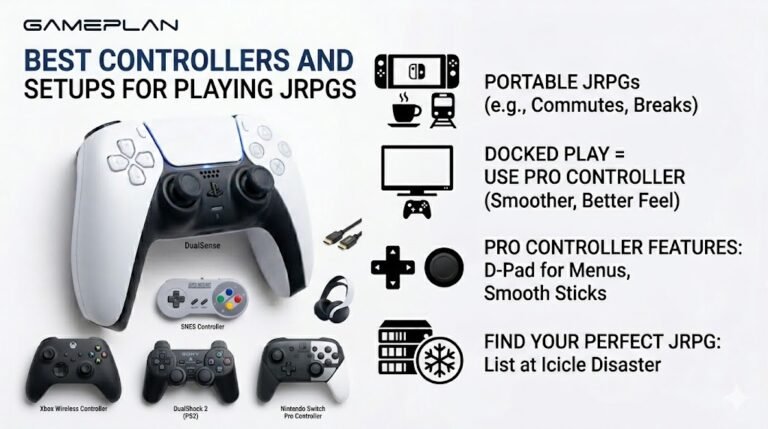
Best Controllers and Setups for Playing JRPGs
Nobody ever talks about controller ergonomics when they recommend JRPGs, and honestly, that is a mistake. These are…

I have a 2.1 speaker set with a subwoofer. On your bass test, the low tones around 30 to 60 Hz barely do anything, and the sub doesn't seem to rumble. Mid bass sounds fine. Is the sub broken or am I testing wrong?
Check the subwoofer has power, its own volume is up and it is not in auto standby. Very low tones near 30 Hz are hard for small subwoofers and quiet at low volume, so test around 40 to 80 Hz first. Make sure the speaker configuration includes the subwoofer.

A few things make subwoofers look dead when they are not.
The sub's own controls. Most 2.1 sets put the bass volume on the subwoofer or a control pod. Check the sub is powered, its volume is up, and it is not in an auto standby mode that waits for a strong signal before waking.
The frequencies. Very low tones, 30 Hz and below, are difficult for small desktop subwoofers and hard to hear at low volume. Your ears are also less sensitive at those frequencies. Start the bass test around 60 to 80 Hz, where most subs work strongly, then sweep down. You should feel the sub get going well before 30 Hz fades out.
The connection. For a 2.1 set connected through one 3.5mm cable, the speakers split the bass internally, so Windows just sends stereo. For surround systems, the speaker configuration in Windows must include the subwoofer.
Placement matters too: a sub in a corner sounds stronger.
Keep the test volume moderate. Low frequencies can be loud before they sound loud, and pushing a small sub hard can damage it.
Tested on: Applies to 2.1 and surround speaker sets on Windows 11. Test tones generated with the Web Audio API.
Checked by Fiona Gallagher on . How we verify answers
Haptics And Rumble Test Engineer at Gamepad Tester
Camila works on vibration and haptics, with a background in audio and signal work that transfers directly: a rumble motor is a frequency-and-amplitude problem, and the difference between a weak motor, a flat waveform and a browser that is not sending anything is audible and measurable before it is visible. She tests both motors independently, the DualSense haptic layer and the adaptive triggers, across the connections that support them and the ones that silently do not. On Gamepad Tester she owns the vibration test and the rumble faults topic.
 Calder WrightFront-End Web Architect And Gamepad API Lead
 Elena RostovaHardware Diagnostics Engineer
 Garrett LindsayHardware Reviewer And Input Performance Specialist
 Venom’s Tech (Abhishek)Peripheral Reviewer And Tech Journalist
 Chloe HendersonHall Effect And Thumbstick Analyst
 Thiago AlvesHardware Repair Educator
 Devon MillerLow Latency And Input Timing Engineer
 Liam DaviesBluetooth And Wireless Test Engineer
Each answer is written by the specialist who owns that part of the hardware, tested on a real controller, and checked by a second team member. How we verify answers
Answers are free general guidance from the Gamepad Tester Team and the community. Opening a controller or replacing a thumbstick module can void your warranty, so check the maker's support or warranty first. Battery and soldering work carries a real risk of damage or injury.
Every test runs in your own browser with the Gamepad API. No sign up, no download, and your controller data never leaves your device.
Nobody ever talks about controller ergonomics when they recommend JRPGs, and honestly, that is a mistake. These are…
Content creators, marketers, and businesses are finding creating images and videos more and more effortless via AI. As…
Bilibili Gaming defeated G2 Esports 3-1 in São Paulo on March 22, 2026, to win an international League of Legends…
The newest replies from players and the Gamepad Tester Team.

