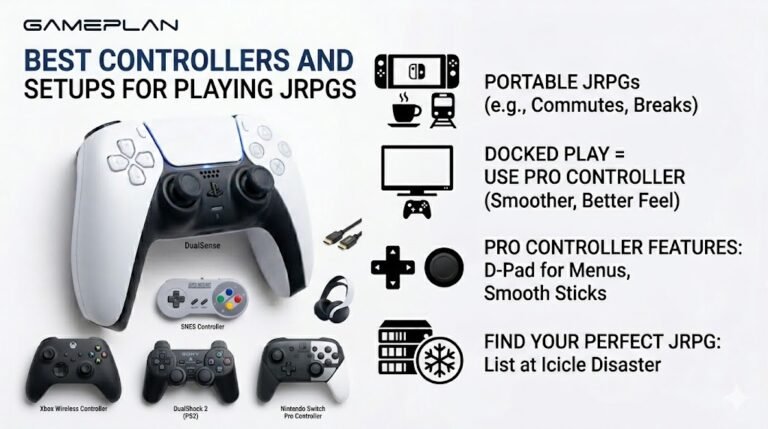
Best Controllers and Setups for Playing JRPGs
Nobody ever talks about controller ergonomics when they recommend JRPGs, and honestly, that is a mistake. These are…

Running your frequency sweep through my bookshelf speakers, there's a nasty rattle at around 90 to 120 Hz, and it goes away above and below. Music with bass sounds buzzy. Is the speaker damaged?
A rattle that appears only in a narrow frequency band is often something nearby resonating, a loose screw, a grille, or the shelf, rather than the speaker itself. Play the problem frequency at moderate volume and touch things around the speaker to find it. If the rattle is in the cone, the driver may be damaged.

The frequency sweep is the best tool for this, because it lets you hold the exact frequency that rattles.
A rattle in a narrow band usually means something has a natural resonance there. When the speaker plays that frequency, the object vibrates along with it. Common culprits are the shelf or desk the speaker sits on, items on that shelf, the speaker's grille, a loose screw on the cabinet or a port tube, or a cable touching the cabinet.
Find it by playing the problem frequency steadily at moderate volume. Then touch things one at a time: the shelf, the grille, the cabinet sides, nearby objects. When the rattle stops under your hand, you have found it. Lift the speaker off the shelf briefly too; if the rattle disappears, use pads or stands to decouple it.
If the rattle stays with your hand on everything around it and seems to come from the cone itself, gently remove the grille and look. A torn surround or a rubbing voice coil sounds like a buzz on bass notes and means the driver needs repair or replacement.
Keep the volume moderate while testing, so you do not make any damage worse.
Tested on: Applies to bookshelf and desktop speakers. Test tones generated with the Web Audio API.
Checked by Devon Miller on . How we verify answers
Haptics And Rumble Test Engineer at Gamepad Tester
Camila works on vibration and haptics, with a background in audio and signal work that transfers directly: a rumble motor is a frequency-and-amplitude problem, and the difference between a weak motor, a flat waveform and a browser that is not sending anything is audible and measurable before it is visible. She tests both motors independently, the DualSense haptic layer and the adaptive triggers, across the connections that support them and the ones that silently do not. On Gamepad Tester she owns the vibration test and the rumble faults topic.
 Calder WrightFront-End Web Architect And Gamepad API Lead
 Elena RostovaHardware Diagnostics Engineer
 Garrett LindsayHardware Reviewer And Input Performance Specialist
 Venom’s Tech (Abhishek)Peripheral Reviewer And Tech Journalist
 Chloe HendersonHall Effect And Thumbstick Analyst
 Thiago AlvesHardware Repair Educator
 Devon MillerLow Latency And Input Timing Engineer
 Liam DaviesBluetooth And Wireless Test Engineer
Each answer is written by the specialist who owns that part of the hardware, tested on a real controller, and checked by a second team member. How we verify answers
Answers are free general guidance from the Gamepad Tester Team and the community. Opening a controller or replacing a thumbstick module can void your warranty, so check the maker's support or warranty first. Battery and soldering work carries a real risk of damage or injury.
Every test runs in your own browser with the Gamepad API. No sign up, no download, and your controller data never leaves your device.
Nobody ever talks about controller ergonomics when they recommend JRPGs, and honestly, that is a mistake. These are…
Content creators, marketers, and businesses are finding creating images and videos more and more effortless via AI. As…
Bilibili Gaming defeated G2 Esports 3-1 in São Paulo on March 22, 2026, to win an international League of Legends…
The newest replies from players and the Gamepad Tester Team.

