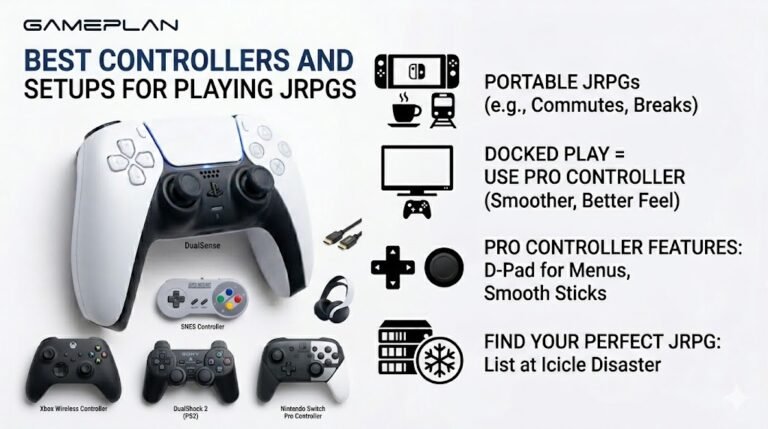
Best Controllers and Setups for Playing JRPGs
Nobody ever talks about controller ergonomics when they recommend JRPGs, and honestly, that is a mistake. These are…

Windows offers spatial sound for my headphones: Windows Sonic for free, and Dolby Atmos for headphones if I buy it. What do they actually do and should I turn them on for games and music? The headphone test sounds different with Sonic on.
Spatial sound processes audio so it seems to come from around you rather than inside your head. It can help in games designed for it, but it changes how normal stereo sounds and should not be stacked with a game's own 3D audio. Try it per game and keep it off for music if you prefer the original sound.

Both are virtual surround for headphones. They take sound and process it so it seems to come from around and above you, instead of from inside your head. Windows Sonic is built into Windows; Dolby Atmos for Headphones needs the Dolby Access app and a licence. Both are switched on in the output device's spatial sound setting.
Whether to use them depends on the content.
In games that support spatial audio, it can make positions easier to judge and feel more immersive. Many games, though, have their own 3D audio or headphone mode. Turning on Windows spatial sound as well stacks two sets of processing, which usually sounds worse. Use one or the other.
For music and stereo content, many people prefer it off. It changes the tone and space of a stereo mix, which is why the headphone test sounds different with Sonic on.
The best approach is to try it with the games you play, compare with it off, and choose by ear. There is no wrong answer if you like the result.
Tested on: Applies to headphones on Windows 11. Spatial sound options per Windows sound settings.
Checked by Fiona Gallagher on . How we verify answers
Browser Compatibility Tester at Gamepad Tester
Simon audits browser compatibility. The Gamepad API is implemented unevenly: a DualSense exposes adaptive triggers and haptics in one browser and not another, button indexes shift between engines, and Safari and Chrome disagree on when a controller becomes visible to a page. He tests each release of the tools here across Chromium and WebKit builds and documents the differences instead of hiding them. On Gamepad Tester he handles the questions where a controller works in one browser but not another, and reviews the rumble and haptics answers.
 Calder WrightFront-End Web Architect And Gamepad API Lead
 Elena RostovaHardware Diagnostics Engineer
 Garrett LindsayHardware Reviewer And Input Performance Specialist
 Venom’s Tech (Abhishek)Peripheral Reviewer And Tech Journalist
 Chloe HendersonHall Effect And Thumbstick Analyst
 Thiago AlvesHardware Repair Educator
 Devon MillerLow Latency And Input Timing Engineer
 Liam DaviesBluetooth And Wireless Test Engineer
Each answer is written by the specialist who owns that part of the hardware, tested on a real controller, and checked by a second team member. How we verify answers
Answers are free general guidance from the Gamepad Tester Team and the community. Opening a controller or replacing a thumbstick module can void your warranty, so check the maker's support or warranty first. Battery and soldering work carries a real risk of damage or injury.
Every test runs in your own browser with the Gamepad API. No sign up, no download, and your controller data never leaves your device.
Nobody ever talks about controller ergonomics when they recommend JRPGs, and honestly, that is a mistake. These are…
Content creators, marketers, and businesses are finding creating images and videos more and more effortless via AI. As…
Bilibili Gaming defeated G2 Esports 3-1 in São Paulo on March 22, 2026, to win an international League of Legends…
The newest replies from players and the Gamepad Tester Team.

