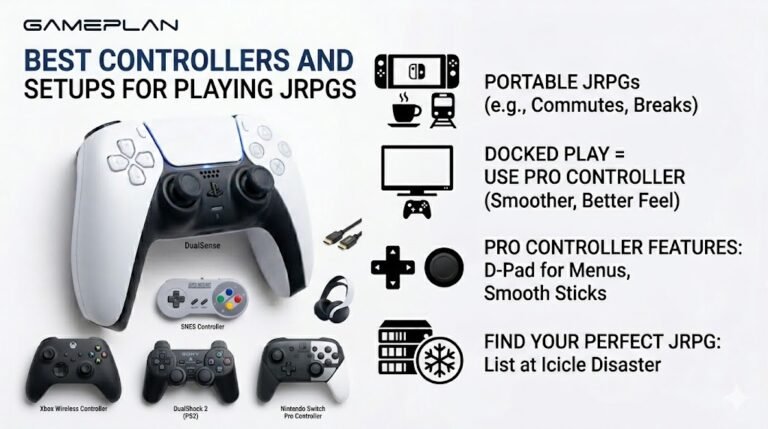
Best Controllers and Setups for Playing JRPGs
Nobody ever talks about controller ergonomics when they recommend JRPGs, and honestly, that is a mistake. These are…

In Windows sound settings I can choose from 16-bit 44100 Hz up to 24-bit 192000 Hz for my USB headphones. Which should I use for gaming, music and YouTube? Does higher sound better? Your sound test sounds the same to me on all of them.
For most people 24-bit 48 kHz is the best default: games and video use 48 kHz, and music at 44.1 kHz converts cleanly. Higher rates rarely make an audible difference for playback and add processing. Your sound test sounding the same is normal.

Your ears are giving you the right answer. For normal listening, these formats sound the same to almost everyone.
Sample rate is how many times per second the audio is measured. 44.1 kHz and 48 kHz already capture everything people can hear. Games, video and streaming mostly use 48 kHz; music is often 44.1 kHz. Windows converts between them in the background, cleanly enough that you will not notice.
Bit depth, 16 or 24 bit, affects the range between the quietest and loudest sound. For playback at sensible volumes, 24-bit gives plenty of headroom; 16-bit is also fine.
So the practical choice is 24-bit 48 kHz for gaming, video and general use. Very high settings such as 192 kHz rarely make an audible difference for playback and can add load, occasionally causing crackles on weaker systems or some USB devices.
The one time it matters is consistency in recording and production software, where matching the project's sample rate avoids conversion issues. For listening, pick 48 kHz and forget about it.
Tested on: Applies to USB and onboard audio devices on Windows 11. Format options per Windows sound device properties.
Checked by Simon Fletcher on . How we verify answers
Low Latency And Input Timing Engineer at Gamepad Tester
Devon is a low latency engineer. On a browser-based latency test the easiest mistake is measuring the wrong thing: network round trips, render queues and browser throttling can all add milliseconds that have nothing to do with the controller. His work is isolating the input path so that what the test reports is the hardware delay, and documenting the conditions under which the reading is trustworthy. On Gamepad Tester he owns the latency test and the input lag topic, and checks any answer that quotes a millisecond figure.
 Calder WrightFront-End Web Architect And Gamepad API Lead
 Elena RostovaHardware Diagnostics Engineer
 Garrett LindsayHardware Reviewer And Input Performance Specialist
 Venom’s Tech (Abhishek)Peripheral Reviewer And Tech Journalist
 Chloe HendersonHall Effect And Thumbstick Analyst
 Thiago AlvesHardware Repair Educator
 Liam DaviesBluetooth And Wireless Test Engineer
 Nadia BrooksEsports Performance Consultant
Each answer is written by the specialist who owns that part of the hardware, tested on a real controller, and checked by a second team member. How we verify answers
Answers are free general guidance from the Gamepad Tester Team and the community. Opening a controller or replacing a thumbstick module can void your warranty, so check the maker's support or warranty first. Battery and soldering work carries a real risk of damage or injury.
Every test runs in your own browser with the Gamepad API. No sign up, no download, and your controller data never leaves your device.
Nobody ever talks about controller ergonomics when they recommend JRPGs, and honestly, that is a mistake. These are…
Bilibili Gaming defeated G2 Esports 3-1 in São Paulo on March 22, 2026, to win an international League of Legends…
Most gaming setup advice stops at the desk. The room around it gets ignored, which is strange when the room decides…
The newest replies from players and the Gamepad Tester Team.

