3 Ways To Style A Nova LED Floor Lamp In Your Gaming Room
Most gaming setup advice stops at the desk. The room around it gets ignored, which is strange when the room decides…

Questions about Keyboard from Gamepad Tester players, answered and checked by the Gamepad Tester Team.
This is called key chatter: the switch contact bounces and registers twice. Dust or wear on the switch is the usual cause. Cleaning with compressed…
Rollover is how many keys a keyboard can register at once. 6KRO means six keys plus modifiers, which covers almost all gaming and typing. NKRO means…
If the test shows the key held down when no one touches it, the switch or contact under it is stuck. Unplug the keyboard, remove the keycap if…
Long keys like the spacebar use stabilisers, small wire mechanisms that keep the key level. Rattle and sticking on edge presses usually mean the…
This is ghosting, a limit of the keyboard's wiring, not a fault. Budget keyboards can only detect certain key combinations at once. A keyboard with…
Most likely the keyboard's Windows key lock or game mode is on. Gaming keyboards disable the Windows key so you cannot press it by accident in…
If the test shows Ctrl held down when you are not pressing it, Windows thinks Ctrl is stuck, so every key acts as a shortcut and normal shortcuts…
On Windows, Command acts as the Windows key and Option as Alt. Keys Windows expects but Apple keyboards lack can be remapped with Microsoft…
Num Lock is off, so the number pad is acting as navigation keys, which is exactly what the test shows. Press Num Lock. If it still moves the mouse…
Wireless keyboards sleep after inactivity to save battery, and the first key press wakes them, so it may be missed. Low batteries, a distant…
Your keyboard is fine; Windows has switched to a different keyboard layout, usually UK and US layouts getting swapped. Remove the extra layout in…
Pressing Shift five times triggers the Sticky Keys shortcut. Turn off the keyboard shortcut for Sticky Keys in Settings, Accessibility, Keyboard…
Every test runs in your own browser with the Gamepad API. No sign up, no download, and your controller data never leaves your device.
Most gaming setup advice stops at the desk. The room around it gets ignored, which is strange when the room decides…
Every controller test starts the same way. You press a button, the screen confirms it, and for a split second you are…
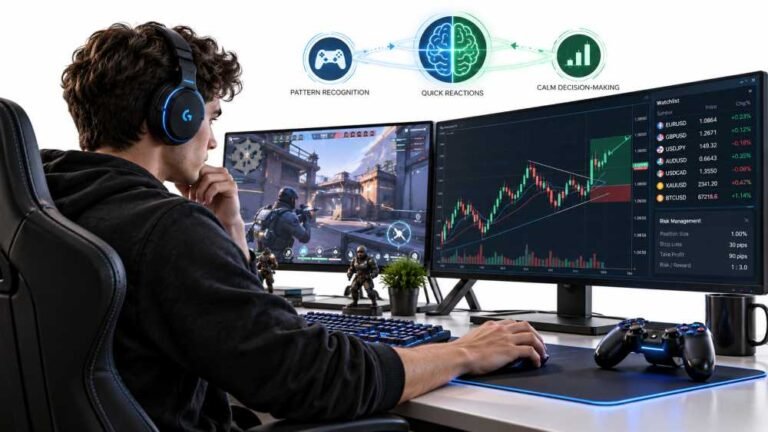
Gaming and trading look like separate worlds until you sit down and do both. One rewards reaction speed, pattern…
Web developers and hardware testers who build the Gamepad Tester tools and check every answer on real PS5, PS4, Xbox, Nintendo Switch and PC controllers.

Front-End Web Architect And Gamepad API Lead
Builds the browser test scripts behind Gamepad Tester and keeps them accurate at high polling rates.
23 answers · Profile

Hardware Diagnostics Engineer
Runs the bench tests that measure deadzone error and stick circularity on competitive controllers.
16 answers · Profile

Hardware Reviewer And Input Performance Specialist
Reviews controllers on measured numbers: deadzones, polling rate and how long the parts actually last.
20 answers · Profile

Peripheral Reviewer And Tech Journalist
Covers mobile controllers, budget pads and third-party stick drift in close detail.
15 answers · Profile

Hall Effect And Thumbstick Analyst
Tests hall effect sticks against standard potentiometers for accuracy, drift and magnetic error.
13 answers · Profile

Hardware Repair Educator
Shows players how to use a test result to find and fix a fault themselves.
27 answers · Profile

Low Latency And Input Timing Engineer
Makes sure a latency reading shows the controller's real delay and not the network's.
27 answers · Profile

Bluetooth And Wireless Test Engineer
Diagnoses packet drops, jitter and dropouts on controllers tested over wireless.
22 answers · Profile
The newest replies from players and the Gamepad Tester Team.