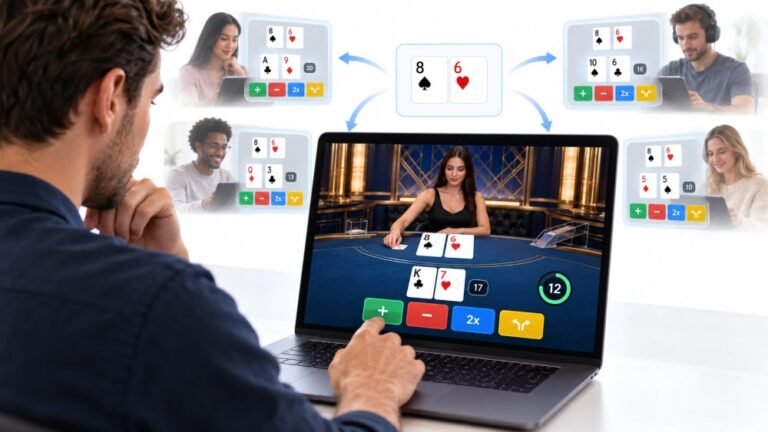
One Deal, Unlimited Inputs: How Infinite Blackjack Handles Thousands Of Decisions At Once
Every controller test starts the same way. You press a button, the screen confirms it, and for a split second you are…

Suddenly when I press the key for @ I get a quote mark and the other way round, and the # key types something else. The keyboard test shows a different key name from what's printed on the key. Did my keyboard break?
Your keyboard is fine; Windows has switched to a different keyboard layout, usually UK and US layouts getting swapped. Remove the extra layout in language settings, or switch back with Windows key plus Space.

Nothing is broken. This is one of the most common keyboard puzzles, and it comes from the keyboard layout setting in Windows, not the keyboard.
UK and US keyboards look almost the same, but a few keys differ. On a UK layout, @ is on the apostrophe key with Shift, and the quote mark is on 2. On a US layout they are the other way round, and the # key sits in a different place. If Windows is set to the US layout while your keyboard is UK, or the reverse, exactly those keys come out wrong.
Layouts usually switch by accident. Windows key plus Space, or Alt plus Shift, change between installed layouts, and it is easy to press those while gaming or typing fast.
The fix is to switch back and then remove the layout you do not use. Look at the language indicator near the clock to see which layout is active. In Settings, Time & language, Language & region, open your language's options and remove the extra keyboard so it cannot switch again.
Our keyboard test helps here: it shows the key code and the character produced, so you can see the physical key is fine and only the meaning has changed.
Tested on: Applies to UK, US and other keyboard layouts on Windows 11. Key events per MDN's KeyboardEvent documentation.
Checked by Rohan Sharma on . How we verify answers
Technical Writer And Localisation Editor at Gamepad Tester
Divya is a technical writer and documentation specialist. She converts the low-level detail the engineers work in into step-by-step instructions a player can follow on the first attempt, then makes sure those steps survive translation: a procedure that depends on an English menu label or an unexplained abbreviation stops working the moment it is localised. On Gamepad Tester she writes the setup and troubleshooting guides and edits the translated versions of this site's pages.
 Calder WrightFront-End Web Architect And Gamepad API Lead
 Elena RostovaHardware Diagnostics Engineer
 Garrett LindsayHardware Reviewer And Input Performance Specialist
 Venom’s Tech (Abhishek)Peripheral Reviewer And Tech Journalist
 Chloe HendersonHall Effect And Thumbstick Analyst
 Thiago AlvesHardware Repair Educator
 Devon MillerLow Latency And Input Timing Engineer
 Liam DaviesBluetooth And Wireless Test Engineer
Each answer is written by the specialist who owns that part of the hardware, tested on a real controller, and checked by a second team member. How we verify answers
Answers are free general guidance from the Gamepad Tester Team and the community. Opening a controller or replacing a thumbstick module can void your warranty, so check the maker's support or warranty first. Battery and soldering work carries a real risk of damage or injury.
Every test runs in your own browser with the Gamepad API. No sign up, no download, and your controller data never leaves your device.
Every controller test starts the same way. You press a button, the screen confirms it, and for a split second you are…
Is your gamepad feeling a little...lazy? Maybe your character in your favorite game isn't running when you press the…
Content creators, marketers, and businesses are finding creating images and videos more and more effortless via AI. As…
The newest replies from players and the Gamepad Tester Team.