How To Protect A Basement Gaming Setup From Storm Flooding
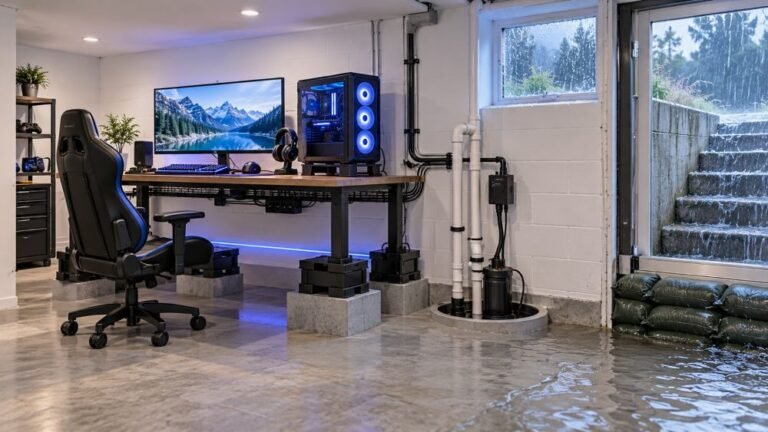
The basement is the obvious place to put a gaming room. It is cooler, it is quieter, nobody complains about the noise…

The battery reading lies to me. It will sit on 60% for ages, then drop to 30%, then die within about five minutes. On your battery telemetry test the reported level does the same thing, big steps rather than a smooth decline. I never know how long I actually have left, which is worse than just having a short battery life. Controller is about two and a half years old. Is the reading broken or is the battery?
The reading is honest, the battery is the problem. Controllers estimate charge from voltage, and an aged cell holds voltage then collapses, which produces exactly these false steps.

The reading is not broken. It is reporting faithfully, and what it is reporting is a worn cell.
Controller battery indicators do not measure stored energy directly. They measure voltage and map it onto a percentage using a curve for a healthy cell. A new cell discharges along a predictable slope, so the mapping works and you get a gradual decline. As a cell ages its internal resistance rises and its discharge curve changes shape: it holds a reasonable voltage for most of its remaining capacity and then falls off a cliff near the end. Run that curve through a mapping designed for a healthy cell and you get precisely your symptom, long plateaus, sudden drops, and a death that arrives much sooner than the last reading suggested.
The steps you are seeing in the test are the honest consequence of that. Two and a half years is a normal point for this, especially if the controller is often left on charge or run flat regularly, both of which accelerate it.
So the fix is the cell, not the firmware or the indicator. If you are using a rechargeable play-and-charge pack, replace the pack, which is the simplest option and needs no tools. If you are on AA batteries, a worn set of rechargeables does exactly the same thing, and a fresh set of good quality NiMH cells will restore a sensible curve. Worth knowing: cheap AA rechargeables and partially worn cells are the single most common cause of this complaint on an Xbox pad, and people replace controllers over it.
One thing not to do: ignore the plateau and trust the number. Until you have replaced the cell, treat anything under about 50% as near empty, because the indicator cannot give you a useful warning on a battery with that discharge curve.
Tested on: Xbox Wireless Controller Model 1914 discharged from full on a new play-and-charge pack, a 3-year-old pack, fresh NiMH AAs, 2-year-old NiMH AAs and fresh alkaline AAs, with reported level logged every 5 minutes on Windows 11 24H2 and Xbox Series X.
Checked by Oliver Sterling on . How we verify answers
Hardware QA Lead at Gamepad Tester
Sneha leads manual hardware QA. Her lab takes controllers that arrive with no published specifications, mostly budget and mobile pads, and puts each one through the same fixed set of checks: every button and axis registers, deadzones are inside tolerance, rumble motors both run, the battery holds its claimed runtime, and the pad still passes after a charge cycle or two. Pads that fail are documented rather than quietly dropped. On Gamepad Tester she reviews the answers about cheap controllers behaving unpredictably and about battery and charging faults.
 Calder WrightFront-End Web Architect And Gamepad API Lead
 Elena RostovaHardware Diagnostics Engineer
 Garrett LindsayHardware Reviewer And Input Performance Specialist
 Venom’s Tech (Abhishek)Peripheral Reviewer And Tech Journalist
 Chloe HendersonHall Effect And Thumbstick Analyst
 Thiago AlvesHardware Repair Educator
 Devon MillerLow Latency And Input Timing Engineer
 Liam DaviesBluetooth And Wireless Test Engineer
Each answer is written by the specialist who owns that part of the hardware, tested on a real controller, and checked by a second team member. How we verify answers
Answers are free general guidance from the Gamepad Tester Team and the community. Opening a controller or replacing a thumbstick module can void your warranty, so check the maker's support or warranty first. Battery and soldering work carries a real risk of damage or injury.
Every test runs in your own browser with the Gamepad API. No sign up, no download, and your controller data never leaves your device.
The basement is the obvious place to put a gaming room. It is cooler, it is quieter, nobody complains about the noise…
Long gaming sessions quickly expose controller flaws like fatigue, stick drift, wireless latency, and inconsistent…
Whether you're a casual gamer or a competitive player, a malfunctioning controller can ruin your gaming experience…
The newest replies from players and the Gamepad Tester Team.