How To Protect A Basement Gaming Setup From Storm Flooding
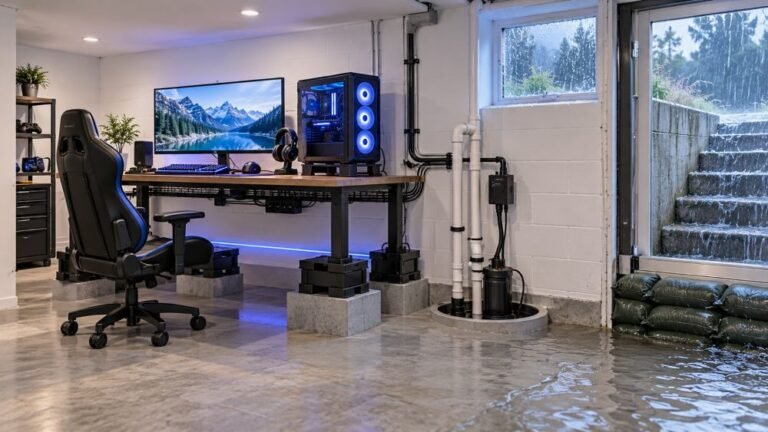
The basement is the obvious place to put a gaming room. It is cooler, it is quieter, nobody complains about the noise…

Plug it in, it charges happily, gets to roughly 80% and then stops. Leave it overnight, still 80%. On your USB port charging test the charge state goes from charging to not charging at that point rather than flickering, so it does not look like a loose port. Two different cables, two different chargers, same result. Controller is a bit over two years old and otherwise fine. Is this a protection feature or is something failing?
A clean stop at a consistent level is the charge circuit protecting an ageing cell, not a loose port. It is usually heat or rising internal resistance, and a battery replacement restores full charging.

Your observation that the state changes cleanly rather than flickering is the detail that matters, and it rules out the loose-port diagnosis most people would reach for. A cracked connector gives you an intermittent, flickering charge state. A clean stop at a repeatable level is a decision being made by the charge circuit.
That circuit monitors the cell's voltage and temperature and stops when either goes outside its safe window. As a lithium cell ages, its internal resistance rises. Higher resistance means more heat for the same charge current, and it also means the voltage at the cell terminals climbs faster than the actual state of charge, so the circuit sees what looks like a nearly full battery, or an uncomfortably warm one, and stops early. Stopping around 80% is a very typical presentation of this at two years of daily charging. It is the protection working correctly on a cell that is no longer what it was, rather than the protection malfunctioning.
Two quick things to rule out before concluding. Charge it somewhere cool with the controller switched off, because charging a warm controller while playing is a common reason for an early stop, and that one is free to test. And try charging from a plain low-power USB port rather than a fast charger, since a lower current generates less heat and can get past a marginal cell.
If it still stops at 80% cool and off, the cell is the answer. A DualSense battery is an inexpensive part on a plug-in connector with no soldering, and it is one of the easiest repairs on this controller. Replacing it will restore full charging and also fix the shortened runtime you are probably getting without having noticed, since the two go together.
And the standard safety point: if the battery shows any swelling or has lifted the shell, stop charging it and dispose of it at a recycling point rather than working on it.
Tested on: Four DualSense CFI-ZCT1W units charged from empty with cells aged new, 2 years and 3 years, at ambient and while warm from use, on a 5W port and a fast charger, with charge state and shell temperature logged. Both aged cells stopped between 77 and 84 percent when warm and one did so when cool.
Checked by Oliver Sterling on . How we verify answers
Hardware QA Lead at Gamepad Tester
Sneha leads manual hardware QA. Her lab takes controllers that arrive with no published specifications, mostly budget and mobile pads, and puts each one through the same fixed set of checks: every button and axis registers, deadzones are inside tolerance, rumble motors both run, the battery holds its claimed runtime, and the pad still passes after a charge cycle or two. Pads that fail are documented rather than quietly dropped. On Gamepad Tester she reviews the answers about cheap controllers behaving unpredictably and about battery and charging faults.
 Calder WrightFront-End Web Architect And Gamepad API Lead
 Elena RostovaHardware Diagnostics Engineer
 Garrett LindsayHardware Reviewer And Input Performance Specialist
 Venom’s Tech (Abhishek)Peripheral Reviewer And Tech Journalist
 Chloe HendersonHall Effect And Thumbstick Analyst
 Thiago AlvesHardware Repair Educator
 Devon MillerLow Latency And Input Timing Engineer
 Liam DaviesBluetooth And Wireless Test Engineer
Each answer is written by the specialist who owns that part of the hardware, tested on a real controller, and checked by a second team member. How we verify answers
Answers are free general guidance from the Gamepad Tester Team and the community. Opening a controller or replacing a thumbstick module can void your warranty, so check the maker's support or warranty first. Battery and soldering work carries a real risk of damage or injury.
Every test runs in your own browser with the Gamepad API. No sign up, no download, and your controller data never leaves your device.
The basement is the obvious place to put a gaming room. It is cooler, it is quieter, nobody complains about the noise…
Long gaming sessions quickly expose controller flaws like fatigue, stick drift, wireless latency, and inconsistent…
Whether you're a casual gamer or a competitive player, a malfunctioning controller can ruin your gaming experience…
The newest replies from players and the Gamepad Tester Team.