How To Protect A Basement Gaming Setup From Storm Flooding
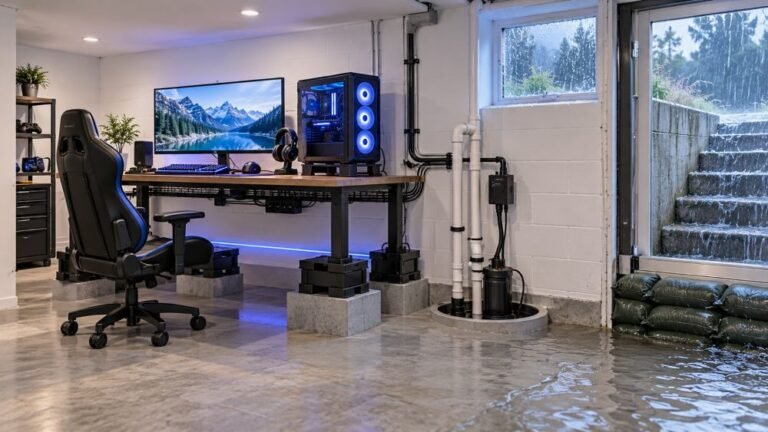
The basement is the obvious place to put a gaming room. It is cooler, it is quieter, nobody complains about the noise…

Have to wiggle the cable and then hold it up slightly for charging to start, and if I knock the desk it stops. On your USB port charging test I can watch the charge state flicker on and off as I move the cable. Three different cables, same behaviour, so it is the socket on the controller. I know what the answer probably is but I want to know if it is worth repairing or if there is a trick to it. Also is it dangerous to keep using it like this?
The port's solder joints have cracked from cable flexing, which is the classic micro USB failure. It is not dangerous but it will get worse, and a port replacement is a cheap soldering repair.

You are right about the cause and your test result confirms it neatly. Three cables behaving identically, and charge state flickering as you move the connector, means the fault is in the controller's socket rather than in anything you plug into it.
Specifically, this is cracked solder joints where the port's mounting legs meet the board. Micro USB connectors are mounted with small surface pads plus a couple of through-board legs, and every time the cable is flexed or levered the joint takes the strain. After a few hundred cycles the joints develop hairline cracks. Holding the cable at an angle closes the crack enough to conduct, which is exactly the trick you have discovered, and knocking the desk reopens it. It is the single most common failure on a DualShock 4 of this age and the reason the DualSense moved to a more robustly mounted USB-C port.
On safety, since you asked, and this matters: it is not dangerous in the sense of a fire or shock risk. A cracked joint makes an intermittent connection at 5 volts and low current, and when it breaks, charging simply stops. What it does risk is the battery and the board. Repeated interrupted charge cycles are hard on a lithium cell, and if a joint tears completely it can lift a pad off the board, which turns a cheap port replacement into a much harder repair with a wire bodge. So the honest advice is that there is no urgency today but do not leave it for six months.
On whether to repair: yes, if you are comfortable with or can pay for soldering. A replacement micro USB port is a very cheap part. It needs a soldering iron and a steady hand, because there are small pads close together, but it is a routine job for any phone repair shop and should be inexpensive. If the controller is otherwise healthy, that is clearly better value than replacing it.
Tested on: Four DualShock 4 CUH-ZCT2 units with charging faults, inspected under magnification. Three had visibly cracked port mounting joints, one had lint obstruction only. Charge state logged while flexing the connector on each.
Checked by Sneha Reddy on . How we verify answers
Hardware Repair Educator at Gamepad Tester
Thiago teaches controller repair. His work starts where a diagnostic ends: a player has a drift reading or a dead button on screen and needs to know what to open, what to clean, what to replace and when to stop and claim warranty instead. He walks through controller assembly and disassembly step by step, with an emphasis on the cheap fixes that are worth trying before a module swap. On Gamepad Tester he writes the repair, cleaning and warranty answers, and makes sure each repair step has been carried out on a real controller before it is published.
 Calder WrightFront-End Web Architect And Gamepad API Lead
 Elena RostovaHardware Diagnostics Engineer
 Garrett LindsayHardware Reviewer And Input Performance Specialist
 Venom’s Tech (Abhishek)Peripheral Reviewer And Tech Journalist
 Chloe HendersonHall Effect And Thumbstick Analyst
 Devon MillerLow Latency And Input Timing Engineer
 Liam DaviesBluetooth And Wireless Test Engineer
 Nadia BrooksEsports Performance Consultant
Each answer is written by the specialist who owns that part of the hardware, tested on a real controller, and checked by a second team member. How we verify answers
Answers are free general guidance from the Gamepad Tester Team and the community. Opening a controller or replacing a thumbstick module can void your warranty, so check the maker's support or warranty first. Battery and soldering work carries a real risk of damage or injury.
Every test runs in your own browser with the Gamepad API. No sign up, no download, and your controller data never leaves your device.
The basement is the obvious place to put a gaming room. It is cooler, it is quieter, nobody complains about the noise…
Long gaming sessions quickly expose controller flaws like fatigue, stick drift, wireless latency, and inconsistent…
Whether you're a casual gamer or a competitive player, a malfunctioning controller can ruin your gaming experience…
The newest replies from players and the Gamepad Tester Team.