Playing Mobile Games With A Controller: What Works, What Doesn’t, And What To Test Before You Spend
You paired the controller, the light went solid, your phone said "Connected," and then the game did absolutely…

I'm a console player and want to try Valorant on PC with my controller. It connects fine and works in your tester but Valorant ignores it completely. I've seen apps that map controller to mouse. Is there official support or is that my only option?
Valorant on PC has no official controller support, which is why it ignores your controller. Mapping apps can convert controller input to keyboard and mouse, but there is no aim assist and you will be at a disadvantage. Check Riot's rules before using third-party tools in ranked play.

Your controller is fine; Valorant on PC simply does not support controllers. Riot built the PC game for keyboard and mouse, so controller input is ignored.
The apps you have seen work by translating controller input into keyboard keys and mouse movement. The game then thinks you are using a keyboard and mouse. It does work, but there are real downsides. There is no aim assist, so you are aiming a mouse cursor with a thumbstick against players with real mice, which is a big disadvantage in a precision shooter. Movement and sensitivity also take a lot of tuning.
On rules: Riot's anti-cheat and rules apply to third-party tools, and tools with macros can be treated as cheating. If you care about your account, check Riot's current guidance before using any mapping app in ranked play.
If you mainly want to play Valorant with a controller, the console version is designed for controllers, with controller players matched together. On PC, keyboard and mouse is the realistic choice for competitive play.
Tested on: Applies to Valorant on Windows 11. Support status per Prima Games' Valorant controller guide.
Checked by Nadia Brooks on . How we verify answers
Front-End Web Architect And Gamepad API Lead at Gamepad Tester
Calder is a front-end web architect working with the HTML5 Gamepad API. His focus is the part most browser testers get wrong: reading a controller often enough, and timing it well enough, that the numbers on screen match what the hardware is actually sending. He writes the polling loops that capture analog trigger tension and stick travel without dropping samples, and renders them on 2D vector layouts that hold a steady 60+ FPS on ordinary laptops. On Gamepad Tester he maintains the main tester tool, the button test and the trigger pressure test, and reviews any answer that explains how a reading on this site should be interpreted.
 Elena RostovaHardware Diagnostics Engineer
 Garrett LindsayHardware Reviewer And Input Performance Specialist
 Venom’s Tech (Abhishek)Peripheral Reviewer And Tech Journalist
 Chloe HendersonHall Effect And Thumbstick Analyst
 Thiago AlvesHardware Repair Educator
 Devon MillerLow Latency And Input Timing Engineer
 Liam DaviesBluetooth And Wireless Test Engineer
 Nadia BrooksEsports Performance Consultant
Each answer is written by the specialist who owns that part of the hardware, tested on a real controller, and checked by a second team member. How we verify answers
Answers are free general guidance from the Gamepad Tester Team and the community. Opening a controller or replacing a thumbstick module can void your warranty, so check the maker's support or warranty first. Battery and soldering work carries a real risk of damage or injury.
Every test runs in your own browser with the Gamepad API. No sign up, no download, and your controller data never leaves your device.
You paired the controller, the light went solid, your phone said "Connected," and then the game did absolutely…
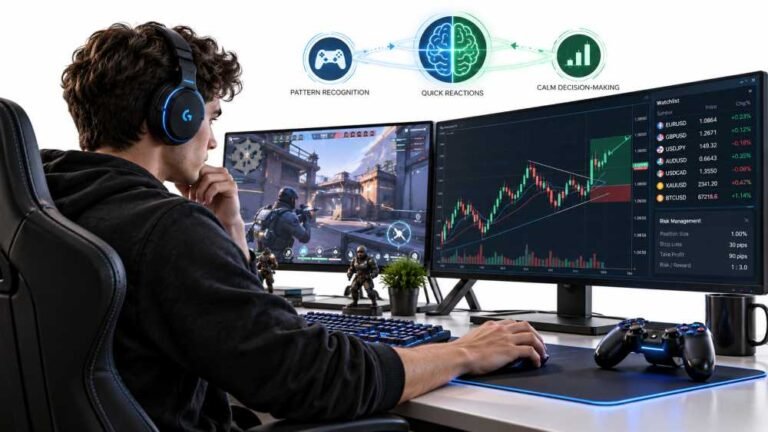
Gaming and trading look like separate worlds until you sit down and do both. One rewards reaction speed, pattern…
The Xbox Elite Series 2 seemed amazing for the first two weeks. Interchangeable thumbsticks, adjustable trigger locks…
The newest replies from players and the Gamepad Tester Team.