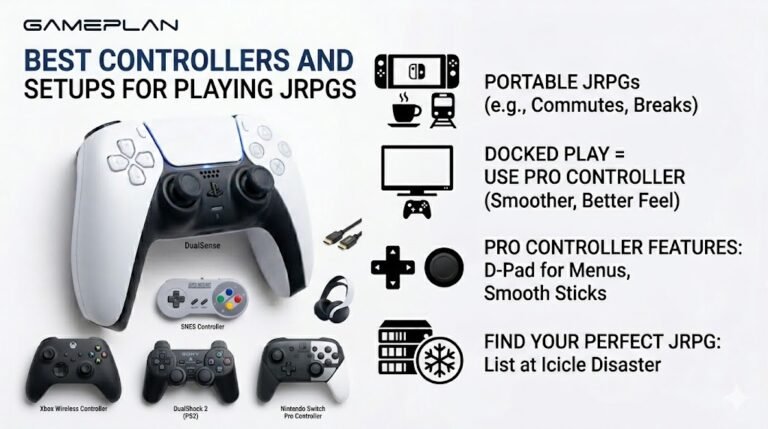
Best Controllers and Setups for Playing JRPGs
Nobody ever talks about controller ergonomics when they recommend JRPGs, and honestly, that is a mistake. These are…

My laptop speakers are really quiet even with Windows at 100%. YouTube is quiet and video calls are hard to hear. The sound test is quiet too. Any way to make it louder without buying speakers?
Check the volume mixer for app levels, the laptop maker's audio app, and the loudness equalisation option in the speaker's enhancements, which raises quiet audio. Make sure nothing covers the speaker grilles. Quiet laptop speakers are sometimes simply their limit.

A few settings often hold laptop speakers back.
App levels. Open the volume mixer from the sound icon. Each app has its own level, and the browser or call app may be lower than the master volume.
The laptop's audio app. Many laptops ship with an audio app from the maker or a partner. It may have a volume limiter, a quiet profile or an equaliser turned down. Updates sometimes reset it.
Loudness equalisation. In the classic Sound control panel, open the speakers' properties and look in the enhancements for loudness equalisation. It boosts quiet sounds and evens out levels, which helps a lot with video calls. Not every driver offers it.
Physical. Laptop speakers often fire downwards or sideways. A soft surface such as a duvet blocks them; a hard desk reflects sound up.
If all of that is right and it is still quiet, it may be the speakers' limit. Small laptop speakers cannot be very loud. A cheap pair of USB speakers or headphones is the reliable fix.
Run the sound test after each change to hear the difference.
Tested on: Applies to laptop speakers on Windows 11. Steps per Microsoft's sound troubleshooting guide.
Checked by Isabela Costa on . How we verify answers
Technical Writer And Localisation Editor at Gamepad Tester
Divya is a technical writer and documentation specialist. She converts the low-level detail the engineers work in into step-by-step instructions a player can follow on the first attempt, then makes sure those steps survive translation: a procedure that depends on an English menu label or an unexplained abbreviation stops working the moment it is localised. On Gamepad Tester she writes the setup and troubleshooting guides and edits the translated versions of this site's pages.
 Calder WrightFront-End Web Architect And Gamepad API Lead
 Elena RostovaHardware Diagnostics Engineer
 Garrett LindsayHardware Reviewer And Input Performance Specialist
 Venom’s Tech (Abhishek)Peripheral Reviewer And Tech Journalist
 Chloe HendersonHall Effect And Thumbstick Analyst
 Thiago AlvesHardware Repair Educator
 Devon MillerLow Latency And Input Timing Engineer
 Liam DaviesBluetooth And Wireless Test Engineer
Each answer is written by the specialist who owns that part of the hardware, tested on a real controller, and checked by a second team member. How we verify answers
Answers are free general guidance from the Gamepad Tester Team and the community. Opening a controller or replacing a thumbstick module can void your warranty, so check the maker's support or warranty first. Battery and soldering work carries a real risk of damage or injury.
Every test runs in your own browser with the Gamepad API. No sign up, no download, and your controller data never leaves your device.
Nobody ever talks about controller ergonomics when they recommend JRPGs, and honestly, that is a mistake. These are…
Content creators, marketers, and businesses are finding creating images and videos more and more effortless via AI. As…
Bilibili Gaming defeated G2 Esports 3-1 in São Paulo on March 22, 2026, to win an international League of Legends…
The newest replies from players and the Gamepad Tester Team.

