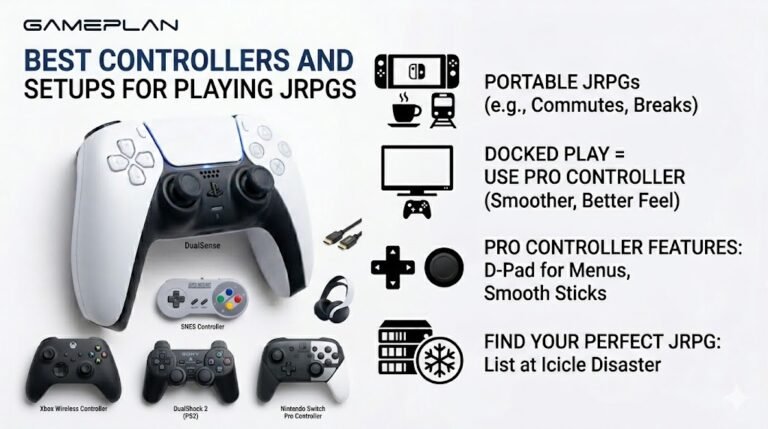
Best Controllers and Setups for Playing JRPGs
Nobody ever talks about controller ergonomics when they recommend JRPGs, and honestly, that is a mistake. These are…

My earbuds are really quiet on my Android phone even at max volume, but loud on my friend's phone. Your sound test is quiet too. Is there a setting that limits Bluetooth volume?
Check for a media volume limiter in sound settings, then try the Developer options setting that disables absolute Bluetooth volume, which lets the earbuds and phone volume work separately. Make sure you are raising media volume, not call volume.

A few Android settings commonly cause this, and they vary by phone brand.
Media volume. Phones have separate volumes for media, calls and ringtone. Press volume up while the sound test is playing, so you raise media volume rather than ringtone.
Volume limiter. Many phones have a media volume limit, sometimes in sound settings or in a hearing protection or headphone safety section. If it is on, max volume is capped.
Absolute volume. Normally Android and the earbuds share one volume level. With some earbuds that does not work well and the earbuds stay quiet. Developer options include a setting to disable absolute Bluetooth volume, which makes the phone and earbuds keep separate levels so you can raise both. To see Developer options, tap the build number in About phone seven times. Reconnect the earbuds after changing it.
Also check the earbuds' own app for volume or EQ settings.
Once it is louder, keep it at a sensible level, since earbuds are close to the eardrum.
Tested on: Applies to Bluetooth earbuds on Android 16. Setting names vary by phone brand.
Checked by Chris Evans Jr. on . How we verify answers
Mobile And WebView Compatibility Engineer at Gamepad Tester
Priya works on WebView compatibility. A large share of mobile traffic reaches a page from inside another app's embedded browser, where viewport sizing, permissions and input handling all differ from the standalone browser on the same phone. She tests how the tools scale and behave inside Android WebView containers so a player who opens a test from a link in a chat app is not handed a broken layout or a controller the page cannot see. On Gamepad Tester she reviews the mobile tooling answers.
 Calder WrightFront-End Web Architect And Gamepad API Lead
 Elena RostovaHardware Diagnostics Engineer
 Garrett LindsayHardware Reviewer And Input Performance Specialist
 Venom’s Tech (Abhishek)Peripheral Reviewer And Tech Journalist
 Chloe HendersonHall Effect And Thumbstick Analyst
 Thiago AlvesHardware Repair Educator
 Devon MillerLow Latency And Input Timing Engineer
 Liam DaviesBluetooth And Wireless Test Engineer
Each answer is written by the specialist who owns that part of the hardware, tested on a real controller, and checked by a second team member. How we verify answers
Answers are free general guidance from the Gamepad Tester Team and the community. Opening a controller or replacing a thumbstick module can void your warranty, so check the maker's support or warranty first. Battery and soldering work carries a real risk of damage or injury.
Every test runs in your own browser with the Gamepad API. No sign up, no download, and your controller data never leaves your device.
Nobody ever talks about controller ergonomics when they recommend JRPGs, and honestly, that is a mistake. These are…
Content creators, marketers, and businesses are finding creating images and videos more and more effortless via AI. As…
Bilibili Gaming defeated G2 Esports 3-1 in São Paulo on March 22, 2026, to win an international League of Legends…
The newest replies from players and the Gamepad Tester Team.

