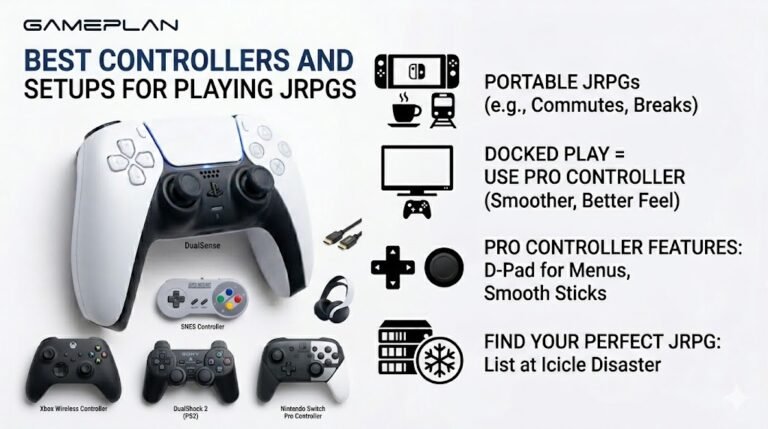
Best Controllers and Setups for Playing JRPGs
Nobody ever talks about controller ergonomics when they recommend JRPGs, and honestly, that is a mistake. These are…

With my Bluetooth headphones on my laptop, there's a noticeable delay. In games, sounds come after the action, and sometimes videos are out of sync. Wired headphones are fine. Can I fix the delay?
Some delay is built into Bluetooth audio, often over a tenth of a second. Video players usually compensate, games often cannot. Low latency modes, newer codecs or a headset with its own wireless dongle reduce it; wired is the only way to remove it.

Bluetooth audio always has some delay. The sound is compressed, sent in packets and buffered so it does not drop out, and that process commonly adds well over a tenth of a second. How much depends on the headphones, the codec and the device.
Video is usually fine because good video players and streaming apps delay the picture slightly to match the audio. When they do not, you notice it. Games are harder, because the game cannot delay your actions, so the sound arrives late.
What helps. Many headphones have a gaming or low latency mode, often switched on in their app or with a button combination. Newer codecs and newer Bluetooth versions can lower delay when both the headphones and the computer support them. Keeping the headphones close to the computer and away from Wi-Fi congestion reduces buffering hiccups.
For gaming, a headset with its own 2.4GHz wireless dongle avoids Bluetooth's delay and is the common choice. Wired headphones remove the delay entirely.
If videos are out of sync in one app only, try another browser or app, since compensation varies.
Tested on: Applies to Bluetooth headphones and earbuds on Windows 11. Latency behaviour reflects how Bluetooth audio buffers and encodes sound.
Checked by Devon Miller on . How we verify answers
Bluetooth And Wireless Test Engineer at Gamepad Tester
Liam works on Bluetooth Low Energy and wireless input. Most pairing complaints are not really pairing problems: they are packet drops, signal jitter or interference from a crowded 2.4GHz band, and they look completely different on a trace than they do to the player. He tests how controllers behave over distance, through walls, alongside other wireless devices, and on the proprietary dongles that several brands ship. On Gamepad Tester he answers the pairing and dropout questions and verifies fixes over both Bluetooth and adapter connections.
 Calder WrightFront-End Web Architect And Gamepad API Lead
 Elena RostovaHardware Diagnostics Engineer
 Garrett LindsayHardware Reviewer And Input Performance Specialist
 Venom’s Tech (Abhishek)Peripheral Reviewer And Tech Journalist
 Chloe HendersonHall Effect And Thumbstick Analyst
 Thiago AlvesHardware Repair Educator
 Devon MillerLow Latency And Input Timing Engineer
 Nadia BrooksEsports Performance Consultant
Each answer is written by the specialist who owns that part of the hardware, tested on a real controller, and checked by a second team member. How we verify answers
Answers are free general guidance from the Gamepad Tester Team and the community. Opening a controller or replacing a thumbstick module can void your warranty, so check the maker's support or warranty first. Battery and soldering work carries a real risk of damage or injury.
Every test runs in your own browser with the Gamepad API. No sign up, no download, and your controller data never leaves your device.
Nobody ever talks about controller ergonomics when they recommend JRPGs, and honestly, that is a mistake. These are…
Content creators, marketers, and businesses are finding creating images and videos more and more effortless via AI. As…
Bilibili Gaming defeated G2 Esports 3-1 in São Paulo on March 22, 2026, to win an international League of Legends…
The newest replies from players and the Gamepad Tester Team.

