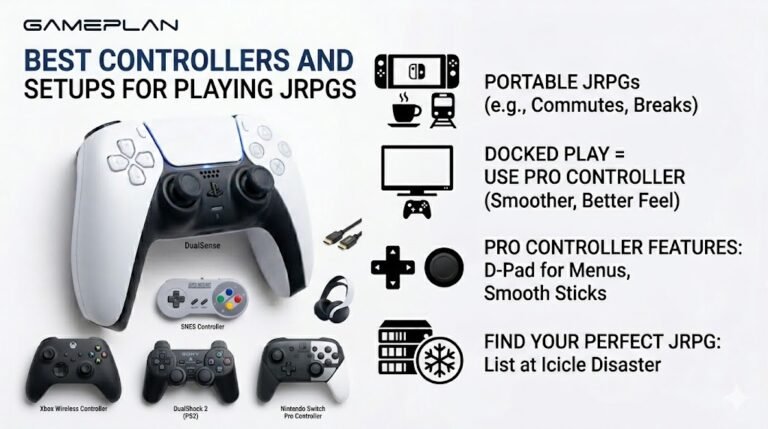
Best Controllers and Setups for Playing JRPGs
Nobody ever talks about controller ergonomics when they recommend JRPGs, and honestly, that is a mistake. These are…

My Bluetooth speaker keeps cutting out for a second or two, especially when I walk around with my phone. Your speaker test stutters too. The speaker is new. Is it faulty?
Dropouts when you move are usually range and obstacles. Bluetooth is weakened by walls and bodies; keeping the phone in your pocket between you and the speaker is enough to cause it. Stay in line of sight, reduce 2.4GHz Wi-Fi interference and turn off battery saving on the phone.

The detail that it gets worse when you walk around points to the signal rather than a faulty speaker.
Bluetooth has limited range, and walls, furniture and even your own body weaken it. A phone in a back pocket with your body between it and the speaker is a classic cause of dropouts. Bluetooth also shares the 2.4GHz band with Wi-Fi and some other devices, so a busy Wi-Fi network nearby makes things worse.
Try this: put the phone in clear line of sight of the speaker, a few metres away, and run the speaker test. If it plays cleanly, range or obstacles were the cause.
Other things to check. Battery saver modes on the phone can reduce Bluetooth performance. Other connected Bluetooth devices, such as a watch, share the phone's radio. Some speakers use higher quality codecs that are less robust at range; the speaker's app may let you choose a more stable mode.
If it stutters even right next to the phone with nothing else connected, update the speaker's firmware, and if that does not help, return it as faulty.
Tested on: Applies to Bluetooth speakers with Android 16 and iOS phones. Behaviour reflects Bluetooth range and 2.4GHz interference.
Checked by Chris Evans Jr. on . How we verify answers
Bluetooth And Wireless Test Engineer at Gamepad Tester
Liam works on Bluetooth Low Energy and wireless input. Most pairing complaints are not really pairing problems: they are packet drops, signal jitter or interference from a crowded 2.4GHz band, and they look completely different on a trace than they do to the player. He tests how controllers behave over distance, through walls, alongside other wireless devices, and on the proprietary dongles that several brands ship. On Gamepad Tester he answers the pairing and dropout questions and verifies fixes over both Bluetooth and adapter connections.
 Calder WrightFront-End Web Architect And Gamepad API Lead
 Elena RostovaHardware Diagnostics Engineer
 Garrett LindsayHardware Reviewer And Input Performance Specialist
 Venom’s Tech (Abhishek)Peripheral Reviewer And Tech Journalist
 Chloe HendersonHall Effect And Thumbstick Analyst
 Thiago AlvesHardware Repair Educator
 Devon MillerLow Latency And Input Timing Engineer
 Nadia BrooksEsports Performance Consultant
Each answer is written by the specialist who owns that part of the hardware, tested on a real controller, and checked by a second team member. How we verify answers
Answers are free general guidance from the Gamepad Tester Team and the community. Opening a controller or replacing a thumbstick module can void your warranty, so check the maker's support or warranty first. Battery and soldering work carries a real risk of damage or injury.
Every test runs in your own browser with the Gamepad API. No sign up, no download, and your controller data never leaves your device.
Nobody ever talks about controller ergonomics when they recommend JRPGs, and honestly, that is a mistake. These are…
Content creators, marketers, and businesses are finding creating images and videos more and more effortless via AI. As…
Bilibili Gaming defeated G2 Esports 3-1 in São Paulo on March 22, 2026, to win an international League of Legends…
The newest replies from players and the Gamepad Tester Team.

