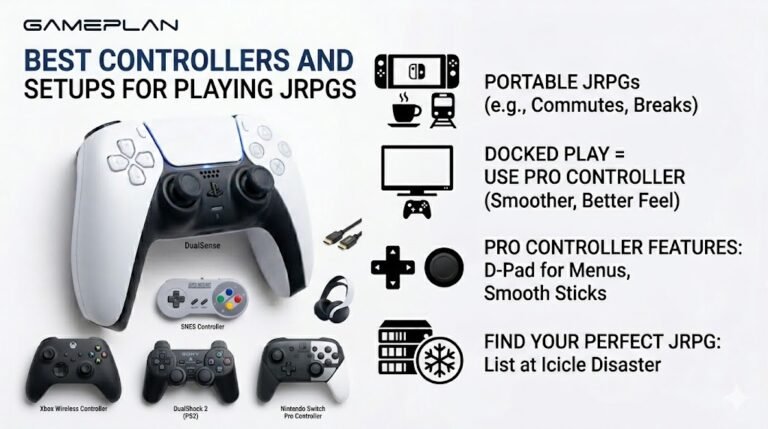
Best Controllers and Setups for Playing JRPGs
Nobody ever talks about controller ergonomics when they recommend JRPGs, and honestly, that is a mistake. These are…

When something should be on my left in a game, I hear it on the right. On your headphone test the left channel plays in my right ear. Headset is a USB one. How can it be backwards?
First check the headset is on the right way round: look for L and R markings. If it is, the swap comes from software, such as the headset's app, a spatial sound setting or the game. Test with spatial sound off and the headset app's effects disabled.

The headphone test is the perfect check, because it plays each channel separately with nothing else involved.
The simple cause first: headsets are easy to wear backwards, especially symmetrical ones. Look for small L and R markings on the headband or inside the earcups. Many headsets with a boom mic have the mic on the left.
If it is on the right way and the test still plays left in your right ear, something in software is swapping channels. Common sources are the headset's own app, which may have a virtual surround or channel option, Windows spatial sound, and occasionally an audio driver setting. Turn off spatial sound in the output device's properties, disable effects in the headset app, and test again.
If the test is correct but one game is reversed, look in that game's audio settings for a channel or speaker configuration option. A few games also offer a swap left and right channels setting for this exact reason.
Test again after each change so you know which setting caused it.
Tested on: Applies to USB and wired headsets on Windows 11 with Chrome or Edge. Channel playback per MDN's Web Audio API documentation.
Checked by Simon Fletcher on . How we verify answers
Technical Content Strategist at Gamepad Tester
Fiona writes the technical guides. Controller diagnostics carry a lot of vocabulary that means nothing to the person holding the pad, from circularity error and polling rate to deadzone tolerance, and a reading nobody can interpret is not a diagnosis. Her work is explaining those concepts in plain language, in the order a player actually needs them, without softening the numbers into vagueness. On Gamepad Tester she edits the guides and the Q&A answers for clarity before they are published.
 Calder WrightFront-End Web Architect And Gamepad API Lead
 Elena RostovaHardware Diagnostics Engineer
 Garrett LindsayHardware Reviewer And Input Performance Specialist
 Venom’s Tech (Abhishek)Peripheral Reviewer And Tech Journalist
 Chloe HendersonHall Effect And Thumbstick Analyst
 Thiago AlvesHardware Repair Educator
 Devon MillerLow Latency And Input Timing Engineer
 Liam DaviesBluetooth And Wireless Test Engineer
Each answer is written by the specialist who owns that part of the hardware, tested on a real controller, and checked by a second team member. How we verify answers
Answers are free general guidance from the Gamepad Tester Team and the community. Opening a controller or replacing a thumbstick module can void your warranty, so check the maker's support or warranty first. Battery and soldering work carries a real risk of damage or injury.
Every test runs in your own browser with the Gamepad API. No sign up, no download, and your controller data never leaves your device.
Nobody ever talks about controller ergonomics when they recommend JRPGs, and honestly, that is a mistake. These are…
Content creators, marketers, and businesses are finding creating images and videos more and more effortless via AI. As…
Bilibili Gaming defeated G2 Esports 3-1 in São Paulo on March 22, 2026, to win an international League of Legends…
The newest replies from players and the Gamepad Tester Team.

