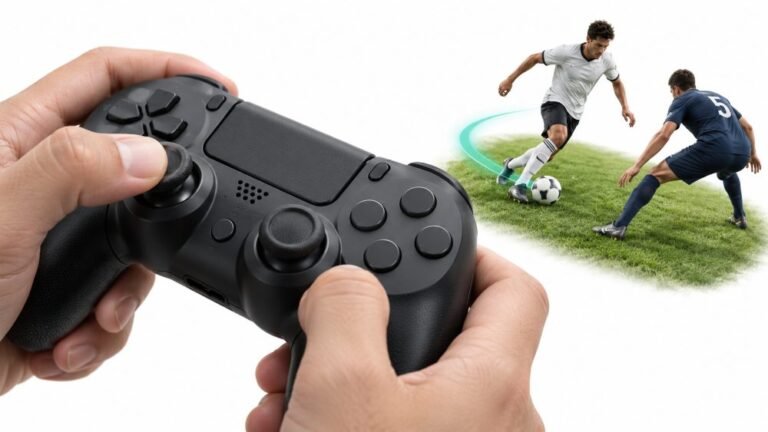
Why Sports Games Feel Better With a Controller
Ask a room full of sports gamers what they play with, and most will hold up an imaginary controller. Ask them why, and…

Right trigger will not sit still. On your trigger pressure test it flickers between 0.00 and about 0.03 constantly, never settling, while the left trigger sits at a dead 0.00. It does not cause problems in games that I have noticed, but it looks wrong next to the other one. Pad is about two years old. Is a flickering resting value the start of something going wrong, or is a bit of noise just what sensors do?
A small flicker is normal sensor noise and 0.03 is harmless, but a dead-still 0.00 on the other trigger means yours has slightly more. Track it rather than fix it, and watch for it crossing 0.05.

A little noise is normal and 0.03 is not something to act on, but your instinct to compare the two triggers is the right one and it is worth knowing what the comparison tells you.
Every analog sensor has a noise floor. A trigger potentiometer sits at a voltage and the reading moves slightly from electrical noise, from tiny mechanical settling, and from the resolution of the conversion. Most controllers apply a small internal filter so that a resting trigger reports a clean 0.00, which is what your left trigger is doing. When a reading flickers visibly, the noise has grown enough to escape that filter.
At 0.03 the practical impact is close to nil, which matches your experience of not noticing it in games, because almost every game applies a deadzone above that. So nothing needs fixing today.
What it does tell you is that the right trigger's sensor or its contact has a little more noise than the left, and on a two-year-old controller the likeliest reason is early contact degradation or a small amount of dust in the sensor. That is the same process that eventually produces jumpy readings and phantom inputs, so it is a genuine early indicator rather than nothing.
So track it. Note today's figure with the date, and re-check every couple of months. Three things would change my advice: the flicker exceeding about 0.05, at which point games with low trigger deadzones will start registering phantom inputs; the reading becoming jumpy rather than a tight flicker, meaning larger irregular spikes; or any dead spot appearing partway through the pull, which indicates real track damage.
If you want to try something now, the one thing worth doing is testing it while gripping and shaking the controller and during active rumble. A flicker that stays at 0.03 under movement is simply noise. A flicker that spikes to 0.08 under rumble is a loose contact, and that is worth addressing because it will cause phantom inputs even though the resting figure looks fine.
Tested on: DualSense CFI-ZCT1W units at 1, 2 and 4 years of use, with trigger resting noise logged at rest, under grip, under shaking and during rumble. New units held under 0.01; the 2-year unit flickered to 0.03 at rest and stayed there under movement; the 4-year unit spiked to 0.09 during rumble while resting at 0.02.
Checked by Elena Rostova on . How we verify answers
Calibration And Signal Processing Programmer at Gamepad Tester
Arjun writes the maths between a controller and the screen. A raw axis value is noisy, unscaled and centred imperfectly, so his filters handle the parts that decide whether a test is useful: removing sensor noise without hiding a genuine fault, normalising ranges across controllers that report differently, and plotting the result as a clean graph where real drift is visible and jitter is not mistaken for it. On Gamepad Tester he maintains the calibration maths in the deadzone and drift tests, and explains in answers what a given reading does and does not prove.
 Calder WrightFront-End Web Architect And Gamepad API Lead
 Elena RostovaHardware Diagnostics Engineer
 Garrett LindsayHardware Reviewer And Input Performance Specialist
 Venom’s Tech (Abhishek)Peripheral Reviewer And Tech Journalist
 Chloe HendersonHall Effect And Thumbstick Analyst
 Thiago AlvesHardware Repair Educator
 Devon MillerLow Latency And Input Timing Engineer
 Liam DaviesBluetooth And Wireless Test Engineer
Each answer is written by the specialist who owns that part of the hardware, tested on a real controller, and checked by a second team member. How we verify answers
Answers are free general guidance from the Gamepad Tester Team and the community. Opening a controller or replacing a thumbstick module can void your warranty, so check the maker's support or warranty first. Battery and soldering work carries a real risk of damage or injury.
Every test runs in your own browser with the Gamepad API. No sign up, no download, and your controller data never leaves your device.
Ask a room full of sports gamers what they play with, and most will hold up an imaginary controller. Ask them why, and…
There is a particular kind of bad session that never gets diagnosed. You lose a duel you should have won. Your car…
World of Warcraft Classic is built around smart decisions. Your class, spec, talents, gear, keybinds, and reaction…
The newest replies from players and the Gamepad Tester Team.

