How To Protect A Basement Gaming Setup From Storm Flooding
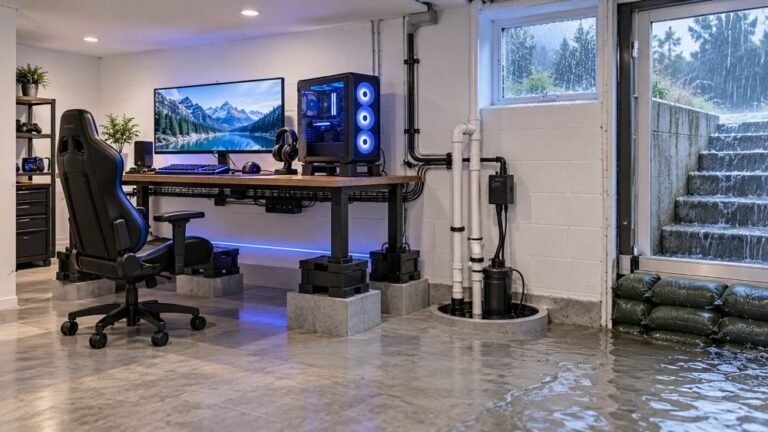
The basement is the obvious place to put a gaming room. It is cooler, it is quieter, nobody complains about the noise…

The rechargeable battery pack in my Xbox Series controller doesn't seem to charge anymore. I plug in the cable overnight and it's dead within half an hour. AA batteries work fine in it. Is the pack done or is it the cable?
Since AA batteries work, the controller is fine. Check the cable carries power, the pack sits firmly and the contacts are clean. If a known-good cable still gives only half an hour, the pack has worn out and needs replacing.

The AA test is the important clue: the controller itself is fine, so the problem is the pack, the cable or the contacts between them.
Start with the cable and power source. Charging needs a cable that carries power properly and a port that supplies it. Try the cable that came with the kit, or another known-good USB-C cable, in a computer port or console rather than a weak phone charger or unpowered hub. Leave it for a few hours.
Then the contacts. The pack touches small contacts inside the battery compartment. If they are dirty, bent or the pack sits slightly loose, charging can be intermittent. Clean the contacts gently with isopropyl alcohol on a cotton bud and check the pack clicks in firmly.
If it still only lasts around half an hour after a full charge with a good cable, the pack has lost most of its capacity. Rechargeable packs wear with use like any battery, and after a few years of heavy play this is normal. A replacement pack is the fix.
You can see the effect by timing it: a healthy pack lasts many hours, so half an hour is well beyond normal wear.
Tested on: Applies to Xbox Wireless Controller Model 1914 with the Play and Charge Kit. Troubleshooting order per Xbox support's controller connection guide.
Checked by Sneha Reddy on . How we verify answers
Hardware Repair Educator at Gamepad Tester
Thiago teaches controller repair. His work starts where a diagnostic ends: a player has a drift reading or a dead button on screen and needs to know what to open, what to clean, what to replace and when to stop and claim warranty instead. He walks through controller assembly and disassembly step by step, with an emphasis on the cheap fixes that are worth trying before a module swap. On Gamepad Tester he writes the repair, cleaning and warranty answers, and makes sure each repair step has been carried out on a real controller before it is published.
 Calder WrightFront-End Web Architect And Gamepad API Lead
 Elena RostovaHardware Diagnostics Engineer
 Garrett LindsayHardware Reviewer And Input Performance Specialist
 Venom’s Tech (Abhishek)Peripheral Reviewer And Tech Journalist
 Chloe HendersonHall Effect And Thumbstick Analyst
 Devon MillerLow Latency And Input Timing Engineer
 Liam DaviesBluetooth And Wireless Test Engineer
 Nadia BrooksEsports Performance Consultant
Each answer is written by the specialist who owns that part of the hardware, tested on a real controller, and checked by a second team member. How we verify answers
Answers are free general guidance from the Gamepad Tester Team and the community. Opening a controller or replacing a thumbstick module can void your warranty, so check the maker's support or warranty first. Battery and soldering work carries a real risk of damage or injury.
Every test runs in your own browser with the Gamepad API. No sign up, no download, and your controller data never leaves your device.
The basement is the obvious place to put a gaming room. It is cooler, it is quieter, nobody complains about the noise…
Long gaming sessions quickly expose controller flaws like fatigue, stick drift, wireless latency, and inconsistent…
Whether you're a casual gamer or a competitive player, a malfunctioning controller can ruin your gaming experience…
The newest replies from players and the Gamepad Tester Team.