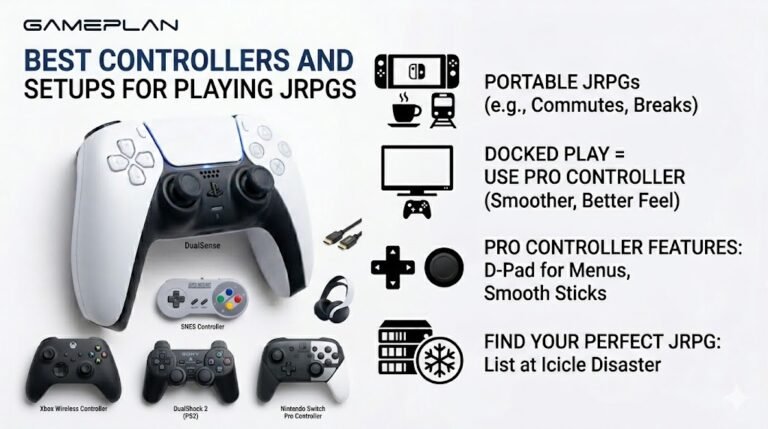
Best Controllers and Setups for Playing JRPGs
Nobody ever talks about controller ergonomics when they recommend JRPGs, and honestly, that is a mistake. These are…

On your speaker test, my laptop's left speaker plays but the right one is either silent or very faint. Music sounds lopsided. Is the speaker blown or is there a setting?
Check the left and right balance in the speaker's properties, make sure Mono audio is off, and turn off audio enhancements. If the right speaker is still silent or buzzy in the test, the speaker or its connector has failed.

Start with settings, because a lopsided balance is surprisingly common after updates or when another app changed it.
In Settings, System, Sound, select your laptop speakers and open their properties. Check the left and right balance is equal. In the older Sound control panel, the Levels tab has a Balance button with the same control.
Turn off audio enhancements for the speakers as well. Some laptop audio software applies effects that can cause odd channel levels. And check Mono audio in the Accessibility settings is off.
Now run the speaker test again, playing the right channel on its own. If it is completely silent, faint or buzzing while the left is clean, the right speaker or its small cable inside the laptop is the likely cause. Laptop speakers are replaceable on most models, and a repair shop can check whether the connector has simply come loose.
If both sides play correctly in the test but music still sounds lopsided, check the app or music player's own balance or spatial settings.
Tested on: Applies to laptop built-in speakers on Windows 11. Steps per Microsoft's sound troubleshooting guide.
Checked by Divya Nair on . How we verify answers
Embedded Systems And Firmware Programmer at Gamepad Tester
Alistair is an embedded systems programmer. He writes custom firmware for third-party PC gamepads and builds input-parsing test rigs on microcontrollers such as the Arduino and Raspberry Pi Pico, which means he can see what a controller is sending at the wire level rather than guessing from what the operating system reports. That is usually the fastest way to settle whether a fault is in the pad, the driver or the browser. On Gamepad Tester he answers the firmware and driver questions, including the ones where an update has broken a working controller.
 Calder WrightFront-End Web Architect And Gamepad API Lead
 Elena RostovaHardware Diagnostics Engineer
 Garrett LindsayHardware Reviewer And Input Performance Specialist
 Venom’s Tech (Abhishek)Peripheral Reviewer And Tech Journalist
 Chloe HendersonHall Effect And Thumbstick Analyst
 Thiago AlvesHardware Repair Educator
 Devon MillerLow Latency And Input Timing Engineer
 Liam DaviesBluetooth And Wireless Test Engineer
Each answer is written by the specialist who owns that part of the hardware, tested on a real controller, and checked by a second team member. How we verify answers
Answers are free general guidance from the Gamepad Tester Team and the community. Opening a controller or replacing a thumbstick module can void your warranty, so check the maker's support or warranty first. Battery and soldering work carries a real risk of damage or injury.
Every test runs in your own browser with the Gamepad API. No sign up, no download, and your controller data never leaves your device.
Nobody ever talks about controller ergonomics when they recommend JRPGs, and honestly, that is a mistake. These are…
Content creators, marketers, and businesses are finding creating images and videos more and more effortless via AI. As…
Bilibili Gaming defeated G2 Esports 3-1 in São Paulo on March 22, 2026, to win an international League of Legends…
The newest replies from players and the Gamepad Tester Team.

